
Alternatives to Subclip
Explore the best alternatives and competitors to Subclip.
Explore 20 alternatives to Subclip. Compare features, pricing, and find the best fit for your needs.
Parlune
Learn a language from real content, not vocab dumps. Parlune turns your favourite foreign-language YouTube videos into immersive, audio-synced lessons
AFFLIGO
AFFLIGO brings free online PDF, image, video, text, and calculator tools together to make everyday digital tasks easier.
ScriptGecko
ScriptGecko turns public Instagram Reels and videos into clean, timestamped transcripts you can copy or download as TXT.



FacelessGenie
Create complete faceless videos with AI -- scripts, voices, visuals, music and captions in one workflow.

Yaps AI
Yaps is your private AI sidekick that turns speech into text, connects your notes, and answers questions—all offline.

Screen Dub
Ship product demos in minutes by recording your screen once while ScreenDub auto-generates the script, voiceover, and translations.

PicRevamp
PicRevamp is the ultimate AI content suite that turns your text, images, and audio into fire videos and pro-level visuals instantly.
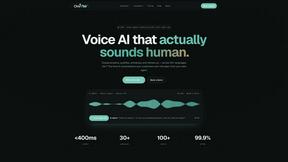
Oravaa
Oravaa is an enterprise-grade Voice AI platform that handles repetitive phone operations with human-like conversations, 24/7.

Elispeak
Elispeak is your AI-powered English tutor, offering instant feedback to supercharge your speaking skills for interviews and real-life conversations.
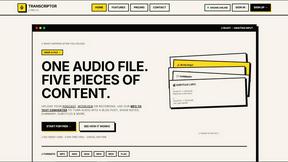
Transcriptor Pro
Drop one audio file and get five pieces of content instantly with studio-grade AI transcription.
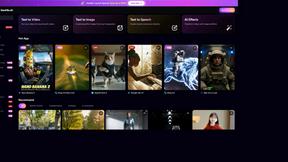
GenMix
GenMix is your all-in-one AI powerhouse, turning wild ideas into stunning videos, images, and voiceovers with the latest models.

ViewMax Studio
ViewMax Studio transforms your images into stunning, professional-quality videos in seconds, making content creation a breeze for every creator.

Read PDF Aloud
Transform any PDF into lifelike speech in 142 languages with Read PDF Aloud—your free AI-powered listening buddy.

Hush Touch | Voice-to-Text for MacOS
Hush Touch turns your voice into text on Mac, learning your jargon offline with zero subscriptions for just $20.

Glossa
Glossa breaks language barriers with real-time AI translations for your church services in over 100 languages.
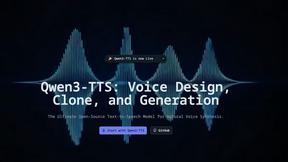
Qwen3-TTS
Qwen3-TTS transforms your text into lifelike speech with zero-shot voice cloning and context-aware prosody for dynamic.
About Subclip Alternatives
Subclip is the AI-powered video editor that’s basically a cheat code for creators, marketers, and educators who want to edit videos like they’re editing a Google Doc—drag your transcript, chop the footage, and move on with your life. It lives in the Speech & Voice category, but it’s really a full-on production Swiss Army knife, packing voice cloning, auto-subtitles, silence removal, and multi-language dubbing into one slick interface. Still, even the dopest tools have their limits. Users start hunting for alternatives when the freemium tier runs dry, when they need a specific platform integration that Subclip doesn’t support, or when their workflow demands a feature set that’s just slightly out of reach—like hardcore color grading or native mobile editing that Subclip isn’t built for. When you’re shopping for a replacement, don’t just look for a clone. You want something that matches your vibe: check for seamless voice cloning that actually preserves your tone, subtitle accuracy that doesn’t drop the ball on slang, and dubbing that keeps your background music intact. Pricing is key too—if Subclip’s paid plans don’t fit your budget, find a tool that offers a generous free tier or a flat-rate subscription without hidden fees. And don’t sleep on platform compatibility; if you’re editing on a Chromebook or need Linux support, make sure the alternative doesn’t leave you hanging. The goal is to find a tool that kills the same pain points—silence removal, filler word deletion, and transcript-based editing—without forcing you to learn a whole new system from scratch.
FAQs about Subclip Alternatives
What is Subclip?
Subclip is an AI-powered video editor designed for creators, marketers, and educators. It allows you to edit videos like a document by dragging a transcript and making cuts directly from the text. The tool includes advanced features such as voice cloning, auto-subtitles, silence removal, filler word deletion, and multi-language dubbing while preserving background music.
Who is Subclip for?
Subclip is built for YouTubers, podcasters, course creators, and content teams who want to streamline their video production workflow. It removes the complexity of traditional editing software, making it ideal for both solo creators and collaborative teams. Whether you need to re-record parts of a video with your cloned voice or generate accurate subtitles in minutes, Subclip is tailored for speed and simplicity.
Is Subclip free?
Yes, Subclip offers a freemium pricing model with a free tier that lets you test its core features like transcription and silence removal. For users who need more advanced capabilities like voice cloning, multi-language dubbing, or longer video limits, there are affordable paid plans available. The free tier is a great way to evaluate if Subclip fits your workflow before committing to a subscription.
What are the main features of Subclip?
Subclip’s main features include AI-powered voice cloning, automatic subtitle generation, one-click silence and filler word removal, and multi-language dubbing that preserves background music. It also supports transcript-based editing, meaning you can cut, trim, and rearrange video by editing the text. The tool is designed to replace traditional video editing complexity with intuitive, AI-driven tools that save hours of manual work.