
Alternatives to Yaps AI
Explore the best alternatives and competitors to Yaps AI.
Explore 20 alternatives to Yaps AI. Compare features, pricing, and find the best fit for your needs.

@fuck.it - email with attitude
Private email. Pure. Secure. Exclusive. No ads, no tracking, no data selling. GDPR compliant, EU-hosted.


FreeVideoGenerator
Free AI video generator: turn text prompts and photos into video clips with Sora 2, Veo 3.1, Wan and more. Free starter credits, no watermark download


VidhyaGen - Image Converter
All-in-one web platform for fast image conversion, compression, editing, and essential digital file utilities in one easy interface.
SEO for SaaS
Cited, fact-checked SEO articles for SaaS and app founders, published to your blog and rewritten when they lose clicks.

Flip a Coin
Free online coin flip, yes/no, dice, spin wheel & random number tools. No signup, truly random, works instantly on any device.
sakuttoAI
A free suite of online tools for everyday tasks like PDF compression, image conversion, text diff and CSV to Excel.

Zalcro
The pre-build planning tool for vibe coders and AI builders. Start with a conversation about your idea, get paste-ready prompts for your coding tool
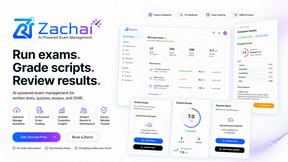
Zachai
Host exams for any class: handwritten papers, quizzes, essays and OMR sheets. AI drafts grades against your rubric; you edit and publish.

Panzoe
Panzoe is an all-in-one AI platform for personal productivity, business automation, AI assistants, content creation, and custom AI solutions.
Verla AI
Verla is an AI academic assistant for university and college students, combining AI essay writing, academic research, AI detection, AI humanization, p
Parlune
Learn a language from real content, not vocab dumps. Parlune turns your favourite foreign-language YouTube videos into immersive, audio-synced lessons
AFFLIGO
AFFLIGO brings free online PDF, image, video, text, and calculator tools together to make everyday digital tasks easier.

Novastart
Novastart brings apps and files onto an infinite canvas where people and AI agents can work together.

MileagePilot
Official mileage rates, calculators, and log templates for the US, UK, Canada, Australia, and more.

DailyHook AI
Turns industry news into sourced, product-relevant marketing hooks for founders, marketers and AI agents.

About Yaps AI Alternatives
Yaps AI is the digital equivalent of having a hyper-intelligent assistant living inside your head, minus the creepy brain implant. It’s an offline-first, privacy-obsessed productivity beast that lives at the intersection of Chatbots, Productivity & Management, Speech & Voice, and Writing. Think of it as a private AI dictation, note-taking, and conversational chat powerhouse that turns your spoken words into clean, searchable Markdown text across macOS, Windows, and Android. But let’s be real—no single tool is a perfect fit for everyone. Users start hunting for alternatives when the price tag stings a little too hard, when they need a specific feature set that Yaps doesn’t flex (like deep team collaboration or native iOS support), or when they’re just not vibing with the local model setup and want a cloud-based solution that doesn’t require tech-savvy hands. When you’re on the prowl for a replacement, don’t just grab the first shiny app you see. You need to lock in on a few critical factors: how well the tool handles voice-to-text accuracy across your devices, whether it offers a private or cloud-based AI chat that actually remembers your context, and if it lets you organize your thoughts into a knowledge base that doesn’t require a PhD to navigate. Also, check the pricing model—some apps charge per month like a gym membership you never use, while others let you buy once and own it forever. And don’t sleep on platform compatibility; if you’re an iPhone user, Yaps leaving you out in the cold is a major red flag that forces you to look elsewhere. The goal is to find a tool that matches your workflow’s speed without sacrificing your privacy or your wallet.
FAQs about Yaps AI Alternatives
What is Yaps AI?
Yaps AI is a private, offline-first AI productivity application designed for people who think faster than they type. It combines dictation, note-taking, conversational AI chat, and audio tools into one unified platform that runs across macOS, Windows, and Android. The app turns speech into clean text, builds a searchable Markdown knowledge base, and allows you to chat with your saved notes to reconnect ideas and get answers quickly.
Who is Yaps AI for?
Yaps AI is built for professionals, creators, and anyone who needs to capture ideas, emails, documents, and messages without breaking their flow. It is ideal for users who prefer speaking over typing and want a private, offline solution that keeps their data under their control. The app also suits knowledge workers who need to organize and revisit scattered information through a conversational AI interface.
Is Yaps AI free?
The provided content does not specify a free or paid pricing model, but Yaps AI emphasizes a private, offline-first approach that likely involves a one-time purchase or subscription for full access. Core features like dictation, notes, AI chat, and read-aloud workflows run locally once models are installed, which may reduce ongoing costs compared to cloud-based alternatives. Users should check the official Yaps AI website for the most current pricing details.
What are the main features of Yaps AI?
Yaps AI offers private AI dictation that converts speech to clean text across macOS, Windows, and Android, plus a searchable Markdown knowledge base for saving voice notes and pages. It includes full conversational AI chat with your notes, allowing you to ask follow-up questions and compare information across files. Additional features include built-in audio tools for reading text aloud, and on Android, a complete keyboard with voice, tap, and glide typing, autocorrect, themes, and clipboard tools.