

ButterShare
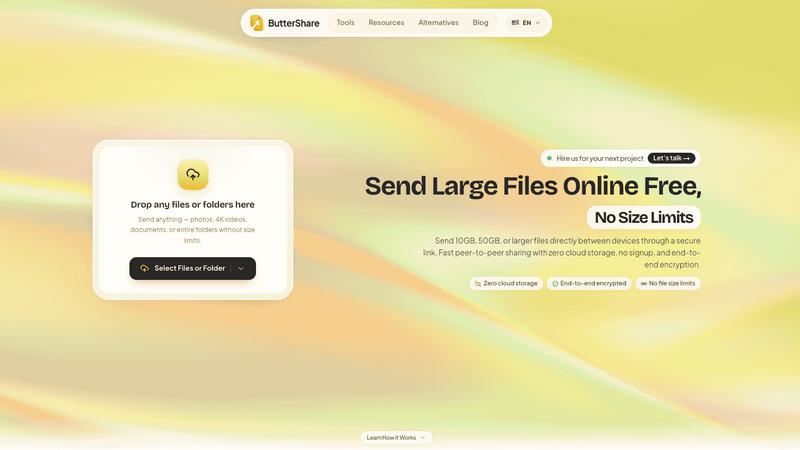
Realtime peer-to-peer file transfer in the browser. Send files directly between devices, no account and no upload to a server.
About ButterShare
ButterShare moves files straight between two devices over a direct peer-to-peer connection. Open buttershare.com, pick Send or Receive, and share a short room code or join link. The file travels device-to-device in realtime instead of sitting on an intermediate server, so nothing waits for an upload to finish and nothing lingers in someone elses cloud.
It runs entirely in a normal web browser on any platform - desktop, laptop, phone or tablet - with no install, no registration and no app store. It works across operating systems, so a Windows machine can hand a folder to a Mac, or an Android phone to a Chromebook.
Use it for quick everyday transfers: design assets between colleagues, photos off a phone, project files to a client, documents across an office network. Because the link is peer-to-peer, the sender keeps control of the file the whole time. ButterShare is free to use and opens with a single click in a browser tab.
Explore more in this category:
Best Business & Finance AI tools
Similar to ButterShare

Myfreshtools
A collection of powerful YouTube tools to export, organize, back up, and manage playlists and creator workflows.

DeskBot
DeskBot for Kalshi event contracts. $1 first month, then $19.99/mo. Trading can lose money. Not affiliated with Kalshi.

Save X post
The easiest way to save X videos offline: no app to install and no account to create. Paste the link, choose HD or 4K, and the MP4 is yours.


Statement2QBO
Bank statement PDF to QBO, Excel and Xero. Runs in your browser; three pages a day are free.

Emailyy
Free email tools for signatures, subject lines, HTML previews, word counts, and email headers. Browser-based, simple to use, and no signup required.

Uniclip
Clip pages, take full-page screenshots and batch-capture list data to Notion, Feishu, Obsidian, Markdown, CSV or JSON.

TroveKey
Search tabs, Chrome bookmarks and history, run browser commands, and save webpages and social posts locally—no account.