
Alternatives to What Time
Explore the best alternatives and competitors to What Time.
Explore 20 alternatives to What Time. Compare features, pricing, and find the best fit for your needs.
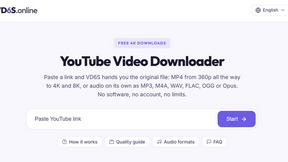
VD6S
VD6S is a free online YouTube video downloader that supports HD, 4K and up to 8K downloads. Save videos in MP4 or audio in multiple formats.
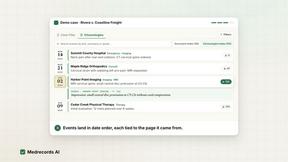
Medrecords AI
Medical record review with cited chronologies, summaries and report drafts. Every line links to its source page. From 10 cents per deduplicated page.
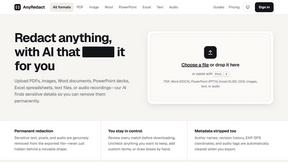
AnyRedact
Free online auto redaction tool with AI for PDFs, images, Word, PowerPoint, Excel, text and audio. Files are never stored.
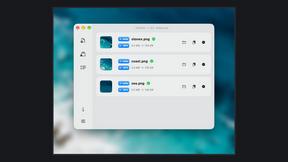
Zipic
Native image compression for Mac and Windows (Windows beta), with a local CLI and AI skill for automated image workflows.
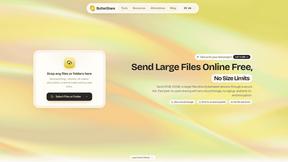
ButterShare
Realtime peer-to-peer file transfer in the browser. Send files directly between devices, no account and no upload to a server.

Save X post
The easiest way to save X videos offline: no app to install and no account to create. Paste the link, choose HD or 4K, and the MP4 is yours.
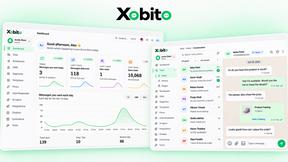
Xobito
WhatsApp Business API platform with AI agents, automation, CRM, and broadcasts — one workspace to run support, sales, and marketing on WhatsApp.

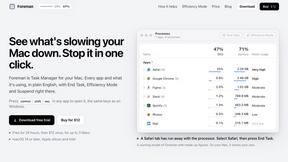
Foreman
See every app and what it's using in plain English, and end or slow down the one that's hogging your Mac.
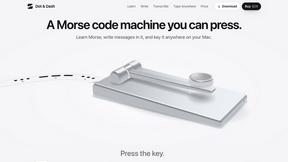
Dot & Dash
Learn Morse code on a machine you can press. Write and send messages, turn Morse into text and back, and key Morse in any app on your Mac.
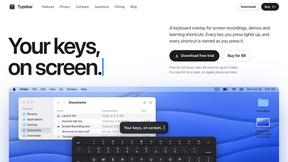
Typebar
Every key you press lights up on an on-screen keyboard, and each shortcut is named as you press it.

LightScreen
Free light screen tool online. Turn any display into a flashlight, ambient light, or solid-color screen. No download or sign-up.

PLRental
Rental agency software: scan a customer ID, get a signed contract in under a minute, and manage fleet, customers, and invoices.

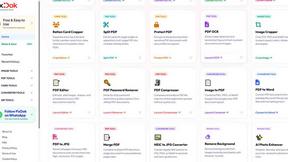
Pixdok
PixDok is a browser-based toolkit for common document and image tasks without requiring desktop software installation.
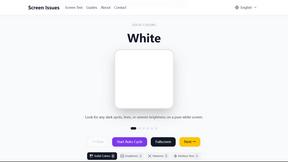
Screen Issues
Free Online Screen Test Tool - Instantly diagnose dead pixels, lines, color issues, and flickering. Multiple test modes, no download needed.
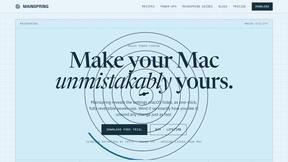
Mainspring
Mainspring turns the settings macOS hides into 90+ one-click, fully reversible power-ups for Finder, Dock, screenshots and more. $29 once.
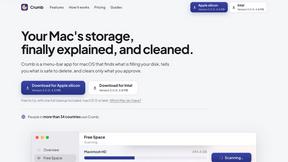
Crumb
A Mac menu bar app for a full disk. See what is using your space, read whether it comes back on its own, and remove only what you tick.
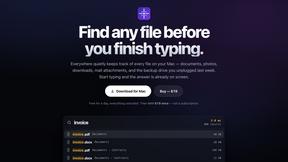
Everywhere
Fast file search for the Mac. Results as you type, files inside Mail and Photos, works with Wi-Fi off. $19 once.
About What Time Alternatives
What Time is a cutting-edge tool designed for the modern workforce, specializing in time zone management and meeting planning. It caters to a diverse audience including remote teams, freelancers, and businesses operating across multiple countries. This platform is your go-to solution for effortlessly comparing time zones, checking UTC and GMT offsets, and scheduling meetings without the typical headaches of daylight saving time changes or complex calculations. Users often seek alternatives to What Time for a variety of reasons—be it pricing, specific feature sets, or unique platform requirements. When exploring alternatives, it's crucial to assess the user interface, speed, and usability to ensure a seamless experience. Look for features that simplify time zone comparisons, enhance meeting planning, and provide a straightforward approach to managing global communications. Ultimately, the right alternative should help you connect and collaborate without the hassle.
FAQs about What Time Alternatives
What is What Time?
What Time is an innovative time zone and meeting planner tool that simplifies scheduling for remote teams, freelancers, and businesses. It allows users to compare time zones, check UTC and GMT offsets, and view local times worldwide, making it easier to coordinate meetings and collaborate across different regions.
Who is What Time for?
What Time is designed for anyone needing to manage time zones effectively, including remote workers, international teams, freelancers, and businesses with global clients. It's an essential tool for anyone who frequently schedules meetings or needs to communicate across different time zones.
Is What Time free?
What Time provides users with a fast and user-friendly experience, but specific pricing details may vary. It's recommended to check the official website for the latest information on subscription options and any potential free features or trials available.
What are the main features of What Time?
The main features of What Time include time zone comparison between cities and countries, a powerful meeting planner to find overlapping hours, and accurate world clock functionality that supports daylight saving changes. The platform is optimized for speed and usability, ensuring a clean and distraction-free experience.