

Typebar
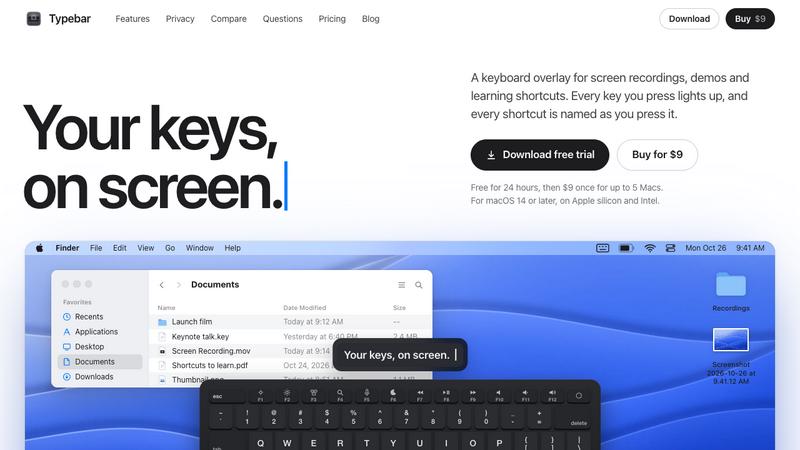
Every key you press lights up on an on-screen keyboard, and each shortcut is named as you press it.
About Typebar
Typebar is a keyboard overlay for the Mac, made for screen recordings, demos and learning shortcuts. Every key you press lights up on an on-screen keyboard, and a pill names each shortcut from the app's own menus, like Screenshot Selection for Shift Command 4.
Hold a modifier and the keys show what they do in the app in front. There are cheatsheets for every app, 20 hand-made packs and your own keybindings from 11 apps. Click ripples, a cursor halo, Spotlight, six switch sounds and 40 themes with a theme editor are built in.
Password fields stay private, and nothing you type is saved or sent anywhere. Typebar can show itself when a recording starts and hide when it stops.
Free for 24 hours, then $9 once for up to 5 Macs. macOS 14 or later, on Apple silicon and Intel.
Explore more in this category:
Similar to Typebar

Remix the Trend
Turn your photos into 15-second AI videos of viral TikTok, Reels, and Shorts trends. Packs from $9.99; optional monthly plans.

TokClip
TokClip turns one or two photos into short AI videos of viral TikTok and Reels trends.


Goatscrub
Erase unwanted objects, moving people, burnt-in subtitles, logos, and blemishes from videos and photos using 3D optical flow and AI pattern repaint.

StarTurn
Add a photo of you, a friend or your pet to a trending TikTok template and get a new 10–15 second AI video. New templates go up as trends start.

Ozil Goal AI
Paid personalized football videos from your photo; one free reference image per verified account.

LevCharity
Fundraising platform for nonprofits with donations, campaigns, donor CRM, events, automated communications, reporting, and more.

leadmatically
Find More Leads. Grow Your Business