
Alternatives to Transcriptor Pro
Explore the best alternatives and competitors to Transcriptor Pro.
Explore 20 alternatives to Transcriptor Pro. Compare features, pricing, and find the best fit for your needs.
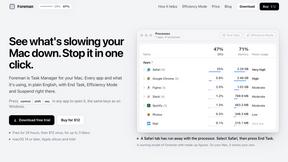
Foreman
See every app and what it's using in plain English, and end or slow down the one that's hogging your Mac.

Dot & Dash
Learn Morse code on a machine you can press. Write and send messages, turn Morse into text and back, and key Morse in any app on your Mac.
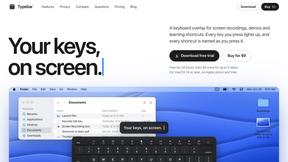
Typebar
Every key you press lights up on an on-screen keyboard, and each shortcut is named as you press it.

LightScreen
Free light screen tool online. Turn any display into a flashlight, ambient light, or solid-color screen. No download or sign-up.

PLRental
Rental agency software: scan a customer ID, get a signed contract in under a minute, and manage fleet, customers, and invoices.
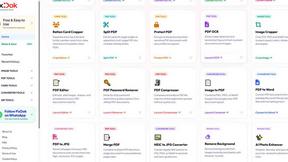
Pixdok
PixDok is a browser-based toolkit for common document and image tasks without requiring desktop software installation.
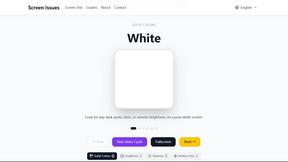
Screen Issues
Free Online Screen Test Tool - Instantly diagnose dead pixels, lines, color issues, and flickering. Multiple test modes, no download needed.
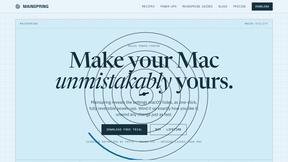
Mainspring
Mainspring turns the settings macOS hides into 90+ one-click, fully reversible power-ups for Finder, Dock, screenshots and more. $29 once.
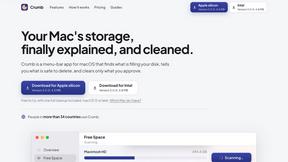
Crumb
A Mac menu bar app for a full disk. See what is using your space, read whether it comes back on its own, and remove only what you tick.
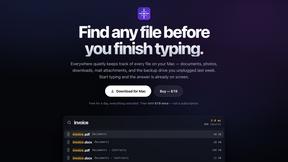
Everywhere
Fast file search for the Mac. Results as you type, files inside Mail and Photos, works with Wi-Fi off. $19 once.
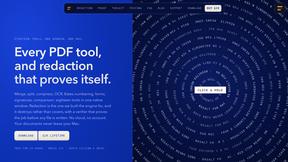
Basalt
Eighteen PDF tools in one native Mac window: merge, split, compress, OCR, Bates numbering, forms, signing and redaction. Offline. $29 once.
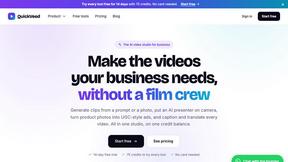
QuickVeed
AI video studio: subtitles translated into 32 languages, AI dubbing in your own voice, podcast-to-clips and 34 free video tools.
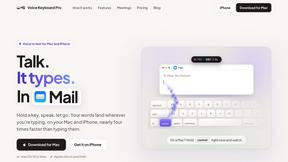
Voice Keyboard Pro
Hold a key, say what you mean, let go. Clean, punctuated text lands at the cursor in any app on your Mac or iPhone.
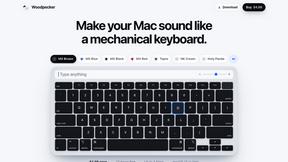
Woodpecker
Make your Mac sound like a real mechanical keyboard. Every key plays its own recording, 22 switches, quiet on calls. $4.99 once.

Inkling
Catch a thought without leaving what you are doing. Notes, checklists and a little companion in your Mac's notch. $12 once.

Manatee
A Mac app that opens damaged video, PDFs, archives and documents and writes out everything it can still read. $9 once, no uploads.
sakuttoAI
A free suite of online tools for everyday tasks like PDF compression, image conversion, text diff and CSV to Excel.
SightRadar
Face recognition API, a drop-in replacement for AWS Rekognition. Index, search, compare and detect faces, billed per photo with no subscription.

JevModel
Bilingual console and guide for the jev decision model: classify, route, and score text or JSON.
About Transcriptor Pro Alternatives
So, you’ve been vibing with Transcriptor Pro, the AI-powered beast that turns your raw audio—whether it’s a chaotic podcast, a corporate meeting dump, or a late-night interview—into clean, actionable text. It’s a heavy hitter in the Speech & Voice software arena, offering slick features like speaker diarization, AI summaries, and chat-with-transcript to help creators and teams repurpose content into blogs and social posts. But let’s be real: maybe the price tag is starting to sting, the platform feels too rigid for your workflow, or you need something that handles niche file types without the bloat. That’s why you’re hunting for a switch. When you’re scoping out alternatives, don’t just chase the cheapest option—look for the tools that match your vibe. Need batch uploads for a team? Prioritize collaboration and bulk export formats like SRT or CSV. Obsessed with accuracy for interviews? Check for robust speaker identification and noise handling. Maybe you want a stripped-down interface that doesn’t scream “enterprise,” or you’re after deeper integrations with your editing suite. The key is balancing cost with the features you actually use daily—because a tool that overdelivers on fluff but underdelivers on core transcription is just a headache waiting to happen.
FAQs about Transcriptor Pro Alternatives
What is Transcriptor Pro?
Transcriptor Pro is an AI-powered transcription platform designed for creators, teams, and businesses. It converts audio files like MP3, MP4, podcasts, meetings, and interviews into clean, accurate transcripts quickly. The platform goes beyond basic transcription by offering AI summaries, a chat-with-transcript feature, and content repurposing tools to turn recordings into blog posts or social media content.
Who is Transcriptor Pro for?
Transcriptor Pro is built for a wide range of users including students, podcasters, journalists, and business teams. It serves anyone who needs to turn spoken content into written form, from solo creators managing single interviews to teams handling batch uploads of meeting recordings. The platform is tailored for those who want actionable insights from their audio, not just raw text.
Is Transcriptor Pro free?
Transcriptor Pro is a paid platform, though specific pricing details are not provided in the available content. It offers a range of features like speaker diarization, AI summaries, and multiple export formats (TXT, SRT, VTT, CSV, JSON) that suggest a premium service. Users should check the official website for current pricing tiers and any free trial options.
What are the main features of Transcriptor Pro?
Key features include AI-powered transcription with speaker diarization, AI summaries that condense long recordings, and a chat-with-transcript function for interactive review. It also supports content repurposing to generate blog posts and social media copy from transcripts, plus export in formats like TXT, SRT, VTT, CSV, and JSON for flexibility in editing and publishing.