
Alternatives to The CAD Hub
Explore the best alternatives and competitors to The CAD Hub.
Explore 20 alternatives to The CAD Hub. Compare features, pricing, and find the best fit for your needs.

Enhance My Photo
Online AI photo enhancer that sharpens portraits, products, scenery, pets and text images and exports JPEG/PNG/WebP without watermarks.

ToolVerified
A hand-tested directory of new AI tools and SaaS apps. Real people check every link, and community votes decide the daily charts.

ImageAgent
Create and edit AI images through conversation, using text or reference images and refining results in chat.

Engineering on Web
Free CAD, FEA simulation and SPC statistics in your browser, with an AI assistant that builds CAD features.

3D House Planner
Free 2D/3D home design in your browser: draw a floor plan, see it live in 3D, furnish it and get AI renders.


AppIconGenerator
Generate iOS and Android app icons from any image and export all platform sizes for free.
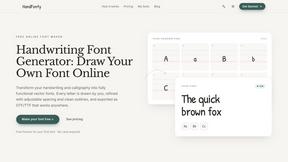
HandFonty
Draw each letter in your browser and download your handwriting as a real OTF/TTF font. Your first font is free. No AI required.

Pixdok
PixDok is a browser-based toolkit for common document and image tasks without requiring desktop software installation.

Budgetpixel AI
Create and edit AI images, videos, music, and designs in one workspace, with multiple models, reusable characters, and API access.

GPT Image Hub
Curated image prompts, reusable templates, and multi-model AI generation in one workspace.

Seedream 5.5
Seedream 5.5 by ByteDance: 80+ rounds of stable image editing, native RGBA transparency, 100-layer splits, 4K output and reliable multilingual text.

ogimagegenerator.dev
Paste a URL and AI designs on-brand Open Graph images from your page's colours, fonts and logo. Free, no sign-up.

Try OC Maker
Create OCs from text or images, customize their look, and turn them into animated videos with AI.

Turbotools
Free online web tools: PDF converter, image compressor, word counter, text reverse, JSON formatter & generator. 100% free with no sign-ups!

Artcraft AI
AI image and video studio in your browser: generate and edit images, turn photos into videos, edit clips by sentence.

ImageGenerator
Create and edit AI images online with multiple models, text-to-image, image-to-image, background removal, and upscaling.

pixelartcolorbynumber
Turn any photo into a custom Pixel Color by Number page in seconds. Choose your grid size and color palette, color online in your browser, or downloa

AIPetGen
AIPetGen turns a photo of your dog, cat, or other pet, or a written description, into a new picture or a short animation.

Contact Sheets Maker
Create professional contact sheets from your images in just a few clicks.
About The CAD Hub Alternatives
So you’re deep in the trenches of engineering, design, or manufacturing, and you’ve been using The CAD Hub to hunt down the perfect CAD, CAM, CAE, or PLM stack. It’s a solid directory—basically the Yelp for technical software—categorizing everything from simulation to 3D printing so you can compare tools, pricing, and deployment options without losing your mind. But let’s be real: maybe you’re hitting a wall with limited filtering, stale listings, or a UI that feels more 2010 than cutting-edge. Or perhaps you need deeper community feedback, real-time pricing updates, or a platform that vibes with your specific workflow—like niche rendering plugins or open-source PLM solutions. The CAD Hub does the job, but if you’re craving more granular data, faster updates, or a database that doesn’t make you scroll through noise, it’s time to level up. When scoping out an alternative, don’t just settle for a clone. You want a directory that’s lean, mean, and packed with actionable intel—think real user reviews, transparent pricing tiers (not just “contact us”), and filters that drill down by industry, team size, or deployment type. Look for platforms that offer comparison charts, video walkthroughs, or even trial links so you can test-drive tools before committing. And if you’re a solo designer or a massive OEM, the best alternative will let you sort by scalability—no one-size-fits-all garbage. Prioritize speed, accuracy, and a community that actually talks shop, not just marketing fluff. Your next tool is out there; you just need a smarter way to find it.
FAQs about The CAD Hub Alternatives
What is The CAD Hub?
The CAD Hub is a searchable directory specifically built for CAD, CAM, CAE, PLM, and engineering software. It organizes tools into clear categories like rendering, simulation, and 3D printing, allowing users to discover, compare, and evaluate products based on detailed metadata such as pricing, deployment options, and target business sizes.
Who is The CAD Hub for?
The CAD Hub is designed for engineers, designers, manufacturers, and technical teams who need to find the right CAD-related tools for their workflows. It caters to a broad audience, from solo freelancers to large enterprise teams, by providing filters for business size and deployment type to match specific operational needs.
Is The CAD Hub free?
Based on the provided product content, The CAD Hub functions as a free-to-use directory for browsing and comparing software listings. There is no mention of subscription fees for users accessing the directory, though specific software vendors may have their own pricing models listed on the platform.
What are the main features of The CAD Hub?
Key features include categorized listings for CAD, CAM, CAE, PLM, and rendering software, along with detailed product descriptions, pricing information, deployment options, tags, screenshots, and metadata. The platform is designed to help users quickly understand each tool’s purpose, target audience, and how it compares to alternatives in the engineering software market.