
Alternatives to RecordFlow
Explore the best alternatives and competitors to RecordFlow.
Explore 20 alternatives to RecordFlow. Compare features, pricing, and find the best fit for your needs.

Safe Outreach
AI-powered platform that evaluates the safety of LinkedIn automation tools and helps reduce the risk of account restrictions.

Vocaryn
AI job-application agent: ranks jobs by fit with your confirmed experience, tailors your resume to each and applies on the employer's site.

How Long How Many Tool
Timers and hourly checks to figure how out long until a certain time or how many days away.
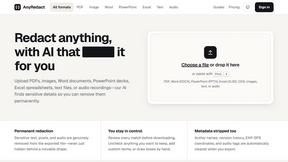
AnyRedact
Free online auto redaction tool with AI for PDFs, images, Word, PowerPoint, Excel, text and audio. Files are never stored.

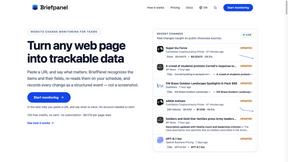
Briefpanel
Monitor web pages and get the exact field that changed, item by item. Pay per page read, no subscription.
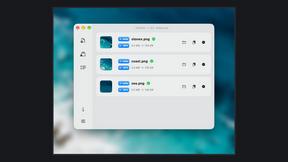
Zipic
Native image compression for Mac and Windows (Windows beta), with a local CLI and AI skill for automated image workflows.
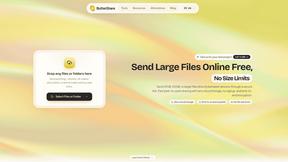
ButterShare
Realtime peer-to-peer file transfer in the browser. Send files directly between devices, no account and no upload to a server.
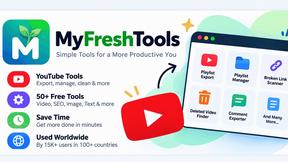
Myfreshtools
A collection of powerful YouTube tools to export, organize, back up, and manage playlists and creator workflows.
Statement2QBO
Bank statement PDF to QBO, Excel and Xero. Runs in your browser; three pages a day are free.
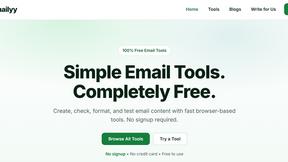
Emailyy
Free email tools for signatures, subject lines, HTML previews, word counts, and email headers. Browser-based, simple to use, and no signup required.

Uniclip
Clip pages, take full-page screenshots and batch-capture list data to Notion, Feishu, Obsidian, Markdown, CSV or JSON.
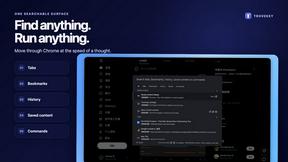
TroveKey
Search tabs, Chrome bookmarks and history, run browser commands, and save webpages and social posts locally—no account.
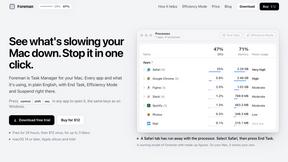
Foreman
See every app and what it's using in plain English, and end or slow down the one that's hogging your Mac.
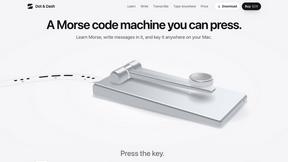
Dot & Dash
Learn Morse code on a machine you can press. Write and send messages, turn Morse into text and back, and key Morse in any app on your Mac.
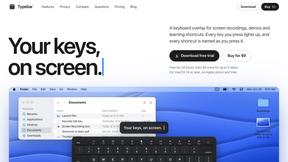
Typebar
Every key you press lights up on an on-screen keyboard, and each shortcut is named as you press it.
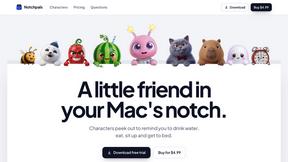
Notchpals
Little characters peek out of your Mac's notch to remind you to drink water, eat, sit up and get to bed. Quiet during calls. $4.99 once.

LightScreen
Free light screen tool online. Turn any display into a flashlight, ambient light, or solid-color screen. No download or sign-up.
PLRental
Rental agency software: scan a customer ID, get a signed contract in under a minute, and manage fleet, customers, and invoices.
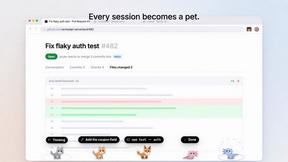
Agent Pets
Your Claude Code & Codex sessions as pets in Chrome. Approve, deny and reply to your coding agents from any tab.
About RecordFlow Alternatives
So you’re juggling a mountain of Zoom recordings, and the thought of manually dragging files into Google Drive makes you want to yeet your laptop out the window. RecordFlow is the slick, no-brainer tool that lives in the Productivity & Management space, designed to auto-sync your Zoom cloud recordings straight to Google Drive the second a meeting wraps. It’s a digital butler that also offers a backfill for the last two years and an optional auto-delete to stop you from bleeding cash on Zoom’s bloated storage fees. But maybe the vibe isn’t quite right—the pricing might sting your wallet, you need cross-platform support like Dropbox or OneDrive, or you crave a feature set that’s more hands-on or granular. When hunting for a replacement, don’t just grab the shiniest object. Look for dead-simple setup (nobody has time for a PhD in integrations), rock-solid reliability for large files without choking, and bulletproof security like OAuth 2.0 and encryption. You also want flexibility in where your files land and how you manage that auto-delete trigger, because losing a client session or a lecture is a hard no.
FAQs about RecordFlow Alternatives
What is RecordFlow?
RecordFlow is a productivity tool that automatically backs up every Zoom cloud recording to your Google Drive the moment a meeting ends, plus it can backfill recordings from the past two years. It falls under the Productivity & Management category and requires only a 60-second setup—just sign in with Zoom, connect your Drive, and pick a folder. After that, new recordings sync within minutes automatically, forever, with no manual downloads or forgotten files.
Who is RecordFlow for?
RecordFlow is built for coaches, consultants, therapists, professors, and small teams who cannot afford to lose a single recording. These users often deal with sensitive or critical content like therapy sessions, client consultations, or lectures, and they need a hands-off solution to archive everything safely. It’s also ideal for anyone tired of paying for unnecessary Zoom storage and who wants a zero-fuss, set-it-and-forget-it workflow.
Is RecordFlow free?
The provided content does not specify whether RecordFlow is free or paid, but it emphasizes that the tool saves users money by eliminating the need for extra Zoom storage. Given its automation and security features like OAuth 2.0 and AES-256 encryption, it is likely a premium service. Users should check the official website for current pricing tiers and any free trial options.
What are the main features of RecordFlow?
RecordFlow automatically transfers every file type from Zoom cloud recordings—including video (MP4), audio (M4A), transcripts (VTT and a formatted Google Doc), and chat logs—organized by year and date. It uses chunked transfers that never choke on large files, smart deduplication for safe re-runs, and automatic retries. An optional auto-delete feature clears recordings from Zoom on a safe delay once the Drive copy is verified, freeing up storage automatically, and recordings stream directly to Drive without ever being stored on RecordFlow’s servers.