
Alternatives to Picture Enhancer
Explore the best alternatives and competitors to Picture Enhancer.
Explore 20 alternatives to Picture Enhancer. Compare features, pricing, and find the best fit for your needs.

Selzee
Selzee is an AI ad generator that finds winning ads right now and recreates them for your brand, with your products, logo, fonts and colours.

Thumbo
Thumbo makes YouTube thumbnails with AI: your face on every one, the style of any channel you like, and edits in plain words.
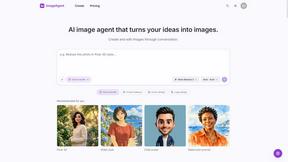
ImageAgent
Create and edit AI images through conversation, using text or reference images and refining results in chat.

3D House Planner
Free 2D/3D home design in your browser: draw a floor plan, see it live in 3D, furnish it and get AI renders.

Rhinobird
AI video ads, UGC-style videos, and product visuals for cross-border sellers and e-commerce brands.

GenX
All-in-one AI workspace to generate images, videos, and audio with multiple leading AI models.

AppIconGenerator
Generate iOS and Android app icons from any image and export all platform sizes for free.

Design.com AI Image Generator
Turn text prompts into polished, copyright-safe visuals that plug directly into branded templates
FastH3 Omni
Run FastH3 Omni in your browser. Up to 9 reference images plus 3 audio references become a 5–15s clip with synced audio. No install, no GPU.

Nano AI
Create and edit AI images, generate videos, and compare models in one creative workbench.
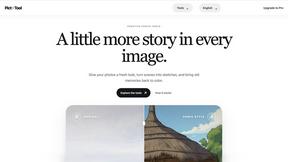

YIX
YIX combines AI image and video generation, photo editing, restoration, product visuals and free prompt tools in one browser studio.
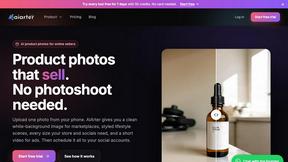
AiArter
AI product photos and UGC video ads for Amazon, Etsy and Shopify sellers, made from one phone photo.
GPT Image Hub
Curated image prompts, reusable templates, and multi-model AI generation in one workspace.
NanoBanana
Generate and edit AI images with six models, references, templates, and a visual workflow canvas.
Seedream 6
Independent Seedream 6 guide with a browser-based AI image and video generator powered by Seedream 5.0 Pro and 5.5.

Seedream 5.5
Seedream 5.5 by ByteDance: 80+ rounds of stable image editing, native RGBA transparency, 100-layer splits, 4K output and reliable multilingual text.

ogimagegenerator.dev
Paste a URL and AI designs on-brand Open Graph images from your page's colours, fonts and logo. Free, no sign-up.

Ozil Goal AI
Make the Ozil goal AI video from one photo. 15 seconds, 9:16, 720p, no watermark, original trend sound, ready for TikTok, Reels and Shorts.

FreeVideoGenerator
Free AI video generator: turn text prompts and photos into video clips with Sora 2, Veo 3.1, Wan and more. Free starter credits, no watermark download
About Picture Enhancer Alternatives
Picture Enhancer is the internet’s sharpest free tool for reviving wrecked photos—think deblurring that shaky concert shot, upscaling a pixelated meme, or restoring a faded family heirloom, all without a single software download. It lives in the Image Generation category, but it’s a utility, not a creative playground; you feed it a JPG, PNG, or WebP, choose Deblur, Upscale, or Restore, and pick from Standard, Strong, or Super intensity to get a crisp, watermark-free result. But let’s keep it real: even the slickest freebies have limits. Users start hunting for alternatives when the guest tries run dry after three shots per IP, or when they need bulk processing without burning through credits on every batch. Maybe you’re a seller listing 50 product photos a day and the credit system feels like a toll road, or you want offline access for sensitive shots you’d rather not upload. When scouting for a replacement, lock onto what matters: pricing that doesn’t punish success, support for batch workflows, privacy guarantees like local processing, and a feature set that matches your grind—whether that’s raw resolution scaling or AI restoration that doesn’t water down the vibe.
FAQs about Picture Enhancer Alternatives
What is Picture Enhancer?
Picture Enhancer is a free online AI photo enhancer that lets you deblur, upscale, and restore images directly in your browser with zero software installation. You simply upload a JPG, PNG, or WebP photo, select an enhancement mode like Deblur, Upscale, or Restore, and choose an intensity level from Standard, Strong, or Super. The tool provides a before-and-after preview, and you can download a watermark-free result only when the enhancement succeeds.
Who is Picture Enhancer for?
Picture Enhancer is built for creators, sellers, and everyday users who need sharper images fast without technical hassle. It’s ideal for social media posts that need to pop, e-commerce listings where product clarity drives sales, screenshots that look like they were taken in 480p, and family photos you want to restore from blurry or damaged originals. The tool bridges the gap between casual users who want quick fixes and power users who can leverage credits for batch work.
Is Picture Enhancer free?
Yes, Picture Enhancer is free to start—guests get three lifetime tries per IP with no signup required. New accounts receive starter credits, and credits are only charged when an enhancement succeeds, not on failed attempts. Standard processing costs 2 credits, Strong costs 4, and Super costs 6. Paid users can unlock the Super tier and batch enhance up to 10 images at once, with monthly plans granting credits each cycle or permanent packs that never expire.
What are the main features of Picture Enhancer?
Picture Enhancer offers three core AI modes: Deblur to fix motion blur or soft focus, Upscale to increase resolution without pixelation, and Restore to repair damage like scratches or fading. You can choose from three intensity levels—Standard, Strong, or Super—to control the enhancement strength. The tool provides a live before-and-after preview, ensures watermark-free downloads, and supports batch processing of up to 10 images for paid users, all within a browser with no software install.