

Picture Enhancer
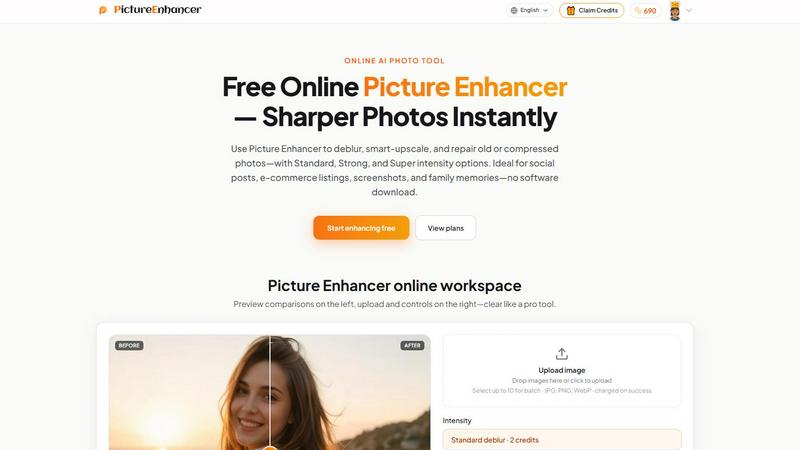
Picture Enhancer is a free AI tool that instantly deblurs, upscales, and restores your photos right in your browser with zero software needed.
About Picture Enhancer
Picture Enhancer is your no-BS, free online AI photo enhancer built for creators, sellers, and everyday people who need razor-sharp images without the headache of expensive software. This tool is a straight-up powerhouse that lets you upload a JPG, PNG, or WebP photo and instantly choose from three killer modes: Deblur, Upscale, or Restore. You then pick your intensity level from Standard, Strong, or Super to dial in exactly how much magic you need. The best part? You get a live before/after preview slider to compare the goods, and when the job succeeds, you download a clean, watermark-free result. No strings, no clutter, just pure image enhancement.
Picture Enhancer is designed for the hustle. Whether you are a social media manager trying to make your feed pop, an e-commerce seller needing crisp product shots, a developer capturing clean UI screenshots, or someone preserving old family photos, this tool has your back. Guests get three free lifetime tries per IP with zero signup required, so you can test the waters immediately. Once you sign in, you get starter credits to keep the party going. Credits are only charged on successful enhancements: Standard costs 2 credits, Strong costs 4, and Super costs 6. Paid users unlock the Super tiers and batch processing for up to 10 images at once. Monthly plans grant fresh credits each cycle, and permanent packs never expire, making this a flexible, no-pressure solution. The interface is slick, fast, and secure, with private processing that deletes your images after the job is done. Picture Enhancer is the ultimate sidekick for anyone who needs their photos to hit different, instantly.
Features of Picture Enhancer
AI Deblur Mode
This feature is a beast at rebuilding edges and texture from camera shake, soft focus, and mild motion blur. You choose between Standard, Strong, or Super deblur intensity to rescue faces, text, and details that were lost in the blur. It transforms muddy, messy images into crystal-clear visuals that pop, making it perfect for fixing those almost-perfect shots that just missed focus.
Smart Upscale Mode
Smart Upscale delivers 2x or 4x enlargement that actually adds detail, not just pixel mush. Whether you need a social cover image, a product hero shot, or a print preview from a tiny source file, this mode intelligently generates new pixels to keep everything sharp and natural. It turns low-res trash into high-res treasure without that ugly, blocky look.
Old Photo and Damage Restore Mode
This mode is a time machine for your images, reducing scratches, fading, and compression artifacts with surgical precision. Strong and Super restore levels handle heavy damage on scanned family prints, bringing faded memories back to life. It smooths out the rough edges and restores clarity so those vintage photos look fresh enough to share or print again.
Batch Processing for Paid Users
Paid users unlock the ability to enhance up to 10 images in a single batch, slashing your workflow time. No more dragging and dropping one by one. You upload a stack, set your mode and intensity, and let the AI do its thing. This feature is a game-changer for e-commerce sellers, content creators, and anyone who needs to process multiple images fast without losing quality.
Use Cases of Picture Enhancer
Social Media Content Creation
Picture Enhancer is a cheat code for social media managers and influencers who need their feed to look fire. Use the deblur mode to fix slightly soft selfies or product shots, then upscale them for crisp Instagram stories, TikTok covers, or Pinterest pins. The before/after preview lets you dial in the perfect intensity so your content stands out in a crowded scroll.
E-commerce Product Listings
For online sellers, image quality can make or break a sale. Picture Enhancer sharpens product detail, reduces compression noise, and upscales small images to hero-shot size. Whether you are selling on Amazon, Etsy, or your own store, this tool ensures your listings look professional and trustworthy, helping you convert more browsers into buyers.
Screenshot and UI Capture Enhancement
Developers, tech writers, and support teams can use Picture Enhancer to clean up screenshots of apps, websites, or software interfaces. The deblur and upscale modes sharpen text edges and eliminate fuzziness, making tutorials, documentation, and support threads look polished and easy to read. No more squinting at blurry UI captures.
Family Photo Restoration and Preservation
Picture Enhancer is perfect for breathing new life into old family memories. Use the restore mode to reduce scratches, fading, and damage from scanned prints. The Strong and Super intensities handle heavy wear, so you can digitize and share those vintage photos with clarity. It is a simple way to preserve your family history without needing expensive restoration software.
Frequently Asked Questions
What is Picture Enhancer?
Picture Enhancer is a free online AI photo enhancer that lets you deblur, upscale, and restore images with three intensity levels: Standard, Strong, and Super. It works with JPG, PNG, and WebP files, offers a live before/after preview, and delivers watermark-free downloads. It is designed for creators, sellers, and everyday users who need sharper images fast without any software downloads.
Can I try Picture Enhancer without signing in?
Yes, absolutely. Guests get three free lifetime tries per IP address with no signup required. You can upload an image, choose a mode and intensity, preview the result, and download it for free. Once you use up your three tries, you will need to sign in to continue using credits.
How does billing work after sign-in?
When you sign in, you receive starter credits to begin enhancing. Credits are only charged when an enhancement succeeds. Standard intensity costs 2 credits, Strong costs 4, and Super costs 6. You can purchase monthly subscription plans that grant fresh credits each billing cycle or permanent credit packs that never expire. Super tiers and batch processing are reserved for paid users.
Are my photos safe during processing?
Yes, your photos are safe. Picture Enhancer uses private processing, meaning your uploaded images are only used to complete your enhancement request. They are not stored, shared, or used for any other purpose. After the job is done, the images are deleted from the system, ensuring your privacy is fully protected.
Explore more in this category:
Similar to Picture Enhancer

Design.com AI Image Generator
Turn text prompts into polished, copyright-safe visuals that plug directly into branded templates

FastH3 Omni
Run FastH3 Omni in your browser. Up to 9 reference images plus 3 audio references become a 5–15s clip with synced audio. No install, no GPU.

Nano AI
Create and edit AI images, generate videos, and compare models in one creative workbench.

picttool
Create and edit images with a collection of easy-to-use AI tools

YIX
YIX combines AI image and video generation, photo editing, restoration, product visuals and free prompt tools in one browser studio.

AiArter
AI product photos and UGC video ads for Amazon, Etsy and Shopify sellers, made from one phone photo.

GPT Image Hub
Curated image prompts, reusable templates, and multi-model AI generation in one workspace.

NanoBanana
Generate and edit AI images with six models, references, templates, and a visual workflow canvas.