
Alternatives to JustPDF
Explore the best alternatives and competitors to JustPDF.
Explore 20 alternatives to JustPDF. Compare features, pricing, and find the best fit for your needs.

Vocaryn
AI job-application agent: ranks jobs by fit with your confirmed experience, tailors your resume to each and applies on the employer's site.

How Long How Many Tool
Timers and hourly checks to figure how out long until a certain time or how many days away.
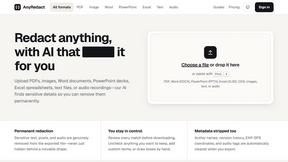
AnyRedact
Free online auto redaction tool with AI for PDFs, images, Word, PowerPoint, Excel, text and audio. Files are never stored.

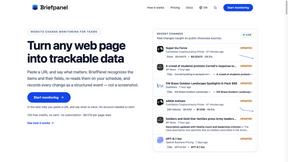
Briefpanel
Monitor web pages and get the exact field that changed, item by item. Pay per page read, no subscription.
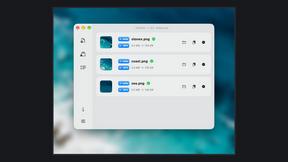
Zipic
Native image compression for Mac and Windows (Windows beta), with a local CLI and AI skill for automated image workflows.
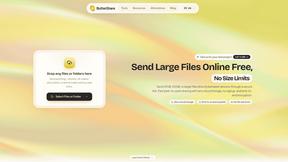
ButterShare
Realtime peer-to-peer file transfer in the browser. Send files directly between devices, no account and no upload to a server.
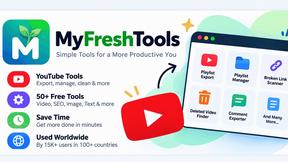
Myfreshtools
A collection of powerful YouTube tools to export, organize, back up, and manage playlists and creator workflows.
Statement2QBO
Bank statement PDF to QBO, Excel and Xero. Runs in your browser; three pages a day are free.
Emailyy
Free email tools for signatures, subject lines, HTML previews, word counts, and email headers. Browser-based, simple to use, and no signup required.

Uniclip
Clip pages, take full-page screenshots and batch-capture list data to Notion, Feishu, Obsidian, Markdown, CSV or JSON.

TroveKey
Search tabs, Chrome bookmarks and history, run browser commands, and save webpages and social posts locally—no account.
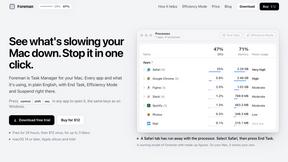
Foreman
See every app and what it's using in plain English, and end or slow down the one that's hogging your Mac.
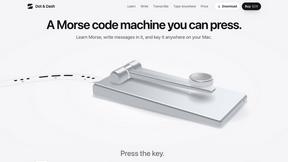
Dot & Dash
Learn Morse code on a machine you can press. Write and send messages, turn Morse into text and back, and key Morse in any app on your Mac.
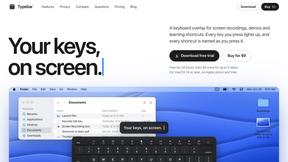
Typebar
Every key you press lights up on an on-screen keyboard, and each shortcut is named as you press it.

Notchpals
Little characters peek out of your Mac's notch to remind you to drink water, eat, sit up and get to bed. Quiet during calls. $4.99 once.

LightScreen
Free light screen tool online. Turn any display into a flashlight, ambient light, or solid-color screen. No download or sign-up.
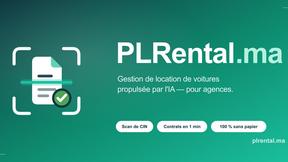
PLRental
Rental agency software: scan a customer ID, get a signed contract in under a minute, and manage fleet, customers, and invoices.
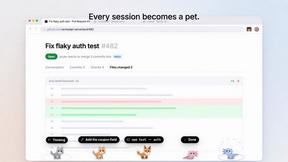
Agent Pets
Your Claude Code & Codex sessions as pets in Chrome. Approve, deny and reply to your coding agents from any tab.
About JustPDF Alternatives
JustPDF is your go-to privacy-first PDF toolkit that packs a punch with 17 free tools designed to elevate your document game. Operating entirely within your browser, JustPDF shuns those pesky remote servers that compromise your data. Instead, it harnesses the power of JavaScript and WebAssembly to perform tasks like merging, splitting, and converting PDFs right on your device. For anyone juggling productivity and security, JustPDF sits comfortably in the Productivity & Management category, catering to users who demand efficiency without sacrificing privacy. However, not everyone jives with JustPDF’s offerings, leading many to hunt for alternatives. Whether it’s the desire for more features, different pricing options, or compatibility with specific devices, users often seek that perfect fit. When diving into alternatives, keep an eye out for critical attributes that matter to you: Does it handle tasks locally? What’s the pricing structure? Are there limitations on free usage? Finding an alternative that meets your needs while delivering on functionality can make all the difference in your PDF experience.
FAQs about JustPDF Alternatives
What is JustPDF?
JustPDF is a privacy-first PDF toolkit that provides users with 17 professional-grade tools to manage their PDF files. These tools allow for various operations such as merging, splitting, compressing, and converting PDFs, all performed directly in the user's browser without uploading files to remote servers. This approach ensures that users maintain full control over their documents.
Who is JustPDF for?
JustPDF is designed for anyone who frequently works with PDF documents and values both privacy and convenience. It caters to individuals, educators, and professionals who require reliable tools for document management without the hassle of subscriptions or sign-ups. Its FERPA compliance also makes it a solid choice for educational use.
Is JustPDF free?
Yes, JustPDF offers a free tier that allows users to perform up to three operations per day without creating an account. This provides a great opportunity for users to test out the essential features of the toolkit. For those needing unlimited access and additional functionalities, a Pro subscription starts at just $4 per month.
What are the main features of JustPDF?
JustPDF is packed with a variety of features that make working with PDFs a breeze. Key tools include Merge PDF, Split PDF, Compress PDF, Rotate PDF, and a unique Chat with PDF feature powered by AI. Users can also convert files between formats like PDF to Word, JPG to PDF, and more, all while ensuring their files remain secure within their browser.