
Alternatives to Floor Plan AI
Explore the best alternatives and competitors to Floor Plan AI.
Explore 20 alternatives to Floor Plan AI. Compare features, pricing, and find the best fit for your needs.

ImageAgent
Create and edit AI images through conversation, using text or reference images and refining results in chat.

GenX
All-in-one AI workspace to generate images, videos, and audio with multiple leading AI models.

AppIconGenerator
Generate iOS and Android app icons from any image and export all platform sizes for free.

Design.com AI Image Generator
Turn text prompts into polished, copyright-safe visuals that plug directly into branded templates
FastH3 Omni
Run FastH3 Omni in your browser. Up to 9 reference images plus 3 audio references become a 5–15s clip with synced audio. No install, no GPU.

Nano AI
Create and edit AI images, generate videos, and compare models in one creative workbench.

YIX
YIX combines AI image and video generation, photo editing, restoration, product visuals and free prompt tools in one browser studio.

AiArter
AI product photos and UGC video ads for Amazon, Etsy and Shopify sellers, made from one phone photo.

GPT Image Hub
Curated image prompts, reusable templates, and multi-model AI generation in one workspace.

NanoBanana
Generate and edit AI images with six models, references, templates, and a visual workflow canvas.

Seedream 6
Independent Seedream 6 guide with a browser-based AI image and video generator powered by Seedream 5.0 Pro and 5.5.

Seedream 5.5
Seedream 5.5 by ByteDance: 80+ rounds of stable image editing, native RGBA transparency, 100-layer splits, 4K output and reliable multilingual text.

ogimagegenerator.dev
Paste a URL and AI designs on-brand Open Graph images from your page's colours, fonts and logo. Free, no sign-up.

Ozil Goal AI
Make the Ozil goal AI video from one photo. 15 seconds, 9:16, 720p, no watermark, original trend sound, ready for TikTok, Reels and Shorts.

FreeVideoGenerator
Free AI video generator: turn text prompts and photos into video clips with Sora 2, Veo 3.1, Wan and more. Free starter credits, no watermark download


Turbotools
Free online web tools: PDF converter, image compressor, word counter, text reverse, JSON formatter & generator. 100% free with no sign-ups!

Artcraft AI
AI image and video studio in your browser: generate and edit images, turn photos into videos, edit clips by sentence.
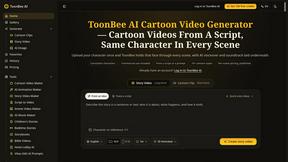
ToonBee AI
ToonBee AI turns a script or a one-line idea into a narrated cartoon video, keeping the same character in every scene. 10+ styles, 16:9 or 9:16.
About Floor Plan AI Alternatives
Floor Plan AI is an image generation tool that lets you instantly create professional 2D and 3D floor plans by simply describing any space. It sits squarely in the AI-powered design and visualization category, turning vague ideas into structured layouts without needing a degree in architecture. But let’s be real: while it’s slick for quick mockups, users often start hunting for alternatives because of pricing tiers that feel too steep for a side hustle, missing features like furniture placement or real-time collaboration, or because the platform doesn’t play nice with their specific workflow—maybe they need raw CAD exports or a mobile-first vibe. When you’re scouting for a replacement, don’t just look for a cheaper clone. You want a tool that matches your actual grind: check for customization depth, export formats, integration with your existing software stack, and whether it handles complex multi-room scenarios without glitching. The best alternative doesn’t just generate—it adapts to your chaos. The market is flooded with wannabes, but the right pick will let you tweak every wall, swap materials on the fly, and output files that don’t make your architect cry. Think about your endgame: if you’re a real estate agent flipping listings, speed and visual polish matter more than engineering specs. If you’re a contractor planning a renovation, you need accurate measurements and layer control. Also, watch out for hidden limits—some tools cap the number of rooms or require a subscription for basic 3D views. Ultimately, the best alternative feels like a power-up, not a compromise: it should handle your dumbest ideas with style and ship them fast.
FAQs about Floor Plan AI Alternatives
What is Floor Plan AI?
Floor Plan AI is a specialized image generation tool that transforms text descriptions of any space into professional 2D and 3D floor plans instantly. It uses artificial intelligence to interpret your input and generate layouts without requiring manual drawing or design skills. This tool is independently developed and focuses on delivering rapid, visual floor plans for a variety of use cases.
Who is Floor Plan AI for?
Floor Plan AI is designed for anyone who needs quick, visual floor plans without the hassle of complex software. This includes real estate agents looking to stage listings, interior designers sketching initial concepts, homeowners planning renovations, and even students studying architecture. It bridges the gap between a vague idea and a tangible layout, making it accessible to non-designers.
Is Floor Plan AI free?
The platform offers a free tier that allows users to generate a limited number of basic floor plans to test the service. For full access to advanced features, higher resolution outputs, and unlimited generation, a paid subscription is required. Pricing details are typically outlined on the product page, with options for monthly or annual plans.
What are the main features of Floor Plan AI?
The core feature is its ability to generate both 2D and 3D floor plans from simple text descriptions, eliminating the need for templates or manual drafting. It processes natural language input, allowing you to describe room dimensions, layouts, and styles. As an independently developed tool, it focuses on speed and ease of use, providing instant visualizations that can be exported for further editing or presentation.