
Alternatives to EditTextImage
Explore the best alternatives and competitors to EditTextImage.
Explore 20 alternatives to EditTextImage. Compare features, pricing, and find the best fit for your needs.
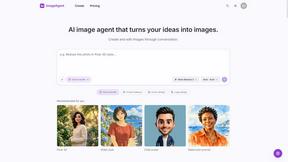
ImageAgent
Create and edit AI images through conversation, using text or reference images and refining results in chat.

GenX
All-in-one AI workspace to generate images, videos, and audio with multiple leading AI models.

AppIconGenerator
Generate iOS and Android app icons from any image and export all platform sizes for free.

Design.com AI Image Generator
Turn text prompts into polished, copyright-safe visuals that plug directly into branded templates
FastH3 Omni
Run FastH3 Omni in your browser. Up to 9 reference images plus 3 audio references become a 5–15s clip with synced audio. No install, no GPU.
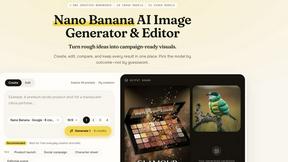
Nano AI
Create and edit AI images, generate videos, and compare models in one creative workbench.
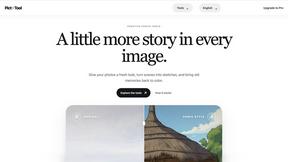
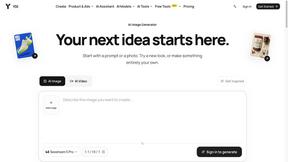
YIX
YIX combines AI image and video generation, photo editing, restoration, product visuals and free prompt tools in one browser studio.
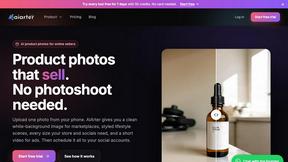
AiArter
AI product photos and UGC video ads for Amazon, Etsy and Shopify sellers, made from one phone photo.
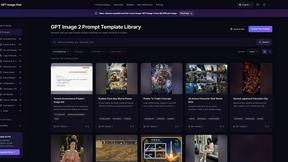
GPT Image Hub
Curated image prompts, reusable templates, and multi-model AI generation in one workspace.
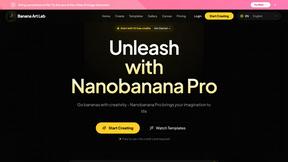
NanoBanana
Generate and edit AI images with six models, references, templates, and a visual workflow canvas.
Seedream 6
Independent Seedream 6 guide with a browser-based AI image and video generator powered by Seedream 5.0 Pro and 5.5.
Seedream 5.5
Seedream 5.5 by ByteDance: 80+ rounds of stable image editing, native RGBA transparency, 100-layer splits, 4K output and reliable multilingual text.
ogimagegenerator.dev
Paste a URL and AI designs on-brand Open Graph images from your page's colours, fonts and logo. Free, no sign-up.
Ozil Goal AI
Make the Ozil goal AI video from one photo. 15 seconds, 9:16, 720p, no watermark, original trend sound, ready for TikTok, Reels and Shorts.
FreeVideoGenerator
Free AI video generator: turn text prompts and photos into video clips with Sora 2, Veo 3.1, Wan and more. Free starter credits, no watermark download


Turbotools
Free online web tools: PDF converter, image compressor, word counter, text reverse, JSON formatter & generator. 100% free with no sign-ups!
Artcraft AI
AI image and video studio in your browser: generate and edit images, turn photos into videos, edit clips by sentence.
ToonBee AI
ToonBee AI turns a script or a one-line idea into a narrated cartoon video, keeping the same character in every scene. 10+ styles, 16:9 or 9:16.
About EditTextImage Alternatives
Alright, you’re stuck with a final image that needs a text tweak but the original PSD is lost in the void. EditTextImage is the slick AI-powered fix that lands in the Image Generation space—it lets you swap out text in a jpeg without hunting down fonts or firing up a heavy design suite. It reads the typeface, color, and even perspective straight from the pixels, so your edit looks like it was always there. But even a sharp tool like this might not fit every workflow: maybe you need batch processing for a hundred screenshots, a free tier with no edit limit, or a mobile app for on-the-go fixes. Pricing structures, platform restrictions, or the need for raw speed can push users to scout for other options. When you’re hunting for an alternative, zero in on core pain points. Do you need unlimited edits without a pay-per-use model? Is cross-platform support a must? Check if the tool handles complex backgrounds and shadows as cleanly as this one does. Also, look for output resolution—some free tools crush your image quality. The best alternatives will match that "no font install, no Photoshop" vibe but might offer a subscription instead of a one-time pack or a desktop app for offline work. Keep it real: you want pixel-perfect results without the headache, so prioritize tools that don’t force you to learn a new ecosystem just to fix a typo.
FAQs about EditTextImage Alternatives
What is EditTextImage?
EditTextImage is an AI-powered online tool that edits text inside existing images without needing the original design file. It samples the typeface, color, drop shadow, and perspective directly from the image pixels, allowing you to replace words seamlessly. The entire process takes about 10 seconds and outputs at 2K resolution, making it a fast alternative to Photoshop or Canva.
Who is EditTextImage for?
It is built for anyone who needs to quickly fix text on a finished visual asset—marketers fixing a date on a poster, designers swapping a headline in a product shot, or developers correcting text in a screenshot. You do not need design skills or installed fonts to use it, so it works for both professionals and casual users who lost the original source file.
Is EditTextImage free?
Your first edit is completely free with no credit card required. After that, access is a one-time payment of $9.90 for 30 edits. There is no monthly subscription or hidden fees, making it a low-commitment option compared to ongoing Canva or Adobe plans.
What are the main features of EditTextImage?
Key features include AI-powered text replacement that preserves the original font, color, layout, and perspective from the image pixels. It works with paid fonts and hand-lettering without needing font files installed. The tool processes edits in roughly 10 seconds, outputs at 2K resolution, and requires no software download or design file to operate.