
Alternatives to Didon
Explore the best alternatives and competitors to Didon.
Explore 20 alternatives to Didon. Compare features, pricing, and find the best fit for your needs.

DeskBot
DeskBot for Kalshi event contracts. $1 first month, then $19.99/mo. Trading can lose money. Not affiliated with Kalshi.


explint.com
Install the ExpLint MCP to flag inconsistencies, missing metrics, and anti-patterns across your A/B test backlog.
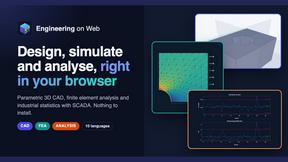
Engineering on Web
Free CAD, FEA simulation and SPC statistics in your browser, with an AI assistant that builds CAD features.

KS-Agents
Measure climate, talent and skills with validated surveys, 360° feedback and AI interviews, and turn the data into decisions HR can defend.

Bloom
An adaptive AI tutor that turns topics or your materials into courses, lessons, and answers tailored to how you learn.

Context Board
Context Board brings your numbers, docs, clients, content and day into one workspace that Claude and Codex can read and update.
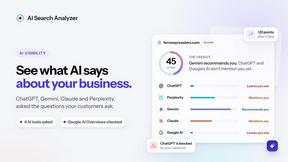
AI Search Analyzer
See what ChatGPT, Gemini, Claude, Perplexity and Google's AI Overviews say about your business, and get the fixes for your site.


EmoScan
#1 Emotion Intelligence Analysis tool to understand better Texts, Email Letters, Videos, Photos and even Dating profiles

Tapetide
AI-first stock research for India. Ask TapeAi about any NSE or BSE stock, or connect Claude, ChatGPT and Cursor to Tapetide's MCP server.

Parlune
Learn a language from real content, not vocab dumps. Parlune turns your favourite foreign-language YouTube videos into immersive, audio-synced lessons

FalcoScan
A market map of 7,000+ AI products across 30 markets, with each product's closest rivals.
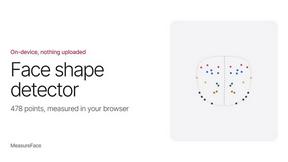
MeasureFace
Face shape, symmetry and golden ratio scores from a 478-point face mesh, in the browser.

QueryInbox
Search Console and Google Analytics in one read-only dashboard for indie sites / SEO.
DailyHook AI
Turns industry news into sourced, product-relevant marketing hooks for founders, marketers and AI agents.

ArcSolar
Australian solar CRM by Argonix Digital: connect sales, quotes, calls, jobs and payments with AI bill analysis and call intelligence.

LinkIntel
MCP server that gives your AI assistant evidence for its next X post, from your own measured results.

Leads Reddit
LeadsReddit helps founders, marketers, and sales teams find people on Reddit who are actively looking for what they sell. Instead of scrolling through
About Didon Alternatives
Didon is the slick, AI-powered time tracking beast for macOS that ditches the manual timers and guesswork, instead using local screenshots to auto-analyze how you actually spend your day. It sits squarely in the Analytics & Data and Business Intelligence categories, giving you a raw, unfiltered look at your workflow, focus patterns, and distractions without you lifting a finger. But while Didon is a powerhouse for privacy fanatics who want everything processed locally, users often start hunting for alternatives when they need cross-platform support, different pricing tiers, or features like deeper project management integration or team collaboration tools that this solo-focused app doesn’t touch. When you’re scouting for a replacement, you’ve got to zero in on what matters most to your grind. If you’re a remote worker or freelancer, look for something that balances automation with manual override—because sometimes AI misses the nuance of your creative chaos. Check if the tool offers real-time analytics or just retroactive reports, and don’t sleep on security: local processing is king for privacy, but cloud-synced options might offer better cross-device flexibility. Ultimately, the right choice will match your vibe—whether you need raw data dumps or actionable productivity hacks—without forcing you to change how you work.
FAQs about Didon Alternatives
What is Didon?
Didon is an automatic AI time tracking app built exclusively for macOS that uses local screenshots to analyze your activity without any manual input. It captures and processes everything on your machine to give you a precise breakdown of your workday, from focus sessions to distractions. The app is designed to help you understand your workflow patterns and optimize your time without sacrificing privacy, since all data stays local.
Who is Didon for?
Didon is tailored for macOS users who want deep, automated insights into their daily productivity without relying on manual timers or third-party cloud services. It’s ideal for freelancers, remote workers, and professionals who need to track their focus and identify time-wasting habits but are paranoid about data privacy. If you’re a solo operator or a small team that values local processing and raw analytics over collaboration tools, Didon fits your vibe.
Is Didon free?
Based on the available product content, Didon does not explicitly state a free tier or pricing model, so it’s likely a paid app with a trial or subscription-based structure. Users should check the official website for current pricing, as automatic AI time tracking tools with local screenshot capture typically require a license. The value lies in its privacy-first, zero-effort tracking, which often justifies a premium cost for serious productivity nerds.
What are the main features of Didon?
Didon’s core feature is its AI-powered automatic time tracking that captures local screenshots to analyze your activity, giving you a clear picture of where your time goes without manual logging. It processes everything on your machine to keep your data private while delivering insights into focus patterns, distractions, and workflow efficiency. The app helps you identify what’s killing your productivity and make smarter decisions about how you work, all without changing your existing habits.