
Alternatives to ButterKit
Explore the best alternatives and competitors to ButterKit.
Explore 20 alternatives to ButterKit. Compare features, pricing, and find the best fit for your needs.


Turbotools
Free online web tools: PDF converter, image compressor, word counter, text reverse, JSON formatter & generator. 100% free with no sign-ups!

Ecommerce Data API
Amazon research data APIs for developers, sellers and AI agents. Integrate product, keyword and market research through REST APIs and MCP.

BlazePhoenix
On-chain DEX aggregator: the swap route is computed inside the transaction that executes it. No API key, no signup.
NoMac
A real cloud Mac with Xcode for your AI agent: build, test and ship iOS apps without owning a Mac. $0.80 an hour.
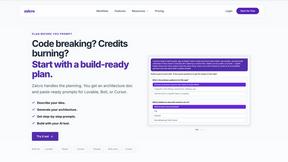
Zalcro
The pre-build planning tool for vibe coders and AI builders. Start with a conversation about your idea, get paste-ready prompts for your coding tool

SightRadar
Face recognition API, a drop-in replacement for AWS Rekognition. Index, search, compare and detect faces, billed per photo with no subscription.

JevModel
Bilingual console and guide for the jev decision model: classify, route, and score text or JSON.
AFFLIGO
AFFLIGO brings free online PDF, image, video, text, and calculator tools together to make everyday digital tasks easier.

Enlisted
Search 20,000+ open-source and SaaS tools by the job you need done or the app you want to replace.

CCNavX
Compare AI API proxy providers by price, models, payments, and compatibility before you commit.

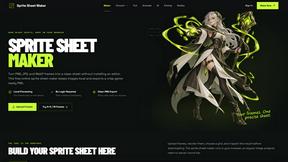
Sprite Sheet Maker
A free browser-based toolkit for creating, cutting, converting, and previewing sprite sheet animations.

layahost
Moderation, routing, intent and scoring for any text over one Jev-compatible API, hosted in the EU.
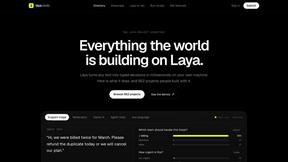
laya.tools
A free directory of 950+ projects built on Laya, the open-source decision model. Updated daily.
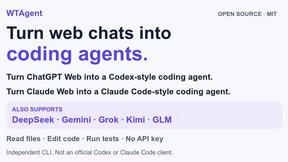
WTAgent
Turn ChatGPT Web into Codex and Claude Web into Claude Code. Open-source CLI coding agent - no model API key needed.

Codersera AI Agent Task Manager
A workstream per session — Claude Code, Codex, Cursor. Queue tasks, connect an agent with a copy-paste prompt
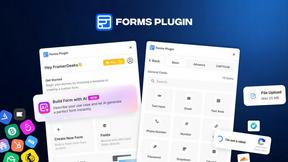
FormsPlugin
AI form builder for Framer. Generate multi-step forms with conditional logic, 30+ fields, CRM integrations, and CAPTCHA from a plain English prompt.


About ButterKit Alternatives
So you’ve been vibing with ButterKit, the slick native macOS tool that turns the App Store publishing grind into a one-click flex. It’s the go-to for Apple devs who want to snap screenshots from Xcode Simulator, drop them into photorealistic 3D frames, and auto-translate metadata into all 50 languages using AI—all while integrating with App Store Connect API and CI/CD pipelines. But let’s keep it real: even the best tools can feel like a mismatch for your flow. Maybe the pricing hits your wallet harder than expected, or you’re stuck on Windows and can’t run a macOS-native app. Perhaps you need more granular control over localization, or you’re craving a feature that ButterKit doesn’t serve up yet. Whatever the reason, you’re hunting for a replacement that doesn’t make you compromise on speed or style. When you’re scouting for an alternative, don’t just grab the first shiny object. You need a tool that respects your dev workflow—think seamless integration with Fastlane or CI/CD, support for your preferred OS, and pricing that doesn’t make you choke. Look for features like bulk screenshot generation, custom frame templates, and AI-driven translation that handles nuance, not just word swaps. Also, check if it plays nice with your existing stack: if you’re all-in on automation, you want something that plugs into your pipeline without a fuss. The endgame is a solution that keeps your App Store assets looking fire while cutting the grunt work, whether you’re a solo dev or a whole team crushing releases.
FAQs about ButterKit Alternatives
What is ButterKit?
ButterKit is a native macOS application designed to simplify and automate the App Store publishing workflow for Apple developers. It streamlines the creation of stunning App Store screenshots and metadata for all languages, removing the hassle often associated with localization and asset management.
Who is ButterKit for?
ButterKit is built specifically for Apple developers who create and manage mobile applications. It caters to solo developers and teams alike who want to automate the tedious parts of App Store publishing, from capturing screenshots directly from the Xcode Simulator to uploading polished assets and translations via the App Store Connect API.
Is ButterKit free?
No, ButterKit is not free. It is a premium tool created by a solo developer for developers, offering a paid license to access its full suite of features. The pricing reflects its specialized capabilities, including AI-powered translations, 3D device frames, and seamless CI/CD integration, making it a cost-effective investment for serious app publishers.
What are the main features of ButterKit?
ButterKit’s main features include capturing screenshots from the Xcode Simulator and placing them into photorealistic 3D device frames. It also uses advanced AI models to translate app metadata into all 50 App Store Connect languages, integrates with the App Store Connect API for one-click uploads, and supports professional templates and custom designs. Additionally, it links entire folders for input and output, making it a natural fit for CI/CD pipelines and Fastlane workflows.