
Alternatives to Browser Notes
Explore the best alternatives and competitors to Browser Notes.
Explore 20 alternatives to Browser Notes. Compare features, pricing, and find the best fit for your needs.

@fuck.it - email with attitude
Private email. Pure. Secure. Exclusive. No ads, no tracking, no data selling. GDPR compliant, EU-hosted.


FreeVideoGenerator
Free AI video generator: turn text prompts and photos into video clips with Sora 2, Veo 3.1, Wan and more. Free starter credits, no watermark download


VidhyaGen - Image Converter
All-in-one web platform for fast image conversion, compression, editing, and essential digital file utilities in one easy interface.

Flip a Coin
Free online coin flip, yes/no, dice, spin wheel & random number tools. No signup, truly random, works instantly on any device.
sakuttoAI
A free suite of online tools for everyday tasks like PDF compression, image conversion, text diff and CSV to Excel.

Zalcro
The pre-build planning tool for vibe coders and AI builders. Start with a conversation about your idea, get paste-ready prompts for your coding tool

Zachai
Host exams for any class: handwritten papers, quizzes, essays and OMR sheets. AI drafts grades against your rubric; you edit and publish.

Panzoe
Panzoe is an all-in-one AI platform for personal productivity, business automation, AI assistants, content creation, and custom AI solutions.
AFFLIGO
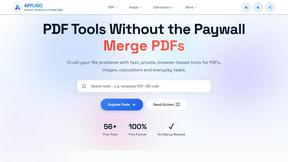
AFFLIGO brings free online PDF, image, video, text, and calculator tools together to make everyday digital tasks easier.

Novastart
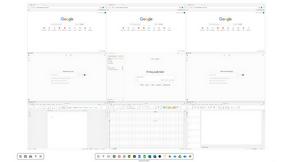
Novastart brings apps and files onto an infinite canvas where people and AI agents can work together.

MileagePilot
Official mileage rates, calculators, and log templates for the US, UK, Canada, Australia, and more.



ReadyHermes
Your own hosted Hermes Agent in a minute: memory, self-learning skills, schedules, a real browser and 1,000+ app connections.

Leads Reddit
LeadsReddit helps founders, marketers, and sales teams find people on Reddit who are actively looking for what they sell. Instead of scrolling through
AI Email Filter
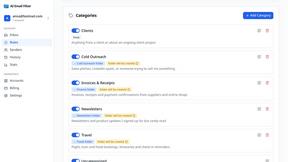
AI Email Filter sorts incoming mail into folders using plain-language prompts you write. Works with any IMAP mailbox; bring your own LLM if you want.

About Browser Notes Alternatives
Browser Notes is a local-first productivity tool that shoves your notes, sticky notes, and mind maps into one brutal, no-nonsense workspace without ever touching the cloud. It lives in the category of offline-first productivity and management apps, built for the paranoid and the practical who refuse to let their private ideas get sold, tracked, or synced against their will. Users start hunting for alternatives when they hit a wall—maybe the browser storage limit feels too tight for heavy mind-mapping, or they need cross-device sync without signing up for a cult, or they just want a different flavor of raw speed. The real kicker is that most alternatives either force you into an account, bleed your data into some server, or charge you for features that should be free. When you’re scoping out a replacement, the red flags are obvious: look for tools that actually respect your autonomy. You want something that works offline like a champ, stores everything locally without begging for your email, and gives you a simple backup option—no hidden subscriptions, no tracking scripts, no “we’ll improve your experience” garbage. The best alternatives let you own your data completely, ditch the cloud obsession, and still deliver sticky notes and boards that don’t lag or sell you out. If it asks for a signup before you can even type a thought, run.
FAQs about Browser Notes Alternatives
What is Browser Notes?
Browser Notes is a local-first productivity tool that combines notes, sticky notes, and mind maps into a single workspace that lives entirely in your browser. It requires no account, no signup, and no cloud sync, meaning your data never leaves your device. You can work offline, back up your files whenever you want, and avoid any tracking or forced sharing of your private ideas.
Who is Browser Notes for?
Browser Notes is built for anyone who values privacy and control over their notes, including students, freelancers, and professionals who hate being locked into cloud services. It’s perfect for people who want a quick, offline-friendly workspace for jotting down ideas, organizing sticky notes, or mapping out thoughts without signing up for yet another account. If you’re tired of apps that track your every move or demand a subscription, this tool is your escape hatch.
Is Browser Notes free?
Yes, Browser Notes is completely free to use with no hidden costs or premium tiers. There are no subscriptions, no in-app purchases, and no bait-and-switch features locked behind a paywall. You get the full experience—notes, sticky notes, and mind maps—without ever needing to pull out your wallet or hand over personal information.
What are the main features of Browser Notes?
Browser Notes packs three core tools into one local-first workspace: standard notes, sticky notes, and mind maps, all running entirely in your browser. It works offline, stores everything locally, and lets you back up your data at any time without relying on a cloud server. There is no account creation, no tracking, and no forced sync, giving you total control and privacy over your content.