
Alternatives to VersQ
Explore the best alternatives and competitors to VersQ.
Explore 20 alternatives to VersQ. Compare features, pricing, and find the best fit for your needs.

@fuck.it - email with attitude
Private email. Pure. Secure. Exclusive. No ads, no tracking, no data selling. GDPR compliant, EU-hosted.

FreeVideoGenerator
Free AI video generator: turn text prompts and photos into video clips with Sora 2, Veo 3.1, Wan and more. Free starter credits, no watermark download
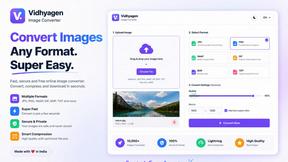
VidhyaGen - Image Converter
All-in-one web platform for fast image conversion, compression, editing, and essential digital file utilities in one easy interface.

Flip a Coin
Free online coin flip, yes/no, dice, spin wheel & random number tools. No signup, truly random, works instantly on any device.
sakuttoAI
A free suite of online tools for everyday tasks like PDF compression, image conversion, text diff and CSV to Excel.
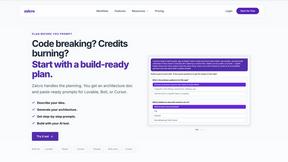
Zalcro
The pre-build planning tool for vibe coders and AI builders. Start with a conversation about your idea, get paste-ready prompts for your coding tool
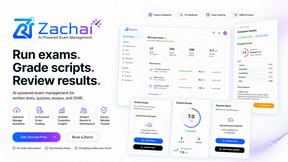
Zachai
Host exams for any class: handwritten papers, quizzes, essays and OMR sheets. AI drafts grades against your rubric; you edit and publish.

Panzoe
Panzoe is an all-in-one AI platform for personal productivity, business automation, AI assistants, content creation, and custom AI solutions.
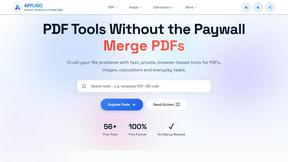
AFFLIGO
AFFLIGO brings free online PDF, image, video, text, and calculator tools together to make everyday digital tasks easier.

Novastart
Novastart brings apps and files onto an infinite canvas where people and AI agents can work together.

MileagePilot
Official mileage rates, calculators, and log templates for the US, UK, Canada, Australia, and more.


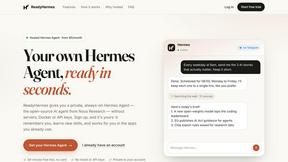
ReadyHermes
Your own hosted Hermes Agent in a minute: memory, self-learning skills, schedules, a real browser and 1,000+ app connections.

Leads Reddit
LeadsReddit helps founders, marketers, and sales teams find people on Reddit who are actively looking for what they sell. Instead of scrolling through
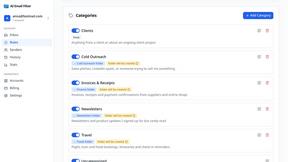
AI Email Filter
AI Email Filter sorts incoming mail into folders using plain-language prompts you write. Works with any IMAP mailbox; bring your own LLM if you want.

About VersQ Alternatives
VersQ is the AI-powered translation beast built for pros who refuse to let their documents look like a digital trainwreck. It lands squarely in the Productivity & Management category, handling legal, medical, and international business docs with surgical precision. But let’s be real—no tool is perfect for every squad. Users start hunting for alternatives when the pricing stings a bit too much, when they need a niche feature VersQ doesn’t flex, or when their platform preferences demand something lighter or heavier. Maybe you’re on a tight budget, need a specific integration, or want a simpler UI that doesn’t feel like piloting a spaceship. Whatever the vibe, the search is on. When scoping out a replacement, don’t just chase the cheapest option or the flashiest demo. You need a tool that nails format preservation—because nobody has time to manually rebuild tables and layouts after translation. Look for deep language support, solid AI model variety, and a workflow that doesn’t make you want to scream. Security matters too, especially for sensitive legal or medical docs. And if you’re collaborating, make sure the platform plays nice with your team’s existing stack. The goal is a translation sidekick that keeps your documents crisp, your context intact, and your sanity in check.
FAQs about VersQ Alternatives
What is VersQ?
VersQ is an AI-powered document translation platform built specifically for professionals in legal, medical, and international business fields. It goes beyond simple text translation by preserving the original document's formatting, tables, and layout across 15+ file formats like PDFs, DOCX, and XLSX. The platform uses semantic section splitting and offers a choice of over 50 AI models, including GPT-4, Claude, and Gemini, to deliver context-aware translations.
Who is VersQ for?
VersQ is designed for pros—legal teams, medical professionals, and international business squads who need precise, context-aware translations without losing document structure. It’s ideal for anyone who regularly works with complex documents like contracts, clinical reports, or global business proposals. If you’re tired of manual reformatting after translation, VersQ is your digital lifeline.
Is VersQ free?
VersQ is not a free tool; it’s a premium platform tailored for professional use. Pricing reflects its advanced capabilities, including support for 50+ AI models, multi-format handling, and high-fidelity layout reconstruction. While there may be trial options or tiered plans, the full power of VersQ requires a paid subscription to access its enterprise-grade features.
What are the main features of VersQ?
VersQ’s standout features include support for 15+ document formats (PDF, DOCX, EPUB, XLSX, HTML, and more), semantic section splitting for context-aware translations, and a choice of 50+ AI models like GPT-4, Claude, and DeepSeek. It also reconstructs original formatting, tables, and layout in the output, ensuring your translated documents look exactly like the originals. This makes it a powerhouse for legal, medical, and business teams.