
Alternatives to Tagada
Explore the best alternatives and competitors to Tagada.
Explore 20 alternatives to Tagada. Compare features, pricing, and find the best fit for your needs.
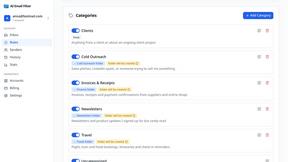
AI Email Filter
AI Email Filter sorts incoming mail into folders using plain-language prompts you write. Works with any IMAP mailbox; bring your own LLM if you want.
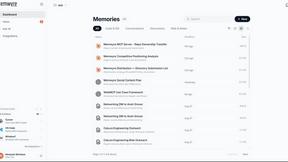
Memwyre
Memwyre is an AI memory platform that gives every AI tool, agent, and conversation a persistent, shared memory you can search and reuse.
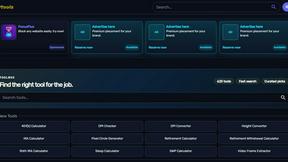
Kody Tools
Free collection of online developer utilities, code formatters, and digital converters designed to streamline your daily workflow.


HomeAnswerBook
Practical, independent guides to home repairs, maintenance, costs, troubleshooting, and everyday fixes.

BlazePDF
Highlight faster. Study in flow with custom shortcuts and a workflow built around you. Print smarter, or turn any page into a tiled poster.


AI STL Generator
The fastest AI STL generator to turn prompts and images into 3D printable STL files.

tallycounterweb.com
Tally Counter is a simple online counting tool for tracking attendance, workouts, inventory, sports scores, and everyday activities.

Efficienco
Estimate material quantities, project costs, dimensions and building-system requirements without wrestling with a spreadsheet.

Build Mode for Mac
Build Mode is a Mac app that turns focused sessions into visible progress, so you can see the work adding up before the results arrive.

EasyW9Form
Free online tools for tax forms, invoices, and business paperwork for freelancers, contractors, LLCs, and small businesses.


GROWNX
Real-time downloads, revenue, and reviews across your App Store portfolio, plus an AI copilot.



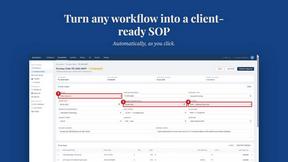
MySOP.guru
Capture any workflow in your browser and export a branded, step-by-step SOP with screenshots. €5 per document, no subscription.

Dissect
A second brain that reads everything you save and answers questions about it, with citations.

PerPageFax
PerPageFax lets you send a fax online from any browser for a flat $0.50 per page — no account, no subscription, no fax machine.
About Tagada Alternatives
Tagada is a browser extension that lives inside Gmail and basically acts like a hyper-intelligent highlighter for your inbox, parsing emails into clickable sentences so you can tag, categorize, and organize the important stuff without ever leaving the tab. It sits squarely in the Productivity & Management category, but instead of just adding another dashboard to your life, it works directly where you already work. Users start looking for alternatives for a few legit reasons: maybe they need deeper team collaboration features, want a different pricing model that fits a solo hustle better, or simply require support for a platform other than Gmail, like Outlook or a mobile app. Others might be hunting for a tool that offers more aggressive automation or AI-powered drafting, even if it means sacrificing the strict local-only privacy that Tagada champions. When you’re shopping for an alternative, the key is to figure out which trade-offs you’re actually cool with making. If privacy is your hill to die on, you need to confirm the tool processes data locally and doesn’t phone home to a cloud server. If speed is the game, look for something that offers one-click parsing and template generation without forcing you to learn a whole new interface. Also, consider the specific workflow: are you a solo freelancer who just needs cleaner replies, or are you a support team that needs shared tags and collaborative inbox management? The best alternative will match your exact vibe, not just copy the feature list.
FAQs about Tagada Alternatives
What is Tagada?
Tagada is a browser extension that transforms how you read and reply to emails directly inside Gmail. It parses incoming emails into clickable sentences you can highlight, tag, and organize by category with a single click, then generates a clean reply template based on your selections. The entire process happens locally on your machine, meaning no data is ever sent to the cloud or third-party servers.
Who is Tagada for?
Tagada is ideal for professionals, support teams, freelancers, and consultants who manage long email threads and need to respond faster and more clearly. It is specifically designed for anyone who wants to structure their replies without switching to a new tool or learning a complex system. If you spend hours wading through bloated inboxes and rewriting the same points, Tagada is built for your workflow.
Is Tagada free?
Based on the product description, Tagada is positioned as a premium productivity tool, and its pricing model is typically structured around individual or team subscriptions. While a free trial may be available to test the core features like instant parsing and one-click tagging, full access to auto-generated reply templates and advanced categorization usually requires a paid plan. Users should check the official Tagada website for the most current pricing and trial details.
What are the main features of Tagada?
Tagada’s main features include instant parsing of emails into selectable sentences, one-click highlighting and tagging by category, and auto-generated reply templates built from your selections. It processes everything 100% locally with no AI, no cloud, and no third-party servers, and it works directly inside Gmail so there is no new tool to learn. These features are designed to cut response time and keep your data fully private.