
Alternatives to Sprite-AI
Explore the best alternatives and competitors to Sprite-AI.
Explore 20 alternatives to Sprite-AI. Compare features, pricing, and find the best fit for your needs.
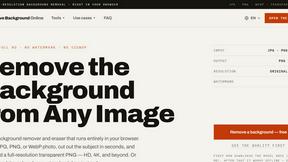
Remove Background Online
Free background remover that runs entirely in your browser — zero uploads, full resolution, no watermark. Your photos never leave your device.
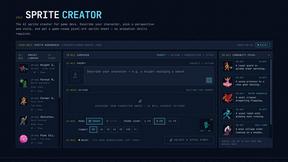
Sprite Sheet Maker
Create pixel-art sprite sheets from text with AI, preview animations, and export PNG assets for game prototypes.
Reduce Image Quality
Free browser-based tool that lowers image quality and shrinks JPG, PNG and WebP files. No upload, no signup, no watermark.
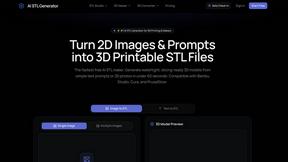
AI STL Generator
The fastest AI STL generator to turn prompts and images into 3D printable STL files.

Logofai
Logofai is an AI-powered brand design studio that transforms a single text prompt into a complete brand identity.
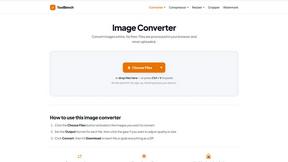
Mytoolsbench
Free online image tools to resize, crop, compress, convert, and watermark images quickly and easily in your browser.
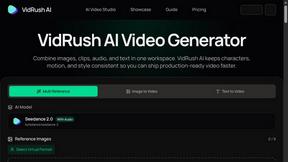
VidRush AI
AI long video generator combining images, video, audio and text into controllable, production-ready AI videos.
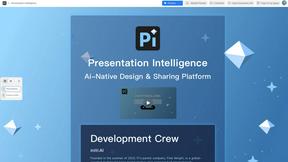
Presentation Intelligence
AI-native presentation and visual content platform that turns prompts, documents, images, videos, and data into polished, shareable decks.
Text Logo
Create custom text logos and wordmarks online with per-character fonts, colors, icons, shapes, and flexible exports.
Punchylime
AI ad generator for video, UGC, and image ads. Turn any prompt or product into scroll-stopping ads in minutes.
Rankly Tier List Maker
Free browser-based tier list maker for ranking images, text, and ideas with drag-and-drop tiers, customization, and PNG export.
cursive-text-generator.net
Cursive Text Generator is a free browser-based tool that converts ordinary text into elegant cursive, script, and fancy Unicode styles.
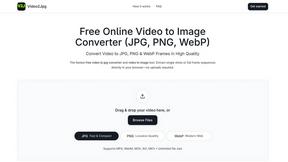
Video2Jpg
Convert video to JPG, PNG, or WebP frames in your browser. High-quality video to image converter with no uploads—fast, private, and free.
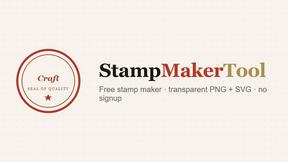
StampMakerTool
Design custom rubber stamps and seals in the browser, then export a clean PNG or SVG with no signup and no watermark.
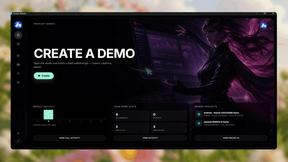
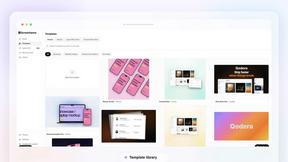
Screen Beaver
Create product videos manually or let your AI agent control Screen Beaver through MCP—no mouse or keyboard needed.
Pony Diffusion
Pony Diffusion is a free online text-to-image model generating high-quality, non-photorealistic images in various styles.
Cursive Generators
Cursive Generators is a free online cursive text generator that helps users create beautiful cursive fonts, signatures, tattoo lettering, social medi.
Perchance AI Image Generator
Free Perchance AI Image Generator that runs in your browser. Multi-model text-to-image with no account required.
About Sprite-AI Alternatives
Alright, you’re tired of grinding out pixels by hand, and you’ve heard the buzz about Sprite-AI. This tool is a straight-up cheat code for indie devs and hobbyists who need to pump out 2D assets without touching a stylus. It lives in the Design Tools category, leveraging AI to turn your plain-English descriptions into crisp pixel art in standard sizes like 32x32 or 128x128. You get a built-in editor to fine-tune your work and export transparent PNGs that plug directly into Unity or Godot. It’s slick, but maybe the token-based pricing feels like a buzzkill, or you need a different workflow that doesn’t lock you into a specific ecosystem. So why do devs start hunting for other options? Sometimes the cost per generation adds up faster than expected, or you need a platform that plays nicer with your existing pipeline. Maybe you want more control over the AI’s style without relying on prompt guides, or you’re looking for a free tier that doesn’t cap your creative flow. When scoping out an alternative, keep your eyes peeled for pricing transparency, export flexibility, and how deep the editor goes. You want something that lets you generate fast but still gives you the manual tweaks to make your sprites pop. Don’t settle for a tool that just spits out images—find one that respects your workflow and your wallet.
FAQs about Sprite-AI Alternatives
What is Sprite-AI?
Sprite-AI is an AI-powered pixel art generator designed to help indie game developers, hobbyists, and prototypers create 2D assets quickly. You describe a sprite in plain English, and the app produces clean, game-ready pixel art in sizes like 32x32, 64x64, or 128x128. It covers roles such as icons, items, characters, and hero or boss art, making it a versatile tool for rapid prototyping.
Who is Sprite-AI for?
Sprite-AI is built for indie game developers, hobbyists, and prototypers who need to generate 2D assets fast without manual drawing skills. It’s ideal for anyone working with engines like Unity, Godot, GameMaker, or Unreal who wants to streamline asset creation. The platform also suits creators who enjoy fine-tuning their work, thanks to the built-in pixel editor for manual adjustments.
Is Sprite-AI free?
Sprite-AI operates on a token-based pricing model, meaning you only pay for what you generate. There is no indication of a permanent free tier in the provided content, so users should expect to purchase tokens for each sprite creation. This pay-as-you-go approach is designed to keep costs flexible for those who don’t need a subscription.
What are the main features of Sprite-AI?
Key features include generating pixel art from plain English descriptions, with output sizes of 32x32, 64x64, or 128x128 pixels. It includes a built-in pixel editor with tools for painting, erasing, filling, and color-picking, plus export as transparent PNGs compatible with major game engines. The platform also offers a community gallery, prompt guides, and a token-based pricing system to control spending.