
Alternatives to SkipBait
Explore the best alternatives and competitors to SkipBait.
Explore 20 alternatives to SkipBait. Compare features, pricing, and find the best fit for your needs.

Easemic
Free open-source Android comic & manga cloud reader streaming encrypted libraries from S3, WebDAV & OPDS.


GenX
All-in-one AI workspace to generate images, videos, and audio with multiple leading AI models.

Uniclip
Clip pages, take full-page screenshots and batch-capture list data to Notion, Feishu, Obsidian, Markdown, CSV or JSON.

TroveKey
Search tabs, Chrome bookmarks and history, run browser commands, and save webpages and social posts locally—no account.

Redactic
Document redaction for GDPR and AI: replace names, IDs and IBANs with placeholders, work with AI, then restore the original values in the result.

KS-Agents
Measure climate, talent and skills with validated surveys, 360° feedback and AI interviews, and turn the data into decisions HR can defend.
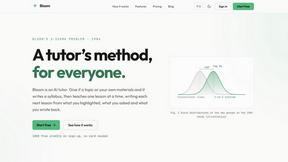
Bloom
An adaptive AI tutor that turns topics or your materials into courses, lessons, and answers tailored to how you learn.
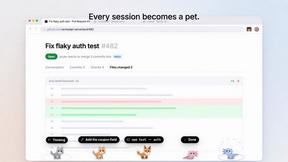
Agent Pets
Your Claude Code & Codex sessions as pets in Chrome. Approve, deny and reply to your coding agents from any tab.
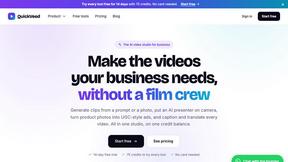
QuickVeed
AI video studio: subtitles translated into 32 languages, AI dubbing in your own voice, podcast-to-clips and 34 free video tools.

Scalry
All-in-one CRM with AI sales agents that follow up every lead by email and SMS, with approval before anything sends.

Zeptap
Zeptap lets AI use your real iPhone like you do: open apps, read the screen, tap, swipe and type. Reply to DMs, post Stories, book rides, test apps.
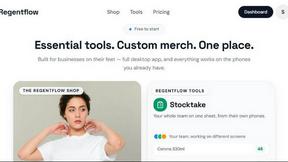
Regentflow
AI stocktakes, staff rosters and voice-typed spreadsheets for cafes, bars and restaurants, plus free invoices, 30 PDF tools and custom merch.

9bot
WhatsApp group bot for moderation, automation and reports: welcomes, anti-spam, link filtering, scheduling, RSS and live alerts.



Burning Bridges AI
Turn one photo into the chandelier-party video: pick a moment, get an 8-second clip with sound.
AIClothesChanger
Free AI clothes changer online. Swap outfits and try on clothes from a photo in minutes — create a free account to start, no card required.
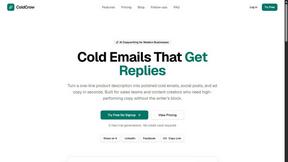
About SkipBait Alternatives
SkipBait is an AI-powered YouTube summarizer that lives in the Chrome extension ecosystem, landing squarely in the AI Assistants and Chatbots category. It doesn’t just spit out a transcript digest; it gives you an honest title, a TLDR, a timestamped outline, and actionable insights you can click straight into the video. The real flex is its AI chat that searches the live web, not just the transcript, so when a podcaster drops a wild claim or a lecturer cites a study, you can fact-check or deep-dive without ever leaving the tab. It’s built for students, researchers, and professionals who need to crush dense content fast. Users start hunting for alternatives when the pricing doesn’t match their budget, the platform support feels limited, or they need features that SkipBait doesn’t prioritize—like bulk processing, offline access, or deeper integration with note-taking apps. Some folks want a free tier that actually works for heavy use, while others need a tool that handles languages or niche video formats better. When shopping for a replacement, look for real-time web search capabilities, timestamp accuracy, export flexibility (PDF, markdown, etc.), and whether the tool works across multiple platforms or just Chrome. Don’t sleep on privacy policies either—if you’re feeding it hours of proprietary content, you want to know where that data sleeps.
FAQs about SkipBait Alternatives
What is SkipBait?
SkipBait is an AI-powered Chrome extension that instantly summarizes any YouTube video. It generates an honest title, a TLDR, a timestamped outline, and scannable actionable insights, all with clickable timestamps that jump you to the exact moment in the video. Unlike basic summarizers, its AI chat searches the live web to answer questions beyond the transcript.
Who is SkipBait for?
SkipBait is built for students who need to turn lectures into notes and PDF exports, researchers screening multiple documentaries, professionals keeping up with industry podcasts, and lifelong learners who want answers beyond what a video covers. It’s ideal for anyone who consumes long-form YouTube content and wants to extract key information quickly without watching the entire video.
Is SkipBait free?
SkipBait likely operates on a freemium model, though specific pricing details are not provided in the product content. Based on typical tools in this category, there is probably a free tier with limited summaries or chat queries, and a paid plan for unlimited use and advanced features. Users should check the official SkipBait website or Chrome Web Store listing for the most current pricing information.
What are the main features of SkipBait?
SkipBait’s core features include one-click YouTube video summarization with an honest title, TLDR, and timestamped outline. It offers actionable insights pulled into a scannable list, and a unique AI chat that searches the web in real time for deeper context. You can also search the full transcript, translate it into 20+ languages, and copy, export, or share the entire summary bundle in one click.