
Alternatives to QuickTextTools
Explore the best alternatives and competitors to QuickTextTools.
Explore 20 alternatives to QuickTextTools. Compare features, pricing, and find the best fit for your needs.

@fuck.it - email with attitude
Private email. Pure. Secure. Exclusive. No ads, no tracking, no data selling. GDPR compliant, EU-hosted.
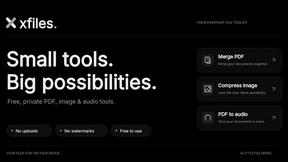

FreeVideoGenerator
Free AI video generator: turn text prompts and photos into video clips with Sora 2, Veo 3.1, Wan and more. Free starter credits, no watermark download


VidhyaGen - Image Converter
All-in-one web platform for fast image conversion, compression, editing, and essential digital file utilities in one easy interface.

Flip a Coin
Free online coin flip, yes/no, dice, spin wheel & random number tools. No signup, truly random, works instantly on any device.
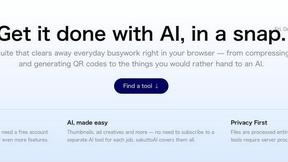
sakuttoAI
A free suite of online tools for everyday tasks like PDF compression, image conversion, text diff and CSV to Excel.

Zalcro
The pre-build planning tool for vibe coders and AI builders. Start with a conversation about your idea, get paste-ready prompts for your coding tool

Zachai
Host exams for any class: handwritten papers, quizzes, essays and OMR sheets. AI drafts grades against your rubric; you edit and publish.

Panzoe
Panzoe is an all-in-one AI platform for personal productivity, business automation, AI assistants, content creation, and custom AI solutions.
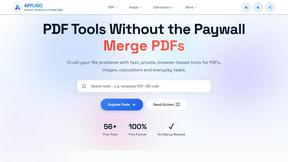
AFFLIGO
AFFLIGO brings free online PDF, image, video, text, and calculator tools together to make everyday digital tasks easier.

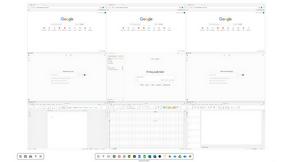
Novastart
Novastart brings apps and files onto an infinite canvas where people and AI agents can work together.

MileagePilot
Official mileage rates, calculators, and log templates for the US, UK, Canada, Australia, and more.



ReadyHermes
Your own hosted Hermes Agent in a minute: memory, self-learning skills, schedules, a real browser and 1,000+ app connections.

Leads Reddit
LeadsReddit helps founders, marketers, and sales teams find people on Reddit who are actively looking for what they sell. Instead of scrolling through
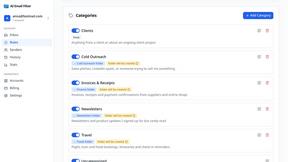
AI Email Filter
AI Email Filter sorts incoming mail into folders using plain-language prompts you write. Works with any IMAP mailbox; bring your own LLM if you want.

About QuickTextTools Alternatives
QuickTextTools is your go-to online haven for writers and creators, serving up a smorgasbord of over 76 free browser-based utilities designed to crank up productivity and streamline your text optimization game. It falls into the Productivity & Management category, catering to a diverse crowd—from marketers and developers to students and SEO gurus. With its user-friendly interface and no-fuss accessibility, QuickTextTools makes it easy to enhance your workflow without being bogged down by complex setups or software downloads. But let’s be real: sometimes, even the best tools have their limitations. Users often seek alternatives for reasons like pricing, feature sets that better suit their unique needs, or specific platform compatibilities. When on the hunt for an alternative, keep an eye out for tools that offer similar functionalities, a user-friendly design, and a commitment to privacy. Consider what features are non-negotiable for your work style, and weigh the pros and cons to find that perfect fit that keeps your creative juices flowing.
FAQs about QuickTextTools Alternatives
What is QuickTextTools?
QuickTextTools is a free online platform that offers over 76 tools designed to enhance productivity for writers, marketers, developers, and content creators. These browser-based utilities cover a wide range of needs, including text formatting, SEO analysis, and writing assistance, all tailored to simplify workflows.
Who is QuickTextTools for?
QuickTextTools is designed for anyone who works with text, including writers, marketers, students, SEO professionals, and developers. Its versatile suite of tools makes it ideal for individuals and teams looking to improve their productivity and streamline their writing and content creation processes.
Is QuickTextTools free?
Yes, QuickTextTools is completely free to use. It offers a wide array of utilities without any hidden fees, allowing users to access all features without a subscription or payment. This makes it an attractive option for budget-conscious creators and professionals.
What are the main features of QuickTextTools?
QuickTextTools boasts a variety of features designed to enhance productivity, including text formatting tools, keyword management utilities, SEO analysis capabilities, and writing assistants. These tools help users optimize their text, analyze meta tags, and clean up keyword lists, all in a fast and user-friendly manner.