
Alternatives to Plate Photo AI
Explore the best alternatives and competitors to Plate Photo AI.
Explore 20 alternatives to Plate Photo AI. Compare features, pricing, and find the best fit for your needs.
FlipHTML5 Downloader
Turn any FlipHTML5 flipbook into a high-quality PDF in your browser - free, open source, and no signup required.
VD6S
VD6S is a free online YouTube video downloader that supports HD, 4K and up to 8K downloads. Save videos in MP4 or audio in multiple formats.
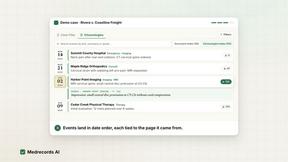
Medrecords AI
Medical record review with cited chronologies, summaries and report drafts. Every line links to its source page. From 10 cents per deduplicated page.
AnyRedact
Free online auto redaction tool with AI for PDFs, images, Word, PowerPoint, Excel, text and audio. Files are never stored.
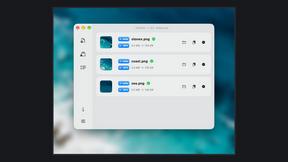
Zipic
Native image compression for Mac and Windows (Windows beta), with a local CLI and AI skill for automated image workflows.
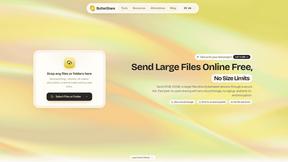
ButterShare
Realtime peer-to-peer file transfer in the browser. Send files directly between devices, no account and no upload to a server.

Save X post
The easiest way to save X videos offline: no app to install and no account to create. Paste the link, choose HD or 4K, and the MP4 is yours.

Xobito
WhatsApp Business API platform with AI agents, automation, CRM, and broadcasts — one workspace to run support, sales, and marketing on WhatsApp.

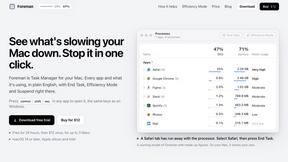
Foreman
See every app and what it's using in plain English, and end or slow down the one that's hogging your Mac.
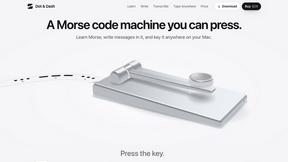
Dot & Dash
Learn Morse code on a machine you can press. Write and send messages, turn Morse into text and back, and key Morse in any app on your Mac.
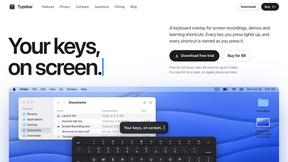
Typebar
Every key you press lights up on an on-screen keyboard, and each shortcut is named as you press it.
LightScreen
Free light screen tool online. Turn any display into a flashlight, ambient light, or solid-color screen. No download or sign-up.
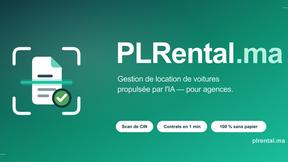
PLRental
Rental agency software: scan a customer ID, get a signed contract in under a minute, and manage fleet, customers, and invoices.

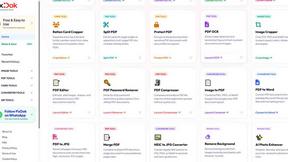
Pixdok
PixDok is a browser-based toolkit for common document and image tasks without requiring desktop software installation.
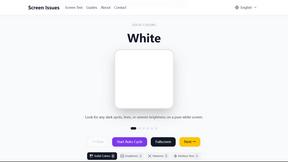
Screen Issues
Free Online Screen Test Tool - Instantly diagnose dead pixels, lines, color issues, and flickering. Multiple test modes, no download needed.
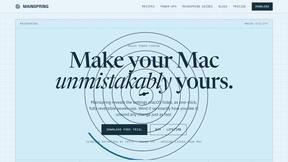
Mainspring
Mainspring turns the settings macOS hides into 90+ one-click, fully reversible power-ups for Finder, Dock, screenshots and more. $29 once.
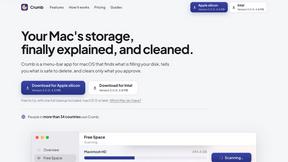
Crumb
A Mac menu bar app for a full disk. See what is using your space, read whether it comes back on its own, and remove only what you tick.
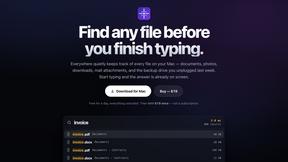
Everywhere
Fast file search for the Mac. Results as you type, files inside Mail and Photos, works with Wi-Fi off. $19 once.
About Plate Photo AI Alternatives
SECTION 1 - ALTERNATIVES INTRO Plate Photo AI is the digital wizardry that takes your sad, greasy phone snaps of food and instantly turns them into menu-ready, high-resolution bangers that look like they were shot in a pro studio. It sits in the AI-powered food photography software space, designed to kill the need for expensive photographers, rented studios, or any design skills whatsoever. You upload a pic, pick a vibe like Cafe or Fine Dining, and it spits out a glossy image ready for delivery apps, social media, or your website. It’s a slick tool for restaurants and marketers who want to boost orders without bleeding cash. But let’s keep it real—not everyone sticks with one tool forever. Users start hunting for alternatives when the pricing doesn’t fit their volume, when they need specific features like batch editing or raw file support, or when the platform doesn’t play nice with their existing workflow. Maybe you’re a solo chef who wants a one-time fix, or a big chain needing custom branding that the preset styles can’t touch. When scoping out a replacement, focus on three things: price per image compared to your budget, the range of editing controls (can you tweak lighting or remove a stray onion ring?), and integration ease—does it pull from your website or Google Maps in one click? Also check output resolution and style variety, because consistency is king when your menu photos need to scream “eat me” across every platform.
FAQs about Plate Photo AI Alternatives
What is Plate Photo AI?
Plate Photo AI is an AI-powered food photography tool that transforms ordinary phone photos into professional, menu-ready images in seconds. It eliminates the need for a photographer, studio, or design skills by using AI to apply consistent lighting, angles, and backgrounds. Users simply upload a dish photo, choose from styles like Cafe or Fine Dining, and receive a high-resolution image ready for menus, delivery apps, and social media.
Who is Plate Photo AI for?
Plate Photo AI is designed for restaurant owners, chefs, food marketers, and delivery app managers who need high-quality food images without the cost of traditional photo shoots. It’s ideal for anyone who wants to boost online orders with better menu photos, as the tool claims improved images can increase orders by up to 30%. Small businesses and large chains alike can use it to keep their food visuals consistent and on-brand across all platforms.
Is Plate Photo AI free?
Plate Photo AI is not free; it operates on a pay-per-image model at $0.33 per image. This pricing is significantly cheaper than traditional food photography, which can cost $500 to $2,000 per shoot. There is no mention of a free tier or trial in the provided content, so users should expect to pay for each image they generate.
What are the main features of Plate Photo AI?
Key features include AI-driven style presets like Cafe, Fine Dining, Menu Zoom, and Delivery App, as well as the ability to create custom styles. Users can edit photos using simple text prompts to change lighting, remove ingredients, or add garnishes without Photoshop. The tool also allows one-click import of existing photos from websites or Google Maps, and ensures consistent lighting, angles, and backgrounds for every dish to maintain brand identity.