
Alternatives to Opal
Explore the best alternatives and competitors to Opal.
Explore 20 alternatives to Opal. Compare features, pricing, and find the best fit for your needs.

Vocaryn
AI job-application agent: ranks jobs by fit with your confirmed experience, tailors your resume to each and applies on the employer's site.

How Long How Many Tool
Timers and hourly checks to figure how out long until a certain time or how many days away.
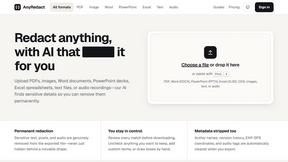
AnyRedact
Free online auto redaction tool with AI for PDFs, images, Word, PowerPoint, Excel, text and audio. Files are never stored.

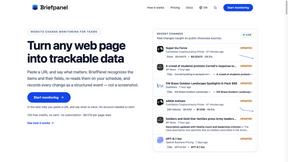
Briefpanel
Monitor web pages and get the exact field that changed, item by item. Pay per page read, no subscription.
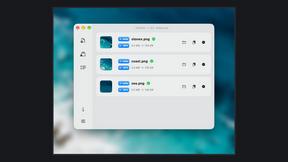
Zipic
Native image compression for Mac and Windows (Windows beta), with a local CLI and AI skill for automated image workflows.
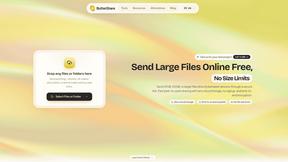
ButterShare
Realtime peer-to-peer file transfer in the browser. Send files directly between devices, no account and no upload to a server.

Myfreshtools
A collection of powerful YouTube tools to export, organize, back up, and manage playlists and creator workflows.
Statement2QBO
Bank statement PDF to QBO, Excel and Xero. Runs in your browser; three pages a day are free.
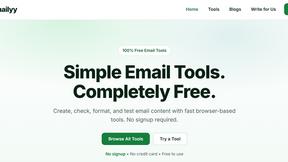
Emailyy
Free email tools for signatures, subject lines, HTML previews, word counts, and email headers. Browser-based, simple to use, and no signup required.

Uniclip
Clip pages, take full-page screenshots and batch-capture list data to Notion, Feishu, Obsidian, Markdown, CSV or JSON.
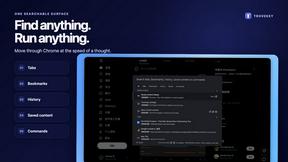
TroveKey
Search tabs, Chrome bookmarks and history, run browser commands, and save webpages and social posts locally—no account.
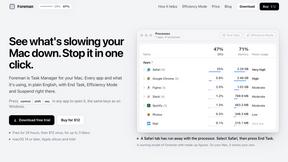
Foreman
See every app and what it's using in plain English, and end or slow down the one that's hogging your Mac.
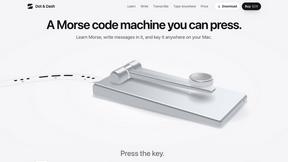
Dot & Dash
Learn Morse code on a machine you can press. Write and send messages, turn Morse into text and back, and key Morse in any app on your Mac.
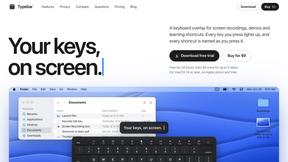
Typebar
Every key you press lights up on an on-screen keyboard, and each shortcut is named as you press it.

Notchpals
Little characters peek out of your Mac's notch to remind you to drink water, eat, sit up and get to bed. Quiet during calls. $4.99 once.

LightScreen
Free light screen tool online. Turn any display into a flashlight, ambient light, or solid-color screen. No download or sign-up.
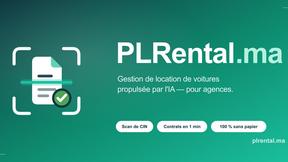
PLRental
Rental agency software: scan a customer ID, get a signed contract in under a minute, and manage fleet, customers, and invoices.

Agent Pets
Your Claude Code & Codex sessions as pets in Chrome. Approve, deny and reply to your coding agents from any tab.
About Opal Alternatives
Opal is a cutting-edge visual workspace that revolutionizes how individuals manage their projects and notes. It belongs to the productivity and management category, specifically designed for those who thrive in a spatial environment. With its infinite digital canvas, Opal allows users to intuitively organize their thoughts and files, making it a game-changer for solopreneurs, consultants, agency owners, and creative minds. However, as great as Opal is, users often seek alternatives due to various reasons, such as pricing concerns, specific feature sets, or compatibility with their existing platforms. When searching for an alternative, it's essential to consider what matters most to you. Look for tools that emphasize intuitive organization and visual layout, ensuring they align with your workflow needs. Pay attention to pricing structures, integration capabilities with other software, and the overall user experience. The right alternative will not only meet your functional requirements but also enhance your productivity and creativity, allowing you to focus on what you do best.
FAQs about Opal Alternatives
What is Opal?
Opal is a visual workspace that helps users organize their projects and notes in a unique way. It provides an infinite digital canvas where you can arrange notes, documents, files, and links visually, mimicking the layout of a physical workspace. This approach allows for a more intuitive retrieval of information, enhancing productivity and creativity.
Who is Opal for?
Opal is designed for solopreneurs, consultants, agency owners, writers, and anyone whose work relies on managing multiple projects and ideas. It's perfect for individuals who think spatially and prefer a visual method of organizing their thoughts. If you often find yourself buried in nested folders or overwhelmed by traditional apps, Opal offers a refreshing alternative.
Is Opal free?
Opal offers a range of pricing plans to cater to different user needs. While there may be a free trial or a basic version available, advanced features and functionalities typically require a subscription. Users should check the official website for the most current pricing information and available plans.
What are the main features of Opal?
Opal boasts several key features, including an infinite digital canvas for visual organization, drag-and-drop functionality for easy file management, and a spatial memory approach that helps users remember where things are located. It also integrates various types of media, making it a versatile tool for keeping all project-related information accessible and top-of-mind.