
Alternatives to Fix My Speaker
Explore the best alternatives and competitors to Fix My Speaker.
Explore 20 alternatives to Fix My Speaker. Compare features, pricing, and find the best fit for your needs.

Tiny Desk AI Video Maker
Create a vertical Tiny Desk-style concert video from up to three photos with original music.

GenX
All-in-one AI workspace to generate images, videos, and audio with multiple leading AI models.

Foreman
See every app and what it's using in plain English, and end or slow down the one that's hogging your Mac.

Dot & Dash
Learn Morse code on a machine you can press. Write and send messages, turn Morse into text and back, and key Morse in any app on your Mac.
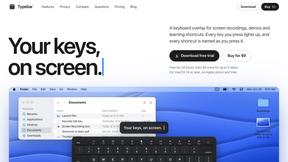
Typebar
Every key you press lights up on an on-screen keyboard, and each shortcut is named as you press it.

LightScreen
Free light screen tool online. Turn any display into a flashlight, ambient light, or solid-color screen. No download or sign-up.

PLRental
Rental agency software: scan a customer ID, get a signed contract in under a minute, and manage fleet, customers, and invoices.
FastH3 Omni
Run FastH3 Omni in your browser. Up to 9 reference images plus 3 audio references become a 5–15s clip with synced audio. No install, no GPU.

Speakeroo
AI speaking coach for English practice, pronunciation and public speaking, with feedback on pace, clarity and filler words.

Pixdok
PixDok is a browser-based toolkit for common document and image tasks without requiring desktop software installation.

Screen Issues
Free Online Screen Test Tool - Instantly diagnose dead pixels, lines, color issues, and flickering. Multiple test modes, no download needed.

Mainspring
Mainspring turns the settings macOS hides into 90+ one-click, fully reversible power-ups for Finder, Dock, screenshots and more. $29 once.
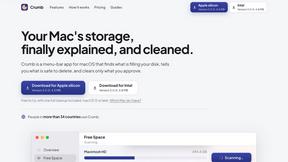
Crumb
A Mac menu bar app for a full disk. See what is using your space, read whether it comes back on its own, and remove only what you tick.
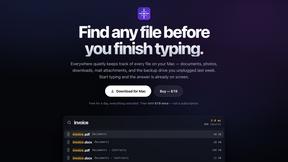
Everywhere
Fast file search for the Mac. Results as you type, files inside Mail and Photos, works with Wi-Fi off. $19 once.

Basalt
Eighteen PDF tools in one native Mac window: merge, split, compress, OCR, Bates numbering, forms, signing and redaction. Offline. $29 once.
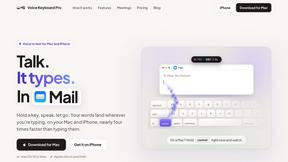
Voice Keyboard Pro
Hold a key, say what you mean, let go. Clean, punctuated text lands at the cursor in any app on your Mac or iPhone.
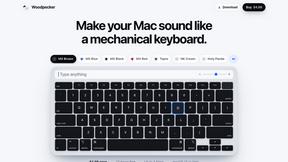
Woodpecker
Make your Mac sound like a real mechanical keyboard. Every key plays its own recording, 22 switches, quiet on calls. $4.99 once.

Inkling
Catch a thought without leaving what you are doing. Notes, checklists and a little companion in your Mac's notch. $12 once.

Manatee
A Mac app that opens damaged video, PDFs, archives and documents and writes out everything it can still read. $9 once, no uploads.

BeatMotion
Turn a text prompt, your lyrics, or a photo into an original song with vocals plus a cinematic AI music video, ready to share in minutes.
About Fix My Speaker Alternatives
So you’ve got a phone that sounds like a drowning robot, and you’re hunting for a fix. That’s where Fix My Speaker comes in — a savage browser-based tool from the Audio & Music and Software categories that kicks water, dust, and low volume to the curb without needing a sketchy app installation. It’s the one-tap hero for iPhones, Androids, tablets, and even earbuds, blasting out the gunk in two to three minutes flat. But let’s be real: not everyone vibes with the same tool. You might be hunting for alternatives because the pricing feels off, your device isn’t supported, or you just want a different feature set — like manual frequency control or offline access. Whatever the reason, you’re looking for a solution that doesn’t ghost you when your speaker’s gasping for air. When you’re scouting for a replacement, don’t sleep on the essentials. You need a tool that actually removes water and dust without bricking your device — look for something that uses safe sound frequencies, not brute force. Check if it works across your whole arsenal: iPhone, Android, tablets, and those finicky earbuds. Speed matters too — a solid fix should clear that muffled sound in under five minutes, not leave you waiting like a slow loading screen. And security? Non-negotiable. Skip anything that asks for sketchy permissions or forces you to download a dodgy cleaner app. The best alternatives keep it simple, browser-based, and effective — no nonsense, just crisp audio ready to rage.
FAQs about Fix My Speaker Alternatives
What is Fix My Speaker?
Fix My Speaker is a browser-based software tool designed to repair common speaker issues on iPhones, Android devices, tablets, and earbuds. It uses sound frequency technology to expel water, dust, and debris from your device’s speakers in just two to three minutes. Unlike traditional apps, it requires no installation and works with a single tap, making it a convenient solution for restoring clear audio and volume.
Who is Fix My Speaker for?
Fix My Speaker is for anyone whose device has suffered from water exposure, dust buildup, or sudden low volume — from clumsy phone users who dropped their device in the sink to music lovers dealing with muffled earbuds. It’s ideal for both casual users and tech enthusiasts who want a quick, no-app-required fix for smartphones, tablets, and wireless earbuds. Whether you’re on an iPhone or an Android, this tool is built to handle your speaker’s SOS without a trip to the repair shop.
Is Fix My Speaker free?
Based on the provided product content, Fix My Speaker operates as a browser-based solution, meaning it does not require purchasing a subscription or downloading a paid app. The tool is accessible instantly through a web browser, allowing you to fix water, dust, and volume issues without any upfront cost. However, users should check the specific platform or website hosting the tool for any premium features or limitations, as the core functionality is designed to be free and immediate.
What are the main features of Fix My Speaker?
Fix My Speaker’s main features include one-tap water removal, dust clearance, and volume restoration for speakers across iPhones, Android devices, tablets, and earbuds. It works entirely in a browser with no need to install cleaner apps or visit third-party repair sites, delivering results in under three minutes. The tool is safe, quick, and handles common issues like water sound or muffled audio without requiring technical expertise, making it a straightforward fix for everyday speaker problems.