
Alternatives to LaunchChair
Explore the best alternatives and competitors to LaunchChair.
Explore 20 alternatives to LaunchChair. Compare features, pricing, and find the best fit for your needs.

Easemic
Free open-source Android comic & manga cloud reader streaming encrypted libraries from S3, WebDAV & OPDS.


GenX
All-in-one AI workspace to generate images, videos, and audio with multiple leading AI models.

KS-Agents
Measure climate, talent and skills with validated surveys, 360° feedback and AI interviews, and turn the data into decisions HR can defend.
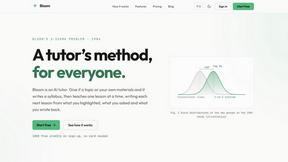
Bloom
An adaptive AI tutor that turns topics or your materials into courses, lessons, and answers tailored to how you learn.
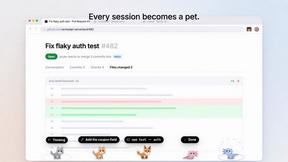
Agent Pets
Your Claude Code & Codex sessions as pets in Chrome. Approve, deny and reply to your coding agents from any tab.

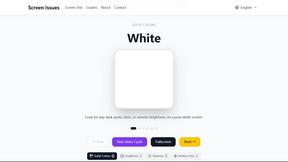
Screen Issues
Free Online Screen Test Tool - Instantly diagnose dead pixels, lines, color issues, and flickering. Multiple test modes, no download needed.
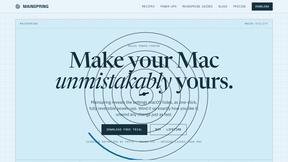
Mainspring
Mainspring turns the settings macOS hides into 90+ one-click, fully reversible power-ups for Finder, Dock, screenshots and more. $29 once.
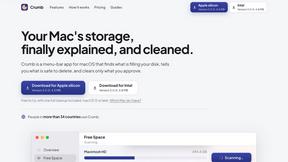
Crumb
A Mac menu bar app for a full disk. See what is using your space, read whether it comes back on its own, and remove only what you tick.

Zeptap
Zeptap lets AI use your real iPhone like you do: open apps, read the screen, tap, swipe and type. Reply to DMs, post Stories, book rides, test apps.
Doblique
Doblique: fast, lightweight browser tools with a clean interface. Free to use. Files stay on your device.

Regentflow
AI stocktakes, staff rosters and voice-typed spreadsheets for cafes, bars and restaurants, plus free invoices, 30 PDF tools and custom merch.

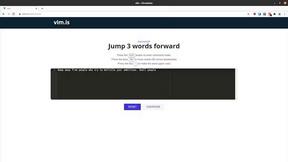
Vim.is
Vim.is is a simple online tool that helps you learn and practice Vim keyboard shortcuts quickly.


Turbotools
Free online web tools: PDF converter, image compressor, word counter, text reverse, JSON formatter & generator. 100% free with no sign-ups!


Ecommerce Data API
Amazon research data APIs for developers, sellers and AI agents. Integrate product, keyword and market research through REST APIs and MCP.
About LaunchChair Alternatives
LaunchChair is the product development command center for founders who are sick of throwing spaghetti at the wall and calling it strategy. It lives at the intersection of AI Assistants and Dev Tools, turning your half-baked, 2 AM brainstorms into market-informed MVP specs that actually hold water. Instead of staring at a blank doc or feeding vague prompts into ChatGPT and hoping for the best, this platform forces you to make real decisions about your audience, your wedge, and your positioning before you write a single line of code. It’s built for the vibe coder, the solopreneur, and the indie hacker who wants to stop guessing and start building with a blueprint that doesn’t suck. Users typically start hunting for alternatives when their budget feels tight, they need a different flavor of AI integration, or they want something that plays nicer with their existing stack. Maybe you need more granular control over your prompts, or you’re looking for a tool that doesn’t lock you into a specific workflow. When shopping around, keep an eye on how each tool handles the transition from strategy to build—some will give you better prompt scaffolding, others might offer stronger launch planning. The real winner is the one that keeps your AI builds from wandering off into feature bloat and keeps your scope tighter than a hipster’s jeans.
FAQs about LaunchChair Alternatives
What is LaunchChair?
LaunchChair is a connected workspace that helps founders turn fuzzy product ideas into market-informed MVP specs, structured AI build prompts, and launch plans. Instead of starting from scratch with a blank document or a vague AI prompt, it guides you through critical product decisions like audience definition, pain point identification, and feature scoping. The result is a living MVP spec that acts as your single source of truth, generating feature-by-feature prompts with context, dependencies, and acceptance criteria for your AI build tools.
Who is LaunchChair for?
LaunchChair is built specifically for indie founders, solopreneurs, vibe coders, and AI-assisted builders who want to move from idea to MVP with less guesswork. It is designed for people who are tired of scattered feature lists and AI side quests that derail their development. If you are building a product alone or with a small team and need a structured approach to strategy, build, and launch, this tool is your jam.
What are the main features of LaunchChair?
LaunchChair offers guided product decision-making for defining your audience, pain points, wedge, and positioning, which then feeds into a living MVP spec. It generates structured, feature-by-feature AI build prompts that include scoped context, dependencies, implementation guidance, acceptance criteria, testing notes, and QA guardrails. The platform also covers launch and distribution with landing page direction, messaging, SEO analysis, positioning, and launch planning so you don't end up with a product and no plan to get it seen.
Is LaunchChair free?
The provided content does not specify whether LaunchChair offers a free tier or its specific pricing model. For the most accurate and up-to-date information on pricing and free trials, you should visit the official LaunchChair website or contact their support team directly. Given that it is built for indie founders and solopreneurs, it likely offers competitive pricing aimed at smaller budgets.