
Alternatives to Gemini Omni AI Video Generator
Explore the best alternatives and competitors to Gemini Omni AI Video Generator.
Explore 20 alternatives to Gemini Omni AI Video Generator. Compare features, pricing, and find the best fit for your needs.

VD6S
VD6S is a free online YouTube video downloader that supports HD, 4K and up to 8K downloads. Save videos in MP4 or audio in multiple formats.

Tip Toeing in My Jordans
Upload a photo and get a 12-second AI video of the viral tip toe meme: you play Rumpelstiltskin, a friend can play the woman in the hay.

Outstanding Tiny Desk AI
Upload photos of you and a friend and get a 15-second Outstanding Tiny Desk AI video with AI-generated sound, in 9:16 for TikTok, Reels and Shorts.
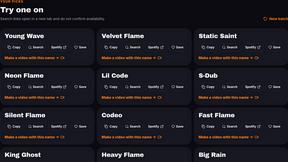
AI Rap Generators
Create 15-second AI rap videos from photos with original beats and verses—no filming, lyrics, or editing needed.

The Kiss
Turn two photos into a cinematic AI kissing video. Pick one of 13 kiss video templates; 30 free credits on sign-up.

Free Meme Video Generator
Create AI video memes from photos, clips or text prompts. Free credits to start.

Demo Editor
Paste your product's URL and get a promo video with voice-over and music, cut from your real site.
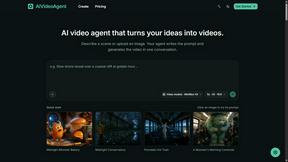
AIVideoAgent
Turn text ideas or reference images into videos through conversation, with agent-assisted prompts and a choice of video models.

Save X post
The easiest way to save X videos offline: no app to install and no account to create. Paste the link, choose HD or 4K, and the MP4 is yours.

AI Rap
AI rap generator that turns two portraits, or one photo of two people, into a short English duet rap video with original lyrics, vocals, and music.

Fix Pixelated Videos
AI that fixes pixelated, blocky and blurry videos. Free 15-second preview, no signup.

Thumbo
Thumbo makes YouTube thumbnails with AI: your face on every one, the style of any channel you like, and edits in plain words.

Tiny Desk AI Video Maker
Create a vertical Tiny Desk-style concert video from up to three photos with original music.

Bulin AI
Create a 15-second Bulin 47 AI freestyle video from one permitted portrait. One-time packs from $9.90, email delivery, no account or subscription.

Rhinobird
AI video ads, UGC-style videos, and product visuals for cross-border sellers and e-commerce brands.

GenX
All-in-one AI workspace to generate images, videos, and audio with multiple leading AI models.
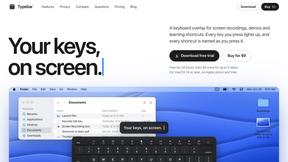
Typebar
Every key you press lights up on an on-screen keyboard, and each shortcut is named as you press it.

FastH3 Omni
Run FastH3 Omni in your browser. Up to 9 reference images plus 3 audio references become a 5–15s clip with synced audio. No install, no GPU.

About Gemini Omni AI Video Generator Alternatives
You’ve seen the hype machine. Gemini Omni is Google’s power move—a unified omni-model that doesn’t just spit out a clip but lets you generate, remix, and edit video in native 4K at up to 120fps, all inside a single chat window. It’s the Swiss Army knife of AI video, merging text, image, and moving pictures into one slick, conversational beast. But here’s the truth: the bleeding edge isn’t for everyone. Maybe the price tag feels like a punch to the gut, or you need a tool that plays nice with your current workflow without locking you into a walled garden. Maybe you just want raw speed over cinematic polish, or you’re hunting for a platform that doesn’t demand you learn a whole new language to tweak a scene. When you’re scoping out alternatives, don’t get blinded by the specs. Look for the vibe that matches your hustle. Need persistent character consistency or Foley baked into the render? That’s deep tech. But if you’re just trying to crank out viral shorts without a PhD in prompt engineering, prioritize ease of use and output speed over 4K bragging rights. Check if the tool handles your primary modality—video, audio, or remixing—without forcing you into a maze of plugins. And always, always test the edit workflow. If you can’t rewrite a scene with natural language in seconds, you’re not saving time; you’re just swapping one bottleneck for another.
FAQs about Gemini Omni AI Video Generator Alternatives
What is Gemini Omni AI Video Generator?
Gemini Omni is Google's first unified omni-model designed for native video output, merging text, image, and video generation into a single conversational system. Unlike standalone tools that handle one modality at a time, it allows users to generate, remix, edit, and rewrite video scenes directly within a chat interface without switching between applications. The platform delivers native 4K resolution at up to 120fps and includes persistent world-state memory for maintaining character consistency across clips.
Who is Gemini Omni AI Video Generator for?
Gemini Omni is built for creators, filmmakers, and content producers who need a unified workflow for generating and editing cinematic AI videos. It targets users who want to bypass the hassle of juggling separate tools for text, image, and video generation, offering a single conversational system instead. The platform also appeals to early adopters and tech-forward studios looking to experiment with advanced features like in-chat natural language editing and integrated Foley synthesis.
Is Gemini Omni AI Video Generator free?
Based on the provided product content, Gemini Omni is described as a studio offering early access tools, prompt guides, and a hands-on workspace. There is no explicit mention of a free tier or pricing model in the given details. Users should check Google's official documentation or the Gemini Omni studio for the latest information on subscription plans, free trials, or usage limits.
What are the main features of Gemini Omni AI Video Generator?
Key features include native 4K video output at up to 120fps, persistent world-state memory for keeping characters consistent across scenes, and in-chat video editing via natural language commands. It also integrates Foley and dialogue synthesis in a single diffusion pass, meaning audio is generated alongside the video without extra steps. The platform supports generating, remixing, and rewriting video scenes directly within a conversational interface, eliminating the need to switch between separate tools.