
Alternatives to CorpusIQ
Explore the best alternatives and competitors to CorpusIQ.
Explore 20 alternatives to CorpusIQ. Compare features, pricing, and find the best fit for your needs.

Foreman
See every app and what it's using in plain English, and end or slow down the one that's hogging your Mac.

Dot & Dash
Learn Morse code on a machine you can press. Write and send messages, turn Morse into text and back, and key Morse in any app on your Mac.
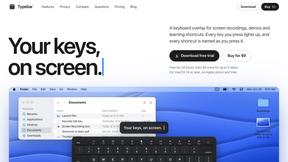
Typebar
Every key you press lights up on an on-screen keyboard, and each shortcut is named as you press it.

LightScreen
Free light screen tool online. Turn any display into a flashlight, ambient light, or solid-color screen. No download or sign-up.

PLRental
Rental agency software: scan a customer ID, get a signed contract in under a minute, and manage fleet, customers, and invoices.
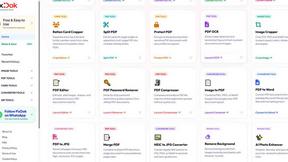
Pixdok
PixDok is a browser-based toolkit for common document and image tasks without requiring desktop software installation.

Screen Issues
Free Online Screen Test Tool - Instantly diagnose dead pixels, lines, color issues, and flickering. Multiple test modes, no download needed.

Mainspring
Mainspring turns the settings macOS hides into 90+ one-click, fully reversible power-ups for Finder, Dock, screenshots and more. $29 once.
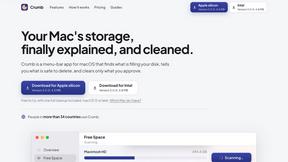
Crumb
A Mac menu bar app for a full disk. See what is using your space, read whether it comes back on its own, and remove only what you tick.
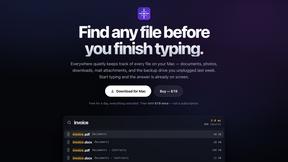
Everywhere
Fast file search for the Mac. Results as you type, files inside Mail and Photos, works with Wi-Fi off. $19 once.

Basalt
Eighteen PDF tools in one native Mac window: merge, split, compress, OCR, Bates numbering, forms, signing and redaction. Offline. $29 once.

Voice Keyboard Pro
Hold a key, say what you mean, let go. Clean, punctuated text lands at the cursor in any app on your Mac or iPhone.
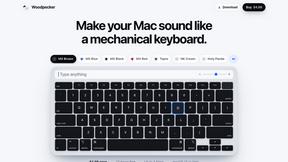
Woodpecker
Make your Mac sound like a real mechanical keyboard. Every key plays its own recording, 22 switches, quiet on calls. $4.99 once.

Inkling
Catch a thought without leaving what you are doing. Notes, checklists and a little companion in your Mac's notch. $12 once.

Manatee
A Mac app that opens damaged video, PDFs, archives and documents and writes out everything it can still read. $9 once, no uploads.
sakuttoAI
A free suite of online tools for everyday tasks like PDF compression, image conversion, text diff and CSV to Excel.

SightRadar
Face recognition API, a drop-in replacement for AWS Rekognition. Index, search, compare and detect faces, billed per photo with no subscription.

JevModel
Bilingual console and guide for the jev decision model: classify, route, and score text or JSON.


About CorpusIQ Alternatives
CorpusIQ is the slick middleman your business tools never knew they needed, plugging 43-plus connectors straight into the AI brain of ChatGPT, Claude, or Perplexity. It lives in that messy intersection of SaaS integration and AI orchestration, turning raw data from QuickBooks, Shopify, HubSpot, and your whole stack into actionable, synthesized answers instead of just dumping spreadsheets on your desk. But here’s the thing: not every squad needs a full DEKRA CASA Tier 2 fortress with 250 pre-built skills, and sometimes the price tag or the sheer complexity of a knowledge-layer beast like this feels like overkill when you just want a simpler bridge between your tools and your AI. People start hunting for alternatives when the feature set starts feeling like a firehose instead of a sip, or when their stack doesn’t need 43 connectors and they’d rather not pay for connectors they’ll never touch. Maybe you’re a lean startup that just needs Gmail and Slack wired up without the JWT-permissioned audit log overhead, or perhaps you’re a solo operator who wants a lighter, cheaper hookup that still gets your AI talking to your tools. When shopping for a replacement, keep your eyes on three things: how many connectors actually matter to your workflow, whether the platform can still synthesize across sources without needing a PhD to set it up, and if the security posture matches your risk appetite—because read-only OAuth and zero data storage aren’t just nice-to-haves, they’re the floor these days.
FAQs about CorpusIQ Alternatives
What is CorpusIQ?
CorpusIQ is a platform that connects your business tools to AI assistants, acting as a bridge between apps like QuickBooks, Shopify, HubSpot, Gmail, and Slack and AI models like ChatGPT, Claude, and Perplexity. It uses a single MCP server with over 43 connectors and 200 tools to turn raw data into synthesized, actionable insights. Unlike basic integrations that just return data, CorpusIQ runs pre-built skills that pull information from multiple sources to answer complex questions in one go.
Who is CorpusIQ for?
CorpusIQ is built for businesses and teams that need to unify their software stack with AI assistants for deeper, permissioned data access. It’s ideal for operations managers, finance teams, and executives who want to ask questions like 'run cash recovery for the week' and get a prioritized action plan without manual data gathering. The platform also suits organizations that require robust security, as it holds DEKRA CASA Tier 2 certification and Google Cloud OAuth verification.
Is CorpusIQ free?
The provided content does not specify whether CorpusIQ has a free tier or pricing structure. Based on the features described—including 250 pre-built skills, JWT-permissioned audit logging, and enterprise-grade security—it is likely a paid platform tailored for professional or business use. Users should check the official CorpusIQ website or contact their sales team for detailed pricing information.
What are the main features of CorpusIQ?
CorpusIQ offers over 43 connectors and 200 tools, plus 250 pre-built skills that synthesize data across sources like QuickBooks, Gmail, Google Drive, Shopify, and Slack. Its knowledge layer transforms raw data into actionable plans, such as a cash-recovery-engine skill that combines accounts receivable, email follow-ups, and contracts. Security features include DEKRA CASA Tier 2 certification, Google Cloud OAuth verification, JWT-permissioned tool calls, read-only OAuth, zero data storage, and instant revoke capabilities.
Why choose CorpusIQ?
Choose CorpusIQ if you need a single platform that bridges your entire business tool stack with AI assistants while delivering synthesized insights instead of raw data. Its knowledge layer sets it apart by running skills that pull from multiple sources to answer complex queries, like generating an ad-spend truth report from GA4 and Facebook Ads. The platform also provides enterprise-grade security with audit logs, read-only OAuth, and certifications that make it suitable for compliance-heavy environments.
Is CorpusIQ secure?
Yes, CorpusIQ is built with security as a core feature, holding DEKRA CASA Tier 2 certification and Google Cloud OAuth verification. Every tool call is JWT-permissioned and audit-logged, ensuring that all AI access is tracked and controlled. The platform uses read-only OAuth, stores zero data, and offers instant revoke capabilities, meaning you can cut off access at any time without leaving traces of your sensitive information.