
Alternatives to AI Architecture Generator
Explore the best alternatives and competitors to AI Architecture Generator.
Explore 20 alternatives to AI Architecture Generator. Compare features, pricing, and find the best fit for your needs.

ImageAgent
Create and edit AI images through conversation, using text or reference images and refining results in chat.


GenX
All-in-one AI workspace to generate images, videos, and audio with multiple leading AI models.

AppIconGenerator
Generate iOS and Android app icons from any image and export all platform sizes for free.
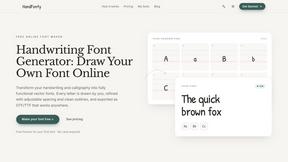
HandFonty
Draw each letter in your browser and download your handwriting as a real OTF/TTF font. Your first font is free. No AI required.

Design.com AI Image Generator
Turn text prompts into polished, copyright-safe visuals that plug directly into branded templates
FastH3 Omni
Run FastH3 Omni in your browser. Up to 9 reference images plus 3 audio references become a 5–15s clip with synced audio. No install, no GPU.

Nano AI
Create and edit AI images, generate videos, and compare models in one creative workbench.


YIX
YIX combines AI image and video generation, photo editing, restoration, product visuals and free prompt tools in one browser studio.

Pixdok
PixDok is a browser-based toolkit for common document and image tasks without requiring desktop software installation.

AiArter
AI product photos and UGC video ads for Amazon, Etsy and Shopify sellers, made from one phone photo.
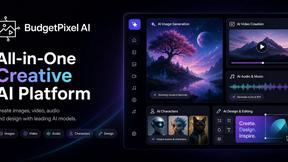
Budgetpixel AI
Create and edit AI images, videos, music, and designs in one workspace, with multiple models, reusable characters, and API access.

GPT Image Hub
Curated image prompts, reusable templates, and multi-model AI generation in one workspace.

NanoBanana
Generate and edit AI images with six models, references, templates, and a visual workflow canvas.
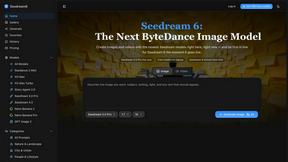
Seedream 6
Independent Seedream 6 guide with a browser-based AI image and video generator powered by Seedream 5.0 Pro and 5.5.

Seedream 5.5
Seedream 5.5 by ByteDance: 80+ rounds of stable image editing, native RGBA transparency, 100-layer splits, 4K output and reliable multilingual text.

ogimagegenerator.dev
Paste a URL and AI designs on-brand Open Graph images from your page's colours, fonts and logo. Free, no sign-up.

Ozil Goal AI
Make the Ozil goal AI video from one photo. 15 seconds, 9:16, 720p, no watermark, original trend sound, ready for TikTok, Reels and Shorts.

Try OC Maker
Create OCs from text or images, customize their look, and turn them into animated videos with AI.
About AI Architecture Generator Alternatives
AI Architecture Generator is the slick, AI-powered beast that lives at the intersection of Design Tools, Interior Design, and Image Generation. It’s built for architects, interior designers, real estate agents, and design students who are tired of grinding for hours on a single polished render. Instead, this tool lets you blast through early-stage visualization, testing wild styles and cranking out presentation-ready drafts straight from your browser. It handles everything from concept architecture renders and interior design generation to AI virtual staging for empty rooms and early floor plan ideation, making it a total game-changer for client pitches, property listings, and school projects. But let’s be real—no tool is perfect for everyone. Users start hunting for alternatives when the pricing stings a bit too much, the feature set feels too narrow, or the platform just doesn’t vibe with their workflow. Maybe you need deeper integration with your existing CAD software, more control over specific architectural styles, or a different subscription model that fits your budget. When scoping out a replacement, look for tools that offer flexible rendering speeds, solid customization for materials and lighting, and a user interface that doesn’t make you want to rage-quit. Also, check if they support batch processing, high-resolution exports, and real-time collaboration—because your time is money, and you need a tool that keeps up with your hustle.
FAQs about AI Architecture Generator Alternatives
What is AI Architecture Generator?
AI Architecture Generator is an AI-powered visualization tool designed to accelerate early-stage design work for architects, interior designers, real estate agents, and design students. It allows users to quickly explore multiple visual directions, test different styles, and create presentation-ready drafts directly in a browser-based workflow, eliminating the need for hours of manual rendering.
Who is AI Architecture Generator for?
This tool is specifically built for architects, interior designers, real estate agents, and design students who need fast, iterative visualizations for client presentations, real estate listings, design studies, renovation previews, and architecture school projects. It is ideal for professionals and students who want to streamline the early concept phase without sacrificing creative exploration.
Is AI Architecture Generator free?
Based on the provided product description, AI Architecture Generator is a commercial tool designed for professional use. While the specific pricing model is not detailed here, tools in this category typically offer tiered subscription plans, with some providing a free trial or limited free tier. Users should check the official website for the most current pricing and availability.
What are the main features of AI Architecture Generator?
The main features include architecture concept rendering, interior design generation, AI virtual staging for empty rooms, and early floor plan ideation. The tool supports a browser-based workflow, allowing users to quickly test styles and generate multiple design directions without needing high-end hardware or complex software setups. It is particularly effective for producing polished drafts for client presentations and design studies.