

TaleHug
TaleHug creates short illustrated stories from children's ideas or drawings, with adult-reviewed sharing controls.
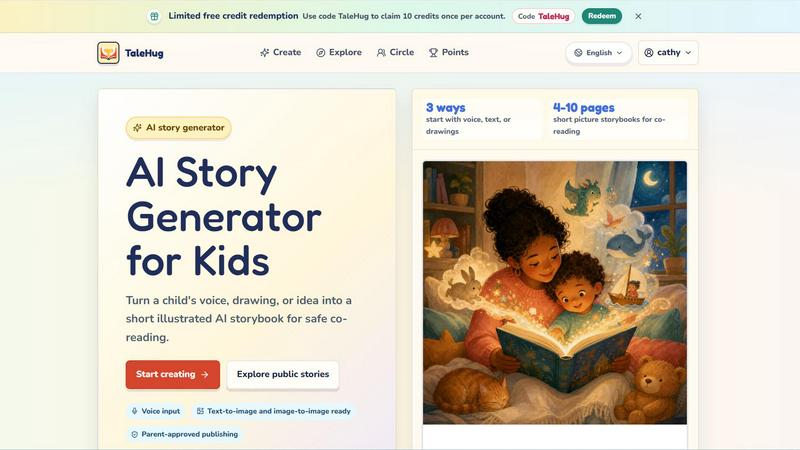
About TaleHug
For a young child, a drawing can be an easier beginning than a blank page. TaleHug lets a child start with a drawing, a written idea, or a parent-approved prompt, then generates a short illustrated storybook. Each book has four to ten pages, combining an image with a short sentence for a co-reading experience.
The product is suited to families and early learning activities where an adult guides creation and sharing. Drafts are private by default, and publication to a circle or to the public requires adult review. TaleHug identifies preschool and kindergarten ages three to six as its intended audience. Its concise format favors a quick shared read; people seeking longer text or a workflow centered on independent publishing may want to compare other tools.
Features of TaleHug
- Turns a typed idea, drawing, or approved prompt into a story.
- Generates illustrated books of four to ten pages.
- Provides private, circle, and public visibility options.
- Keeps drafts private by default and requires adult review for wider sharing.
Use Cases of TaleHug
- Create a story from a child's picture during a family reading session.
- Make a short bedtime book together.
- Explore social situations such as taking turns through a story.
- Give young learners a visual prompt for discussing feelings or school transitions.
Frequently Asked Questions
Can children use their own story ideas?
Yes. A child can type an idea or use a drawing as the starting point; parent-approved prompts are also available.
Does TaleHug support private use?
Yes. Drafts are private by default, so stories can be read together without being published.
Is this intended for early readers?
TaleHug names preschool and kindergarten ages three to six as its audience and describes short picture books.
Similar to TaleHug

SmartDrugs
SmartDrugs is a Brazilian evidence-focused nootropics resource with sourced substance profiles, dose tools, interaction checks and comparisons.

Darwinity
Darwinity turns lectures, PDFs, and YouTube links into editable notes, flashcards, quizzes, and podcasts for students.

FilmCraft
FilmCraft is a free, open-source video editor with frame-accurate timelines, native codecs, and desktop or browser-based editing.

Infograph
Infograph reshapes text and meeting notes into visual stories, with source-checked figures and formats for sharing or export.

Evalyy
Evalyy turns chapter PDFs into exam-style quizzes, multilingual video explainers, and a chapter-aware AI tutor for teachers, students, and parents.

Drawcil
Drawcil makes four-stage pencil guides from reference photos, with checkpoints for learners who want to practise drawing on paper.

ThinkAssist
ThinkAssist is an iPhone and iPad homework helper that reads questions from photos and gives step-by-step explanations across school subjects.

Cardify
Make visual study and teaching cards from Markdown, then customize themes and export batches as PNG, SVG or PDF.