

Darwinity
It is a study and learning platform that helps people learn and memorize information through digital flashcards, practice activities, quizzes.
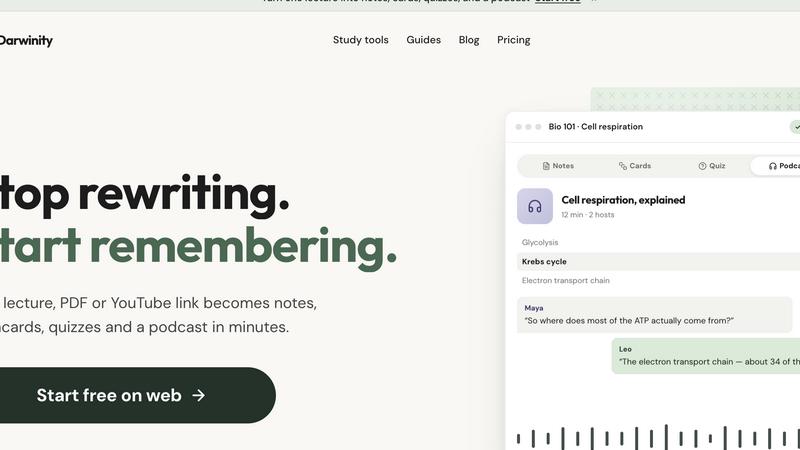
About Darwinity
Darwinity is an AI study tool to support the entire learning journey, from understanding new concepts to revision and exam preparation. It helps school and college students, medical students, and competitive exam aspirants manage large amounts of study material and study more efficiently.
With Darwinity, users can turn PDFs, lecture recordings, images, audio files, and YouTube videos into structured notes, flashcards, quizzes, and podcast-style summaries. They can chat with their study material to clarify concepts, edit generated notes, practise active recall with AI-generated flashcards, and test their knowledge with quizzes. Features like difficulty-based flashcard revision, a Study Feed for reviewing multiple topics, and Pomodoro-style focus sessions help students build consistent study habits and revisit challenging concepts.
Instead of spending hours organizing notes and creating revision resources manually, students can use Darwinity to make learning more interactive, streamline exam preparation, and spend more time understanding and remembering what they study.
Similar to Darwinity

Filmcraft
Free, open-source video editor for desktop and browser workflows.

Infograph
Turn articles, notes, AI answers and meeting transcripts into editable visual stories and diagrams.

Evalyy - AI Tutor and Quiz Generator
Turn chapter PDFs into a speaking AI voice tutor & quizzes. It is the ultimate AI buddy for your exam preparation.

Drawcil
Turn that photo you want into a 4-step drawing lesson.

ThinkAssist
AI homework helper: snap a photo, get step-by-step answers

Cardify
Write Markdown on the left, get a finished knowledge card on the right. 30+ themes, custom size and fonts, PNG/SVG/PDF export.

Engineering on Web
Free CAD, FEA simulation and SPC statistics in your browser, with an AI assistant that builds CAD features.

Dot & Dash
Learn Morse code on a machine you can press. Write and send messages, turn Morse into text and back, and key Morse in any app on your Mac.