

Seedance 2.0 AI Video
Seedance 2.0 AI Video creates stunning, lifelike videos with dynamic storytelling, seamless lip-sync, and intuitive multimodal controls.
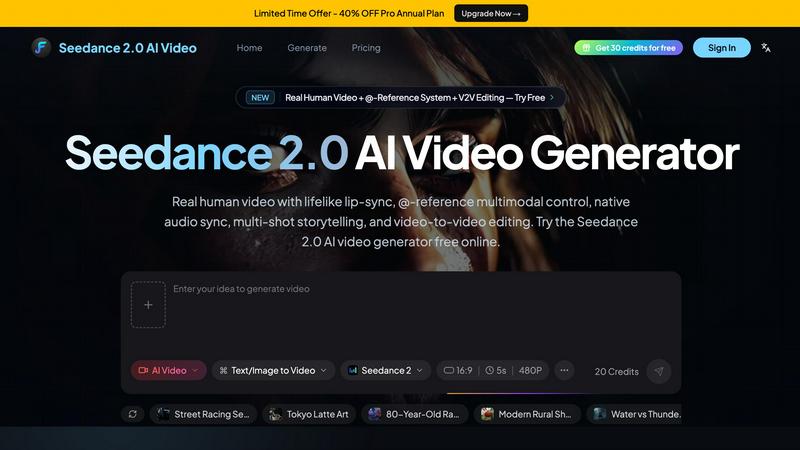
About Seedance 2.0 AI Video
Welcome to the next-gen realm of video creation with Seedance 2.0 AI Video, a groundbreaking, free-to-use tool that transforms your text or images into stunning, lifelike human videos. This software isn't just another video generator; it's a powerhouse of creativity tailored for content creators, marketers, educators, and anyone who craves visually striking narratives. Seedance 2.0 combines cutting-edge AI technology with an intuitive interface, allowing users to generate high-quality videos with perfect lip-sync, dynamic storytelling, and native audio synchronization. Whether you are crafting a promotional video, an educational piece, or simply want to share your artistic vision, Seedance 2.0 has your back. With features like multimodal control and video-to-video editing, the platform empowers users to breathe life into their ideas seamlessly and efficiently. Dive into a world where your words and images can leap off the screen with unparalleled realism and flair.
Features of Seedance 2.0 AI Video
Advanced Lip-Sync
Seedance 2.0 boasts an advanced lip-sync feature that creates lifelike expressions, ensuring your characters speak and emote authentically. This technology supports over eight languages, delivering a global reach for your narratives. Say goodbye to robotic speech; with Seedance 2.0, your videos resonate with genuine human-like interactions, making your content relatable and engaging.
Text-to-Video Transformation
With the text-to-video feature, describe any scene with vivid detail, and let Seedance 2.0 work its magic. The AI effortlessly generates cinematic videos complete with native audio, capturing the essence of your description. From intricate camera movements to atmospheric soundscapes, this feature empowers storytellers to create visually stunning narratives that pull audiences in.
Image-to-Video Animation
Unleash the potential of your imagery with the image-to-video function. Upload a simple reference image, and Seedance 2.0 animates it by adding realistic motion, camera dynamics, and synchronized sound effects. This is perfect for product demonstrations or social media content, allowing you to transform static visuals into dynamic storytelling pieces that captivate viewers.
Multi-shot Storytelling
Seedance 2.0 redefines video editing with its multi-shot storytelling capability. Users can create videos that maintain character consistency across multiple scenes and shots. This feature allows for seamless transitions and coherent narratives, making it easier to tell complex stories that keep viewers engaged from start to finish.
Use Cases of Seedance 2.0 AI Video
Marketing Campaigns
Harness the power of Seedance 2.0 for your marketing strategies by creating eye-catching promotional videos that showcase your products or services. With its ability to animate text and images into lifelike videos, you can engage your audience and boost conversion rates effectively.
Educational Content
Educators can leverage Seedance 2.0 to produce compelling instructional videos that make learning interactive and enjoyable. Create immersive lessons that hold students' attention, turning complex topics into easily digestible visual narratives.
Social Media Content
Content creators will find Seedance 2.0 indispensable for generating unique social media clips that stand out in crowded feeds. With its quick video generation and editing features, you can keep your content fresh and engaging, ensuring your audience keeps coming back for more.
Creative Storytelling
Writers and filmmakers can utilize Seedance 2.0 to bring their scripts and stories to life. The tool's cinematic capabilities enable creators to visualize their narratives with rich detail, allowing for a new level of creativity in storytelling that combines text, images, and audio seamlessly.
Frequently Asked Questions
What types of inputs can I use with Seedance 2.0?
You can input text descriptions, reference images, and even existing video clips. This flexibility allows for a variety of creative expressions, whether you're animating a scene or transforming a still image into a dynamic video.
Is there a limit to how many videos I can create?
Seedance 2.0 offers free credits upon signing up, allowing you to create videos without any upfront costs. However, the number of videos you can generate may depend on the credit system implemented by the platform.
Can I edit videos after they are generated?
Yes! Seedance 2.0 includes video-to-video editing features, which means you can refine existing clips, add new elements, or enhance your videos to better fit your vision.
Do I need advanced technical skills to use Seedance 2.0?
Not at all! Seedance 2.0 is designed to be user-friendly, making it accessible for everyone, from beginners to seasoned professionals. Its intuitive interface and guided features ensure you can create stunning videos without a steep learning curve.
Explore more in this category:
Similar to Seedance 2.0 AI Video

MStudio
MStudio lets you transform scripts into dynamic storyboards and pitch-ready campaigns effortlessly with cutting-edge AI technology.

Alma by Olivares AI
Alma is an AI assistant with persistent memory that runs background research agents and bundles creative studios under one monthly plan.

KPI Studio
Ditch the keyframes and paste raw data into pro video charts in under 60 seconds.

Seedance 3.0 AI Video Generator
Turn your wildest concepts into cinematic AI videos using text, images, clips, and audio with pro-level control and multi-shot continuity.

VouchShot
Capture verified screenshots with cryptographic proof that boost trust, engagement, and conversions like never before.

ChatGPT Image 2
Unlock your creativity with ChatGPT Image 2, the ultimate hub for AI image editing and dynamic video creation, now at 50% off!.

Spark Robin AI
Spark Robin AI turns text prompts and images into slick, high-quality short videos fast, no registration needed.

Editly AI
Editly AI is the automated video editor that turns raw footage into polished edits in minutes, replacing human editors for a fraction of the cost.