

KPI Studio
Ditch the keyframes and paste raw data into pro video charts in under 60 seconds.
About KPI Studio
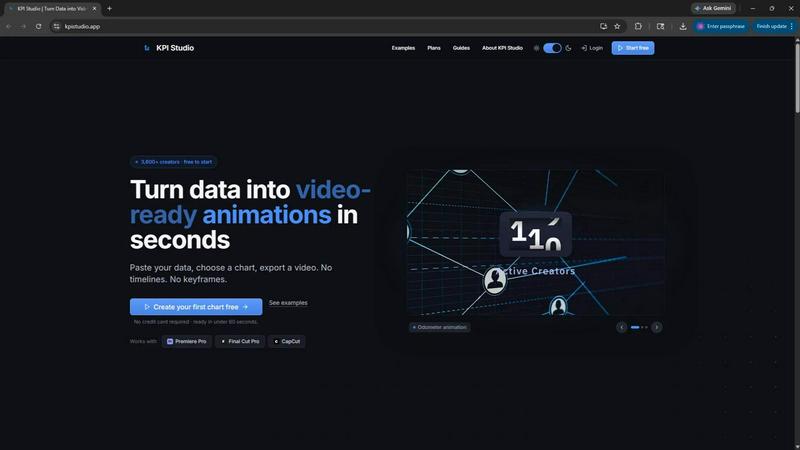
KPI Studio is a savage tool for data-driven video creators who need sleek, animated charts in every video but refuse to waste hours on motion design. Think of it as your personal animation wizard that turns raw numbers into video-ready visuals in under 60 seconds. No timelines, no keyframes, no setup. Just paste your data, pick a chart style, and export a fully animated MP4, GIF, MOV with transparency, or PNG sequence that drops directly into Premiere Pro, Final Cut, CapCut, or any editor. This is built for creators on a publish schedule who are tired of screenshots looking amateur, Canva templates lacking flexibility, and After Effects eating up entire afternoons. KPI Studio removes the entire broken workflow. It is precise, predictable, and built for speed. Whether you need a count-up subscriber counter, a growing bar chart, or a drawing line chart, KPI Studio delivers professional motion graphics without the headache. Over 3,600 creators already trust it to bring their metrics to life. If your deadline is today and you need the chart ready now, this is your weapon. No credit card required to start.
Features of KPI Studio
Lightning Fast Export
Paste your data, customize your chart, and export a fully animated video in under 60 seconds. No timelines, no keyframes, no setup. Just raw speed. When your deadline is breathing down your neck, KPI Studio gets your chart into your timeline faster than you can say motion design. Data changes? Just re-export. No rework, no waiting, no stress.
Video Ready Exports with Transparency
Export your animated charts as MP4, GIF, MOV with alpha channel, or PNG sequences. The transparent background means your charts drop directly into Premiere Pro, Final Cut, CapCut, or any editor with zero additional editing. No compositing, no masking, no fuss. It is ready the moment you click export. Choose from 16:9 widescreen, 1:1 square, 9:16 stories, or 4:3 standard formats.
JSON Export for Advanced Workflows
For creators who need deeper control, KPI Studio offers JSON export. This allows you to integrate your animated data into custom pipelines, edit animations programmatically, or combine charts with other motion graphics. It is the power move for advanced users who want to automate their workflow or build complex data visualizations without starting from scratch.
Real Time Preview and Customization
See your chart animate before you export. KPI Studio provides a real time preview so you can tweak colors, fonts, animations, and data ranges on the fly. No guessing, no renders, no surprises. You get exactly what you want, exactly when you want it. Every chart type is available, from count-up numbers to growing bar charts and drawing line charts.
Use Cases of KPI Studio
YouTube Channel Growth Videos
Show off your subscriber milestones, revenue totals, or audience growth with animated count-up numbers and drawing line charts. Drop these directly into your YouTube video timeline in seconds. Your viewers will see your numbers rise in real time, making your content more engaging and professional. No more static screenshots that look like a PowerPoint from 2005.
Social Media Shorts and Stories
Create eye catching animated charts for Instagram Stories, TikTok, and YouTube Shorts. Use the 9:16 format to reveal key metrics like engagement rates, follower growth, or industry benchmarks. Animated visuals get 0x more views and higher engagement than static posts. Your audience will stop scrolling when they see your data come to life.
Client Reports and Presentations
Impress your clients with professional animated KPIs in your PowerPoint or Google Slides presentations. Export your charts as MP4 or GIF and embed them directly. Show revenue trends, project milestones, or performance metrics that move. Clients remember video content 0% more than text, and your motion-based reports will make you look like a design wizard without hiring a freelancer.
eLearning and Training Content
Create engaging educational videos that explain data trends, financial metrics, or performance indicators. Animated line charts and bar graphs help learners understand complex information faster. Drop these into your eLearning modules or training videos. Your students will retain more information because motion holds attention longer. No need for a motion designer or expensive software.
Frequently Asked Questions
What export formats does KPI Studio support?
KPI Studio supports MP4, GIF, MOV with alpha channel (transparency), PNG sequences, and JSON. You can export in 16:9 widescreen, 1:1 square, 9:16 stories, and 4:3 standard formats. The transparent background exports (MOV with alpha, GIF with alpha, PNG with alpha) allow you to drop charts directly into any video editor without additional compositing work.
Do I need motion design experience to use KPI Studio?
Absolutely not. KPI Studio is built for creators who have zero motion design skills and zero time to learn. There are no timelines, no keyframes, and no setup. You simply paste your data, choose a chart type, customize the look, and export. It is designed to be ready in under 60 seconds. If you can copy and paste, you can create professional animated charts.
Can I change the data after exporting?
Yes, and this is one of the biggest time savers. If your data changes, you just update the numbers in KPI Studio and re-export. No need to reopen a motion design project, redo keyframes, or wait for a freelancer. The entire process takes under 60 seconds again. This is perfect for creators who need to update metrics weekly or monthly without redoing all their work.
Is there a free version of KPI Studio?
Yes, there is a free plan that requires no credit card. The Free plan includes unlimited PNG exports, 3 free animated exports, all chart types, and real time preview. This lets you try the tool on your next video before committing. For more exports, you can buy the Creator Pack (one-time $11.99 for 10 video exports) or subscribe to Pro ($19.99/month for unlimited video exports at 4K).
Pricing of KPI Studio
KPI Studio offers three simple pricing tiers. The Free plan is $0 per month and includes unlimited PNG exports, 3 free animated exports, all chart types, and real time preview. No credit card needed. The Creator Pack is a one-time purchase of $11.99 and includes everything in Free plus 10 video exports (GIF, MP4, WebM, and MOV), no watermark, and exports at 1080p. Credits never expire. The Pro plan is $19.99 per month and includes everything in Free plus unlimited video exports, no watermark, exports at 4K, and you can cancel anytime. Pro is the most popular choice for creators who publish every week.
Similar to KPI Studio

Leadeon
AI growth tool for X and LinkedIn: write posts in your voice, schedule at your best times, find leads on X and see what works.

ViewMax Studio
AI video generator that turns one prompt into shorts, UGC-style ads and faceless videos, with script, voiceover and captions included.

Gas Station Dance AI
Turn your photos into a viral gas station dance video with AI

ToonBee AI
ToonBee AI turns a script or a one-line idea into a narrated cartoon video, keeping the same character in every scene. 10+ styles, 16:9 or 9:16.

ColdCrow
AI cold email writer with a deliverability score - describe a prospect, get a personalized draft in seconds.

AIPetGen
AIPetGen turns a photo of your dog, cat, or other pet, or a written description, into a new picture or a short animation.

Voxelle
Free AI voice generator: turn text into natural speech and download MP3 audio in seconds.

AI Crying Trend
One selfie in, a viral AI crying video out: 8-second 9:16 clips for TikTok, Reels and Shorts.