

VouchShot
VouchShot captures Chrome screenshots with cryptographic proof and public verification pages, helping creators share claims others can audit.
About VouchShot
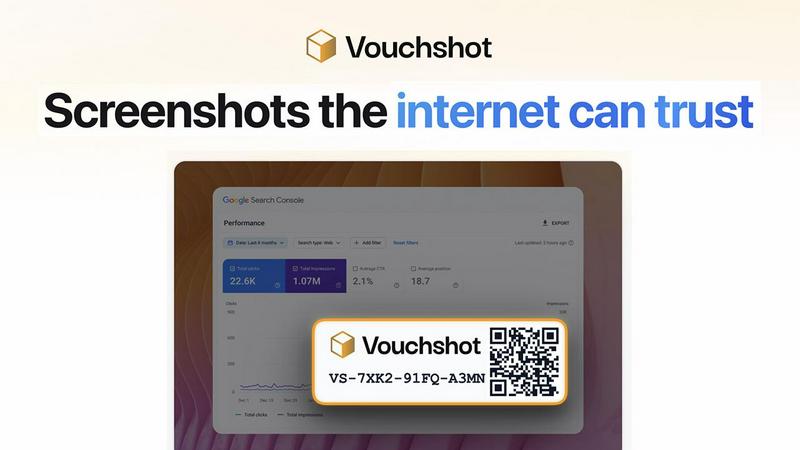
VouchShot is a Chrome extension for screenshots intended to carry verifiable capture details with them. Its stated flow reloads the page, observes page structure and changes at capture, then signs the image, URL, and timestamp. Each screenshot receives a public verification page that others can inspect without logging in.
The product is aimed at people who use screenshots to support claims or preserve online material. Founders can share business metrics, agencies can present case study evidence, and journalists or OSINT researchers can keep a timestamped record of a post. Proof analytics and per-platform QR codes help creators see how verification pages are viewed and where visits originate. A beautify studio offers backgrounds and annotations, with sensitive information masking also listed in the plans.
Consider the capture boundary
VouchShot says it reloads the page and monitors changes before capture, while its verification is designed to flag edits to the signed image. This supports auditability of the captured state; readers should still consider what the screenshot shows and whether it establishes the broader claim being made.
Features of VouchShot
- Chrome screenshot capture with a signed image, URL, and timestamp
- Public verification page for each screenshot
- Change reporting, proof analytics, and per-platform QR codes
- Screenshot styling and sensitive information masking
Use Cases of VouchShot
- Share business metrics or creator analytics with verifiable capture details
- Present screenshot evidence in agency case studies
- Preserve a post or page with a timestamped record
- Let an audience inspect capture details through a verification page or QR code
Frequently Asked Questions
What does verification show?
The product describes a capture record with the page, timestamp, and signed screenshot, plus a public page where those details can be checked.
Can a screenshot be edited afterward?
VouchShot says edits break the signature, so the altered image will not verify as the original.
Can I hide sensitive details?
Masking sensitive information is listed as a feature in the plans.
Pricing of VouchShot
Free plan includes 10 verified screenshots per month. Pro is $8/month for 100 screenshots per month; Lifetime is $99 once for 500 per month.
Similar to VouchShot


Seedream 5.5
Seedream 5.5 is an independent image creation and editing workspace for prompts, reference images, and adjustable output settings.


Zanbots
Zanbots helps B2B teams scale outbound sales with autonomous AI SDR agents for email and LinkedIn outreach and meeting booking.

Thridy
Find consistent 3D icons as transparent PNGs, with daily download limits and attribution on the free plan and paid upgrades.

Flux3Max.io
Flux3Max.io creates short videos from prompts, photos, or keyframes, with sound and portrait or landscape output options.

LayerSplit
LayerSplit converts a flattened image into editable layers, rebuilding the background and exporting transparent PNGs or a layered PSD.