

GPT Image 1.5
Create stunning photorealistic images and edit with lightning speed using GPT Image 1.5, OpenAI's next-gen AI tool.
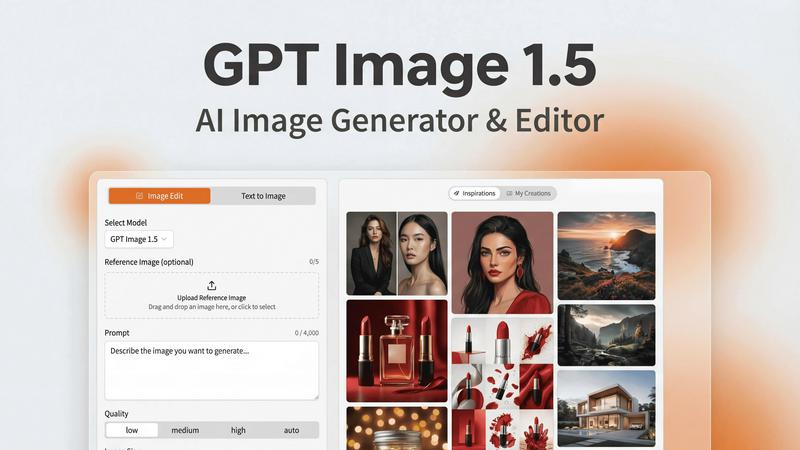
About GPT Image 1.5
GPT Image 1.5 is your ultimate AI image studio, a powerhouse designed to transform the way professionals create and edit visuals. Powered by OpenAI's state-of-the-art gpt-image-1.5 model, this tool is crafted for those who demand high-quality, production-ready images without the headaches of coding or complex software. Whether you are a graphic designer looking to iterate on designs, a marketer in need of eye-catching campaign assets, or a developer incorporating stunning visuals into applications, GPT Image 1.5 is your go-to solution. The platform excels in realism, text accuracy, and editability, making it ideal for marketing materials, UI/UX mockups, infographics, and product photography. With its intuitive web interface, GPT Image 1.5 allows users to seamlessly translate simple ideas into polished final outputs, eliminating barriers and enhancing creative workflows. Get ready to unleash your creativity with a tool that is as powerful as it is user-friendly.
Features of GPT Image 1.5
Lightning-Fast Generation
Experience image generation that is up to 4x faster than its predecessors. GPT Image 1.5 prioritizes speed without sacrificing quality, allowing users to iterate rapidly and meet tight deadlines without breaking a sweat.
Advanced Text Rendering
The enhanced text rendering capabilities ensure your visuals feature crisp lettering and layout consistency. This is crucial for projects that demand precision, like infographics or marketing materials laden with textual information.
Precise Image Editing
Edit images with surgical precision. Whether it’s for retouching photos, removing unwanted objects, or applying style filters, GPT Image 1.5 allows you to modify specific elements while preserving the overall integrity of your visual.
Iterative Refinement
The iterative refinement feature lets you fine-tune your images with context-aware follow-ups. You can start broad and drill down to specifics, ensuring that the final output aligns perfectly with your vision.
Use Cases of GPT Image 1.5
Marketing Campaigns
Create compelling visuals for your marketing campaigns that catch the eye and convey your message effectively. Use GPT Image 1.5 to generate stunning graphics that resonate with your target audience.
UI/UX Design
Designers can harness GPT Image 1.5 to create high-fidelity mockups for applications or websites. The tool's precision and speed enable rapid prototyping, allowing for quick adjustments based on user feedback.
Infographics Development
Transform complex data into engaging infographics that are easy to understand and visually appealing. GPT Image 1.5 helps you create graphics that effectively communicate your information while maintaining aesthetic appeal.
Product Photography
Develop photorealistic images for your products that stand out in online listings or promotional materials. GPT Image 1.5 produces high-quality visuals that enhance your brand image and attract potential customers.
Frequently Asked Questions
How does GPT Image 1.5 differ from previous versions?
GPT Image 1.5 boasts significant improvements in speed, realism, and text accuracy compared to its predecessors. This means you can create more detailed and refined images in a fraction of the time.
Can I use GPT Image 1.5 for commercial purposes?
Absolutely! GPT Image 1.5 is designed for professional use, making it an excellent tool for individuals and businesses looking to produce high-quality visuals for commercial projects.
What types of images can I create with GPT Image 1.5?
With GPT Image 1.5, you can create a variety of images including logos, infographics, product photos, and UI/UX mockups. The versatility of the tool makes it suitable for a wide range of creative tasks.
Is there a learning curve for using GPT Image 1.5?
Not at all! The intuitive web interface of GPT Image 1.5 makes it user-friendly, allowing you to focus on your creativity rather than complex software navigation. You can dive right in and start generating stunning visuals.
Explore more in this category:
Similar to GPT Image 1.5

xfiles
PDFs, images and audio. No uploads. No account. No added watermarks.

FreeVideoGenerator
Free AI video generator: turn text prompts and photos into video clips with Sora 2, Veo 3.1, Wan and more. Free starter credits, no watermark download

Favore AI
AI images, videos, and editing in one creative workspace

VidhyaGen - Image Converter
All-in-one web platform for fast image conversion, compression, editing, and essential digital file utilities in one easy interface.

Turbotools
Free online web tools: PDF converter, image compressor, word counter, text reverse, JSON formatter & generator. 100% free with no sign-ups!


Artcraft AI
AI image and video studio in your browser: generate and edit images, turn photos into videos, edit clips by sentence.

ToonBee AI
ToonBee AI turns a script or a one-line idea into a narrated cartoon video, keeping the same character in every scene. 10+ styles, 16:9 or 9:16.