

conceptviz
Transform your science ideas into stunning diagrams in seconds, no design skills needed—perfect for teachers and.
About conceptviz
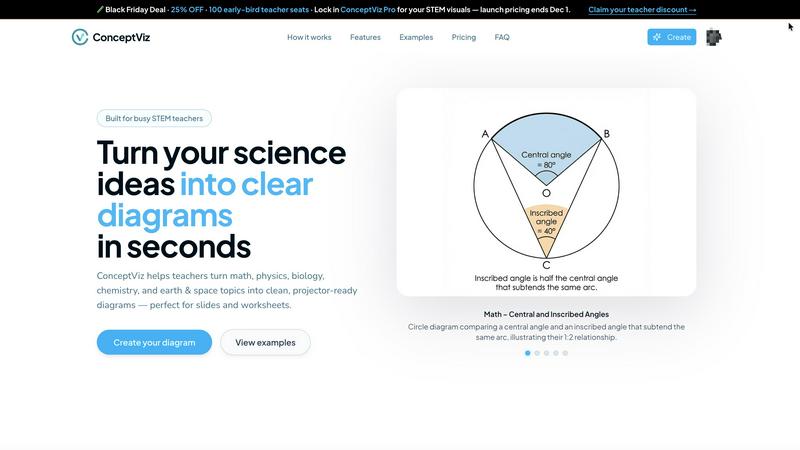
ConceptViz is the ultimate AI-powered tool designed to revolutionize the way educators, students, and researchers create visual aids for STEM subjects. Gone are the days of sifting through endless clipart and blurry Google images. With ConceptViz, you can effortlessly transform complex ideas into professional, classroom-ready diagrams that enhance understanding and retention. Whether you’re explaining the intricacies of mitosis to high school students or crafting a precise free-body diagram for university lectures, ConceptViz acts as your personal science illustrator. Just type in your needs using plain English, and within moments, you’ll receive high-quality visuals that are tailored to your specifications. It’s built specifically for the demands of real education and research, prioritizing clarity, readability, and practical applications that make teaching and learning smoother than ever.
Features of conceptviz
Instant Diagram Generation
With ConceptViz, you can generate diagrams in seconds. Just input a simple description of what you need, and let the AI whip up a clean, projector-ready visual that meets your requirements. This speed allows you to focus more on teaching and less on searching for the right image.
Subject and Grade Presets
ConceptViz comes equipped with presets for various STEM subjects and U.S. grade bands, making it super easy to find the right visual for your specific audience. From elementary to high school, these presets save time and ensure that the diagrams are age-appropriate and educationally relevant.
Projector-Ready Clarity
Every diagram created with ConceptViz is designed with high contrast and legible labels, ensuring that visuals look sharp and clear from any distance in a classroom setting. Say goodbye to fuzzy visuals and hello to crisp, clear diagrams that enhance your presentations.
Easy Integration with Presentation Tools
ConceptViz allows you to download high-resolution PNG files that fit perfectly into your existing presentation tools like PowerPoint and Google Slides. This seamless integration means you can enhance your lectures without any hassle, making your work look more professional and polished.
Use Cases of conceptviz
Classroom Teaching
Teachers can utilize ConceptViz to create engaging and informative visuals that help clarify complex concepts. Whether it's a detailed diagram of the water cycle for elementary students or a sophisticated atomic structure for high school chemistry, this tool makes learning visually appealing.
Student Projects
Students can leverage ConceptViz for their projects, allowing them to generate diagrams that accurately represent their research or findings. This not only enhances their presentations but also helps them understand the material better by visualizing it.
Research Presentations
Researchers can quickly create high-quality visuals for their presentations or papers, ensuring that their data and concepts are communicated effectively. ConceptViz helps eliminate the struggle of finding the right graphics, letting researchers focus on the content instead.
Educational Content Creation
Content creators in the educational space can use ConceptViz to develop worksheets, lesson plans, and online resources with custom visuals. This adds a professional touch and ensures that educational materials are both informative and visually engaging.
Frequently Asked Questions
How does ConceptViz generate diagrams?
ConceptViz uses advanced AI algorithms to interpret plain-English descriptions provided by users. The tool then generates accurate and visually appealing diagrams tailored to the specified subject and educational level.
Is there a free trial available for ConceptViz?
Yes! ConceptViz offers a free 4K Ultra HD version for users to try out the tool without requiring a credit card. This allows you to explore its capabilities before committing.
Can I use ConceptViz for different subjects?
Absolutely! ConceptViz is versatile and supports a wide range of STEM subjects, including physics, biology, chemistry, earth science, and mathematics, making it suitable for various educational levels.
What formats can I download the diagrams in?
You can download diagrams in high-resolution PNG format, which is ideal for adding to PowerPoint presentations, Google Slides, or printed materials. The quality ensures that they look great no matter the medium.
Explore more in this category:
Similar to conceptviz

Budgetpixel AI
Create and edit AI images, videos, music, and designs in one workspace, with multiple models, reusable characters, and API access.

Try OC Maker
Create OCs from text or images, customize their look, and turn them into animated videos with AI.

Turbotools
Free online web tools: PDF converter, image compressor, word counter, text reverse, JSON formatter & generator. 100% free with no sign-ups!


Leadeon
AI growth tool for X and LinkedIn: write posts in your voice, schedule at your best times, find leads on X and see what works.

Artcraft AI
AI image and video studio in your browser: generate and edit images, turn photos into videos, edit clips by sentence.

ViewMax Studio
AI video generator that turns one prompt into shorts, UGC-style ads and faceless videos, with script, voiceover and captions included.

Gas Station Dance AI
Turn your photos into a viral gas station dance video with AI