

BoltShot
BoltShot’s API lets you capture flawless, ultra-fast screenshots of any URL without ever spinning up a clunky browser.
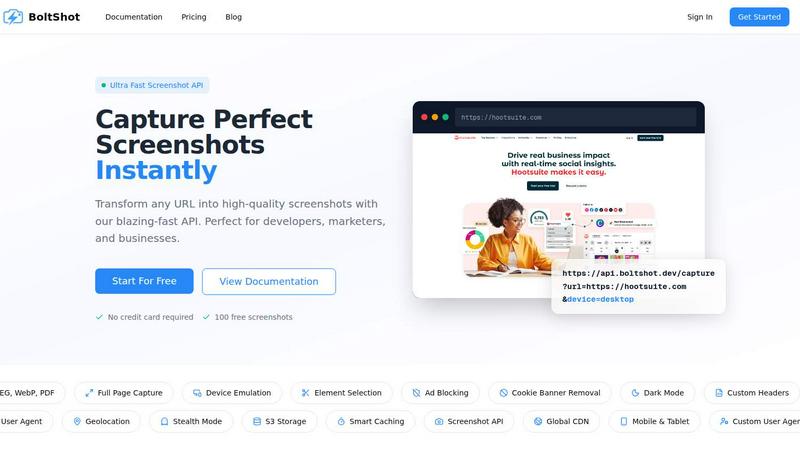
About BoltShot
BoltShot is the ultimate weapon for developers, marketers, and businesses who need to turn any URL into a stunning, high-quality screenshot in milliseconds. Forget about managing clunky browser clusters, babysitting headless Chrome instances, or wrestling with Puppeteer scripts that break every other week. BoltShot is a blazing-fast API that lets you capture pixel-perfect screenshots in PNG, JPEG, WebP, and PDF formats with a single, simple request. It is designed to be the backbone of your workflow for e-commerce previews, automated reporting, web archiving, visual testing, and compliance monitoring. Whether you need a full-page capture of a sprawling landing page, a precise element targeted by a CSS selector, or a device-specific emulation for mobile, tablet, or desktop, BoltShot delivers with zero hassle. It comes packed with game-changing features like automatic ad blocking, cookie banner removal, and smart caching to ensure your screenshots are clean, fast, and efficient. For power users, it offers advanced capabilities like S3 uploads with CDN delivery, custom user agents, geolocation emulation, stealth mode to avoid bot detection, and custom headers. BoltShot is built for scale, with a global CDN that ensures sub-100ms response times and a 99.9% success rate. It integrates seamlessly into your existing stack, so you can stop worrying about infrastructure and start capturing perfect screenshots instantly. No credit card required to start, and you get 100 free screenshots to test the firepower.
Features of BoltShot
Multi-Format & Full-Page Capture
BoltShot doesn't just give you a simple snapshot. It supports output in PNG, JPEG, WebP, and PDF formats, giving you total flexibility for any use case. Need the entire scrollable page? The full-page capture feature automatically scrolls and stitches together a complete, high-resolution image of the entire website, from the hero section all the way down to the footer. No more manual stitching or missing content.
Device Emulation & Custom Viewports
Stop guessing how your site looks on different screens. BoltShot lets you emulate any device with presets for mobile, tablet, and desktop. You can also set custom viewport dimensions for pixel-perfect precision. Whether you are testing a responsive design or capturing a screenshot for a specific screen size, this feature ensures your captures are always accurate and contextually relevant.
Element Targeting with CSS Selectors
Why capture the whole page when you only need a specific component? With BoltShot, you can use CSS selectors to target and capture individual elements like a specific product card, a pricing table, or a call-to-action button. This granular control is perfect for visual regression testing, generating thumbnails, or pulling clean assets for marketing materials without any background noise.
Clean Capture with Ad Blocking & Cookie Removal
Nobody wants screenshots cluttered with annoying pop-ups, cookie consent banners, or flashing ads. BoltShot automatically detects and removes these distractions, delivering clean, professional-grade screenshots every time. The built-in ad blocker filters out advertisements, while the cookie banner removal and overlay suppression tools eliminate modal dialogs and notification popups, so your captures look pristine and focused.
Use Cases of BoltShot
Automated Visual Regression Testing
Stop breaking your UI in production. Integrate BoltShot into your CI/CD pipeline to capture screenshots of your web app after every deployment. By comparing full-page or element-specific captures against baseline images, you can instantly spot visual regressions, layout shifts, or broken components. This saves your QA team hours of manual checking and ensures a flawless user experience every time you ship code.
E-Commerce Product Previews & Thumbnails
Give your customers a sneak peek without the click. Use BoltShot to automatically generate high-quality thumbnails and previews of product pages, blog posts, or landing pages for your marketing campaigns, social media cards, or email newsletters. The ability to capture specific elements like a product image or a pricing block means you can create consistent, branded assets at scale without ever opening a design tool.
Web Archiving & Compliance Monitoring
Need to keep a historical record of web pages for legal compliance, auditing, or competitive analysis? BoltShot makes web archiving a breeze. Schedule regular captures of critical pages to document changes over time. The stealth mode and custom user agent features ensure you can capture content without triggering bot detection, while the S3 upload and CDN delivery options guarantee your archives are stored securely and accessible instantly.
Dynamic Social Media & Open Graph Images
Level up your social media game by generating dynamic Open Graph images on the fly. When a user shares a link to your content, use BoltShot to capture a screenshot of the specific page and serve it as the social preview. This ensures your links always look engaging and relevant, boosting click-through rates. The fast response time and global CDN mean the image is generated and delivered before the share even finishes loading.
Frequently Asked Questions
What output formats does BoltShot support?
BoltShot supports four major output formats to cover all your needs: PNG for high-quality raster images, JPEG for smaller file sizes, WebP for modern web-optimized images, and PDF for document-ready captures. You can specify the format directly in the API request parameters.
Do I need to manage my own browser infrastructure?
Absolutely not. That is the whole point of BoltShot. You do not need to manage any browser clusters, Puppeteer scripts, or headless Chrome instances. BoltShot handles all the heavy lifting on its own infrastructure, allowing you to focus on your core product. Just send a simple API request and get your screenshot back in milliseconds.
How does the free tier work and what are the limits?
You can get started with BoltShot completely free and without providing a credit card. The free tier gives you 100 screenshots to test the API's speed, quality, and features. If you need more, you can upgrade to a paid plan that scales with your usage. There are no hidden fees or surprise charges.
Can I capture screenshots behind a login or with custom headers?
Yes, you can. BoltShot supports custom headers, allowing you to simulate authenticated sessions or pass specific tokens when capturing pages that require a login. Combined with the custom user agent and geolocation emulation features, you have full control over the context in which the screenshot is taken.
Similar to BoltShot


TrueProxies
Premium Residential & Datacenter Proxies with 15M+ IPs

Sprite Sheet Maker
A free browser-based toolkit for creating, cutting, converting, and previewing sprite sheet animations.


laya.tools
A free directory of 950+ projects built on Laya, the open-source decision model. Updated daily.

Codersera AI Agent Task Manager
A workstream per session — Claude Code, Codex, Cursor. Queue tasks, connect an agent with a copy-paste prompt

FormsPlugin
AI form builder for Framer. Generate multi-step forms with conditional logic, 30+ fields, CRM integrations, and CAPTCHA from a plain English prompt.
