Phishly vs Tickari
Side-by-side comparison to help you choose the right AI tool.

Phishly
Phishly crushes phishing emails with AI scans, keeping your inbox locked down with just one click.
Last updated: February 26, 2026

The no-nonsense task manager that actually helps you get things done. No clutter. No complexity. Just you and your tasks.
Visual Comparison
Phishly
Tickari

Overview
About Phishly
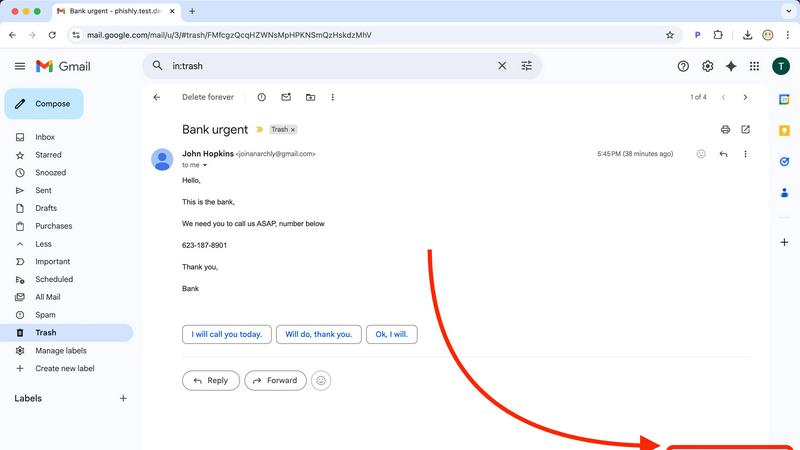
Phishly is your ultimate digital bodyguard, expertly designed to navigate the treacherous waters of phishing attacks. This AI-powered powerhouse operates as a slick Chrome extension for Gmail and a versatile web tool, ensuring that top-notch protection is just a click away. Whether you're an individual trying to keep your personal information safe or a small business owner looking to shield your organization from cyber threats, Phishly has your back. With its lightning-fast scanning capabilities, this tool analyzes emails for red flags like sketchy domains, alarming language, and forged sender identities. It provides an easy-to-understand risk assessment—Safe, Medium Risk, or High Risk—so you can swiftly decide if that email is trustworthy or a trap. Phishly cuts through the corporate jargon, delivering straightforward phishing protection that everyone can understand. We prioritize your privacy by only analyzing the emails you choose to scan, ensuring your data stays yours. Plus, it’s free to use, making it an essential tool for anyone who wants to navigate their inbox safely and confidently.
About Tickari
Tickari is a deliberately minimal, no-nonsense task manager designed for people who are tired of overcomplicated productivity tools and just want to get things done. Instead of overwhelming you with features like complex boards, AI-generated suggestions, or endless customization, Tickari focuses on a simple, frictionless workflow: write a task, tick it off, and move on.
The product embraces a “less but better” philosophy—eliminating clutter, reducing cognitive overhead, and removing the need for onboarding tutorials or setup processes. There are no distractions, no unnecessary decisions, and no feature bloat—just a clean interface that works instantly the moment you open it. This makes it particularly effective for users who feel stuck organizing tasks instead of actually completing them.