ClubDJ Pro vs Lyria 3 Pro
Side-by-side comparison to help you choose the right AI tool.

ClubDJ Pro
Unleash your DJ skills with ClubDJ Pro, the ultimate software for seamless audio and stunning dual-deck video mixing on any platform.
Last updated: March 19, 2026

Lyria 3 Pro
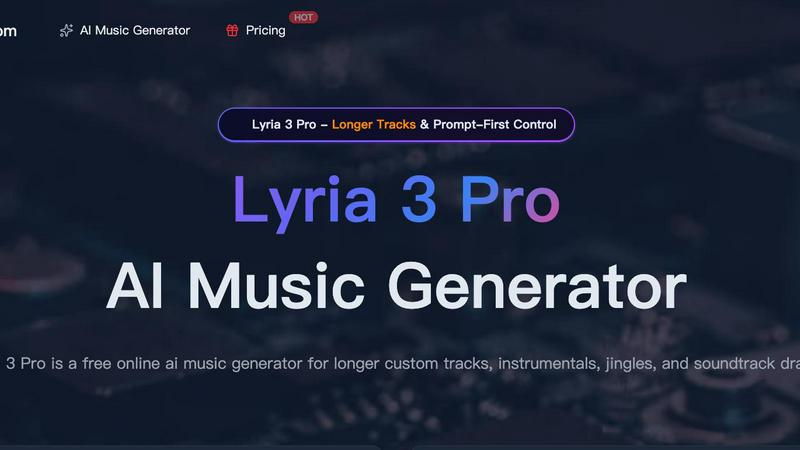
Lyria 3 Pro is your AI music studio for crafting longer, pro-level tracks with simple prompts for videos and creator content.
Last updated: April 4, 2026
Visual Comparison
ClubDJ Pro

Lyria 3 Pro
Feature Comparison
ClubDJ Pro
Built-in Video Mixing
Get ready to take your sets to the next level with built-in dual-deck video mixing. This feature allows you to blend video content seamlessly with your audio tracks, creating a multi-sensory experience that will captivate your audience. With over 25 GPU-accelerated video effects and 41 shader transitions at your fingertips, your performances will be as visually stunning as they are sonically engaging.
Auto BPM & Beat Sync
Forget about the headaches of manual beat matching. ClubDJ Pro features advanced beat detection with 2-decimal precision that keeps your tracks locked in sync. This auto BPM feature ensures that your mixes flow smoothly, allowing you to focus on your performance without worrying about tempo discrepancies. Continuous phase-locked sync keeps everything aligned, so the beats drop exactly when they should.
Vinyl Scratching
Experience the nostalgic joy of vinyl scratching right from your digital setup. ClubDJ Pro offers true vinyl scratching with a low-latency audio engine that gives you the authentic feel of real vinyl. With bidirectional playback and frequency sliding, you can create those classic scratches and add a unique flair to your mixes, all while maintaining a natural sound.
Live Waveforms
No more guesswork when it comes to drops and breaks. With scrolling waveform displays and beat grid overlays, you can visually track your music in real time. This feature allows you to see beat positions and transitions at a glance, making it easier to plan your mixes and enhance your live performances. Get ready to mix like a pro with complete visibility of your tracks.
Lyria 3 Pro
Prompt-First Control Engine
This is your direct line to the AI's brain. Ditch vague ideas and speak its language: genre, mood, specific instruments, BPM, key, and even structure labels like [intro] or [chorus]. The more concrete your brief, the harder Lyria 3 Pro slaps, delivering a track that lands precisely where your imagination pointed. It’s about precision, not guesswork, giving you unparalleled creative control over the final output.
Longer, Structured Track Generation
Tired of AI music that just loops and dies? Lyria 3 Pro builds real songs. We're talking tracks up to three minutes with proper intros, verses, choruses, bridges, and endings. This is for when you need a film score draft, a full background piece, or a song structure that actually feels complete and dynamic, not just a repetitive sketch.
Visual Inspiration Input
Stuck for a vibe? Upload up to 10 images to guide the AI. Whether it's cover art inspiration, a color palette, or just a mood board, Lyria 3 Pro uses those visuals to influence the overall feel, tone, and texture of your generated track. It’s a next-level hack for sparking creativity and ensuring the music matches your visual project’s aesthetic.
Dual-Mode Output (Instrumental & Lyrics)
Flip the switch based on your needs. Need a killer background bed for your podcast or tutorial? Go instrumental. Want a full song with vocal melodies and lyrics? Switch to lyric mode. This flexibility makes it the Swiss Army knife for content creation, handling everything from study session soundscapes to full-blown pop song demos.
Use Cases
ClubDJ Pro
Live Performances
Take the stage with confidence using ClubDJ Pro. Its powerful features, including dual-deck video mixing and real-time effects, allow you to create dynamic live shows that engage your audience. Whether you're performing at a club or an outdoor festival, this software gives you the tools to keep the dance floor moving.
Home Practice Sessions
ClubDJ Pro is perfect for those late-night practice sessions at home. With all the professional-grade features available in the desktop app, you can refine your mixing skills, experiment with new tracks, and even record your sets for later review. It's like having a personal DJ studio right at your fingertips.
Streaming and Online Gigs
In the era of digital performances, ClubDJ Pro makes it easy to stream your mixes live. The software's user-friendly interface and robust feature set enable you to connect with fans online, ensuring your music reaches a wider audience. Impress your viewers with stunning visuals and flawless transitions as you mix live from anywhere.
DJ Education and Learning
For beginners looking to learn the ropes, ClubDJ Pro offers an intuitive platform that simplifies the DJing process. With features like auto BPM and vinyl scratching, aspiring DJs can grasp the fundamentals quickly and start building their skills. Plus, the online mixer is a great way to practice without any downloads required.
Lyria 3 Pro
Video & Content Creator Soundtracks
You're editing a vlog, a reel, or a tutorial and need a unique, copyright-free track that matches the pace and emotion of your visuals. Lyria 3 Pro lets you generate a custom, polished soundtrack in minutes—no more digging through generic libraries. Get the perfect energetic intro or melancholic background bed tailored to your content.
Songwriting & Musical Brainstorming
Hit a creative wall? Use Lyria 3 Pro as your ultimate collaborator. Feed it a prompt for a "synthwave ballad with melancholic vocals" or "upbeat funk bassline" and use the generated output as a starting point, a demo, or a source of inspiration to break through writer's block and explore new musical directions fast.
Jingle & Brand Audio Production
Small businesses and indie creators can now craft professional, memorable audio branding without a studio budget. Need a 10-second intro jingle for your podcast, a sonic logo, or background music for your website? Iterate quickly with precise prompts until you land on the perfect sound that represents your brand.
Film & Game Scoring Drafts
Indie filmmakers and game developers can prototype complex musical scores and atmospheric soundscapes. Describe the scene—"tense, orchestral, 90 BPM, creeping strings"—and Lyria 3 Pro will generate a compelling draft score. It’s perfect for pitching ideas, creating temp tracks, or building a library of thematic motifs.
Overview
About ClubDJ Pro
Welcome to the world of ClubDJ Pro, where mixing music is not just a skill, but a lifestyle. This cutting-edge DJ software is designed for both the rookie who’s just starting to discover the art of mixing and the seasoned pro who knows the ins and outs of the dance floor. Launched in 2004 and revamped with modern tech, ClubDJ Pro runs seamlessly on iOS, macOS, and Windows, allowing you to mix on any device that fits your vibe. With a sleek interface that cuts through the clutter, it offers dual decks, real-time effects, and all the essential features you need to create killer mixes. Imagine layering tracks with ease, adding stunning visuals, and keeping the crowd hyped—all with one software that prioritizes speed and performance. Whether you’re spinning at a local club, streaming live from your bedroom, or just jamming with friends, ClubDJ Pro has your back with the tools you need to elevate your DJ game.
About Lyria 3 Pro
Forget those AI music toys that spit out generic 30-second loops. Lyria 3 Pro is the game-changer, the heavyweight champion of AI music generation built for creators who mean business. This isn't about random beats; it's about commandeering a powerful AI orchestra to bring your exact sonic vision to life, from a whisper to a full-blown symphony. Whether you're a filmmaker needing a tense score, a YouTuber crafting the perfect vlog anthem, or a marketer designing a catchy jingle, Lyria 3 Pro hands you the conductor's baton. Its core power lies in "Prompt-First Control" – you steer the AI with concrete, detailed musical language. Feed it genre, mood, BPM, key, and even timestamped section cues, and watch as it delivers longer, structurally-sound tracks that feel like complete songs, not just fragments. It's the ultimate tool for turning creative pressure into polished audio, fast.
Frequently Asked Questions
ClubDJ Pro FAQ
What platforms does ClubDJ Pro support?
ClubDJ Pro is versatile, running on iOS, macOS, and Windows. This cross-platform capability means you can mix on virtually any device, giving you the freedom to choose the platform that fits your style.
Is there a subscription fee for ClubDJ Pro?
Nope! ClubDJ Pro is available for a one-time purchase price with no ongoing subscription fees. This means you can invest once and enjoy all the features without worrying about monthly bills.
Can I use ClubDJ Pro for video mixing?
Absolutely! ClubDJ Pro stands out with its built-in dual-deck video mixing feature. This allows you to mix video alongside your audio tracks seamlessly, complete with a range of effects and transitions.
Does ClubDJ Pro have a free trial?
Yes, you can try ClubDJ Pro with its free mixer option available online. This gives you a taste of the features without any downloads, allowing you to see if it fits your mixing style before committing to a purchase.
Lyria 3 Pro FAQ
What makes Lyria 3 Pro different from other AI music generators?
Most AI music tools are loop machines. Lyria 3 Pro is a song architect. The difference is in longer, structurally complete tracks and our "Prompt-First Control" system. We prioritize your detailed direction—genre, BPM, structure—to give you cleaner, more usable results that feel like real songs, not just repetitive snippets. It's built for practical creator workflows.
Do I need to be a musician to use Lyria 3 Pro?
Absolutely not. The intuitive interface is designed for everyone. If you can describe the music you hear in your head (e.g., "chill lofi beat with piano and rain sounds at 70 BPM"), you can create it. It democratizes music production. For pros, the advanced controls offer the depth needed for serious projects.
Can I use the music I generate for commercial projects?
Yes, but pay attention to the tiers. The platform starts with free credits for testing. When you move into production and need tracks for commercial use—like in videos you monetize or client work—you'll need to upgrade to a paid plan that includes the appropriate commercial licensing. Always check the specific terms of your plan.
How do I get the best results from the AI?
Talk to it like a bandmate. Use clear, concrete musical language. Instead of "a happy song," try "upbeat 120 BPM pop punk with distorted guitars and a driving drum line." Reference genres, instruments, tempo (BPM), and desired song structure (e.g., "include a guitar solo at the 2-minute mark"). The better your brief, the harder the AI goes.
Alternatives
ClubDJ Pro Alternatives
ClubDJ Pro is a cutting-edge DJ mixing software that caters to all platforms, designed for both budding and seasoned DJs looking to create electrifying soundscapes. With its intuitive interface, it enables users to blend tracks seamlessly, offering a suite of essential tools like dual decks, real-time effects, and beat matching. Despite its prowess, many users seek alternatives due to factors such as pricing, platform compatibility, or the need for additional features that ClubDJ Pro might not provide. When scouting for an alternative, think about your specific needs—whether it's a broader range of effects, improved automation, or a particular platform support. Evaluate the learning curve, community support, and how customizable the software is to ensure it aligns with your mixing style. Ultimately, the right choice will boost your mixing game and keep your sets fresh and engaging.
Lyria 3 Pro Alternatives
Lyria 3 Pro is a heavyweight in the AI music generator scene, a tool that lets you spit out full-length tracks with just a prompt. It’s for creators who want to boss the AI around, dictating every vibe, instrument, and beat from the jump. This category is all about turning your wildest sonic ideas into reality without needing a studio full of gear. But let’s keep it a buck—no single tool is the perfect fit for every creator. Maybe the price tag has you side-eyeing your budget, or you need something that plays nicer with your specific workflow or platform. Sometimes you just wanna test the waters with a different vibe or feature set before you fully commit. When you’re scouting for other options, don’t just chase the shiny object. Get real about what you need. Crunch the numbers on pricing and subscription models. Peep the core features: can you still get that granular, prompt-first control, or is it more of a guided vibe? Check the output quality and track length, and make sure it jives with where you create, whether that’s desktop, mobile, or straight in your browser.