Dokie AI vs GPT Image 2
Side-by-side comparison to help you choose the right AI tool.

Dokie AI
Dokie AI revolutionizes your presentation game, effortlessly crafting stunning PPT slides in minutes with the power of Claude Opus 4.6.
Last updated: March 19, 2026

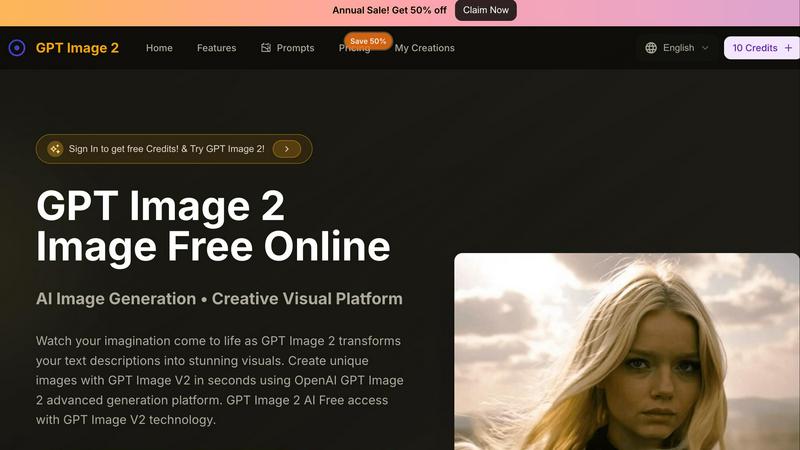
GPT Image 2
Unleash your creativity as GPT Image 2 transforms text prompts into breathtaking visuals in seconds.
Last updated: February 26, 2026
Visual Comparison
Dokie AI

GPT Image 2
Feature Comparison
Dokie AI
AI Generate PPT
With a simple text description of your topic, Dokie AI's AI Generate PPT feature whips up a complete slide deck in no time. This feature combines professional layouts, engaging charts, and compelling content to make your presentation shine. It's like having a design team at your fingertips, ready to turn your ideas into visually stunning slides.
AI Beautify PPT
Already have a presentation but feeling that it lacks pizzazz? Just upload your existing slides, and let the AI Beautify PPT feature enhance your design. This tool revamps layouts, applies professional styling, and elevates your content to make it pop without losing any of your original messaging. Say goodbye to dull slides!
Speech Notes Generation
Nervous about public speaking? Dokie AI has your back! The Speech feature generates detailed speaker notes to accompany each slide, giving you the confidence to deliver your presentation flawlessly. These notes serve as talking points, ensuring you hit all the important highlights and keep your audience engaged.
Multi-Format Conversions
Dokie AI is not just limited to PowerPoint. With its versatile conversion features, you can transform documents from various formats into captivating presentations. Whether it's Word to PPT, PDF to PPT, or even YouTube to PPT, Dokie AI makes it easy to convert your content into eye-catching slides that resonate with your audience.
GPT Image 2
Instant Image Generation
With GPT Image 2, generating stunning visuals is as easy as typing your idea. Just input a descriptive text, and the advanced GPT Image V2 engine takes care of the rest, delivering high-resolution images in seconds. No design skills? No problem!
Easy Photo Editing
Not only can you create images from scratch, but GPT Image 2 also allows you to upload existing photos for editing. Transform your ordinary images by simply typing in your desired changes, making it an effortless process to enhance your visuals.
Multi-Language Support
GPT Image 2 breaks language barriers with support for over 100 languages. This means anyone, anywhere, can express their creative ideas and watch them come to life, making it a truly global platform for visual storytelling.
User-Friendly Interface
Designed with an intuitive workspace, GPT Image 2 puts creativity at your fingertips. The streamlined layout ensures that both beginners and experienced users can navigate the platform easily, focusing on creating rather than figuring out how it works.
Use Cases
Dokie AI
Business Presentations
Need to wow your clients or stakeholders? Dokie AI can create polished business presentations that effectively communicate your strategy, financials, or project updates. Just input your data, and watch as it morphs into a sophisticated slide deck that conveys professionalism and clarity.
Educational Lectures
Educators can leverage Dokie AI to create engaging lecture slides that enhance learning. By simply describing the lesson topic, instructors can generate visually appealing slides that capture students' attention and make complex information digestible.
Marketing Campaigns
Marketers can use Dokie AI to craft presentations for pitches, proposals, or reports. With a few clicks, generate slides that highlight your campaign strategies, key metrics, and creative ideas, all designed to grab your audience's attention and drive home your message.
Startup Pitches
Founders can turn to Dokie AI for creating pitch decks that stand out in a crowded field. By articulating their vision and business model, entrepreneurs can generate compelling presentations that showcase their innovation, attract investors, and make a lasting impression.
GPT Image 2
Marketing Materials
Elevate your marketing game by generating eye-catching visuals that attract attention. Use GPT Image 2 to create unique graphics for social media, ads, or promotional content that stand out in a crowded market.
Concept Art Creation
Artists can use GPT Image 2 to quickly generate concept art for projects, allowing for rapid iteration on ideas. Whether it's a fantasy landscape or a futuristic cityscape, let your imagination run wild and bring your visions to life.
Educational Resources
Teachers and educators can create custom visuals to enhance learning materials. From infographics to illustrations that clarify complex concepts, GPT Image 2 provides a way to make education more engaging and visually appealing.
Personal Projects
Whether you're crafting a blog post, designing a personal website, or simply wanting to create art for fun, GPT Image 2 is your go-to tool. Turn your thoughts into personalized artwork that reflects your style and ideas.
Overview
About Dokie AI
Dokie AI is the game-changing presentation powerhouse that brings your ideas to life, all while saving you from the design blues. Designed for business professionals, educators, marketers, and startup founders, it unleashes a world of creativity and polish without requiring any design skills. Powered by the cutting-edge Claude Opus 4.6, Dokie AI transforms your text into stunning slide decks that look like they were crafted by a seasoned designer. Forget the tedious template-based tools; Dokie AI offers true AI generation that takes care of content structure, layout selection, typography, and visual design automatically. Its versatile modes—Generate, Beautify, Speech, and document-to-PPT conversions—cater to all your presentation needs. Whether you are brainstorming ideas or giving a pitch, Dokie AI ensures your presentations stand out and deliver impact effortlessly.
About GPT Image 2
Welcome to the future of creativity with GPT Image 2, your ultimate AI image generator that takes your wildest dreams and turns them into stunning visual realities in the blink of an eye. This powerhouse is powered by the cutting-edge GPT Image V2 engine, making it perfect for everyone—from curious newbies dipping their toes into the creative waters to seasoned digital artists looking for that extra spark of inspiration. With a sleek and intuitive interface, you simply describe what you want in plain text, and watch in awe as crisp, jaw-dropping 4K visuals materialize in mere seconds. Gone are the days of wrestling with complex design software or waiting endlessly for renders. With GPT Image 2, instant inspiration is just a few clicks away. Plus, it supports over 100 languages, ensuring that no creative mind is left behind. Whether you're generating images from scratch or editing existing photos with simple text commands, GPT Image 2 is your global creative studio, ready to unlock your imagination—all for free, with no credit card required.
Frequently Asked Questions
Dokie AI FAQ
How does Dokie AI generate presentations?
Dokie AI uses advanced AI algorithms powered by Claude Opus 4.6 to analyze your text input and automatically create structured slide decks with professional designs, layouts, and content.
Can I enhance my existing presentations with Dokie AI?
Absolutely! The AI Beautify PPT feature allows you to upload your current slides and enhances their design, ensuring they look polished and professional while retaining your original content.
What types of formats can I convert to PPT using Dokie AI?
Dokie AI supports a variety of conversions including Word to PPT, PDF to PPT, HTML to PPT, and even YouTube to PPT, making it flexible for all your presentation needs.
Is there a free trial available for Dokie AI?
Dokie AI offers a pay-as-you-go pricing model starting from $39.80, along with monthly and yearly plans. While a free trial isn't specified, you can explore their offerings through the pricing plans.
GPT Image 2 FAQ
How do I get started with GPT Image 2?
Getting started is super easy! Simply visit the GPT Image 2 website, create an account, and dive right into the image generation process by entering your text description.
Are there any costs associated with using GPT Image 2?
You can start creating for free with no credit card required. There are premium options available for those who want to unlock additional features, but the basic functionality is completely free to use.
What types of images can I create with GPT Image 2?
You can create a wide range of images, from photorealistic landscapes to whimsical illustrations. Just describe your idea, and GPT Image 2 will generate it according to your specifications.
Is my data safe when using GPT Image 2?
Absolutely! GPT Image 2 prioritizes user privacy and security. Your images and data are kept safe and private, ensuring a worry-free creative experience.
Alternatives
Dokie AI Alternatives
Dokie AI is the ultimate game-changer in the world of presentation design, marching to the beat of AI prowess in the design tools category. With its sleek features and intuitive capabilities, it allows anyone—from business moguls to budding educators—to whip up stunning presentations that wow audiences in mere minutes. However, users often find themselves on the hunt for alternatives due to factors like pricing flexibility, specific feature sets, or compatibility with their existing workflows. When diving into the search for an alternative, consider what truly matters for your needs. Is it the cost-effectiveness of a pay-as-you-go model or the desire for advanced customization options? Pay attention to the ease of use, the range of features, and the level of support that comes with the tool. Finding the right fit can elevate your presentation game to new heights.
GPT Image 2 Alternatives
GPT Image 2 is a revolutionary AI image generator that transforms your wildest text prompts into stunning visuals, all thanks to its powerful GPT Image V2 engine. This design tool caters to everyone from beginners to seasoned pros, offering an intuitive workspace that simplifies the creative process. Users are often on the hunt for alternatives to find better pricing, additional features, or specific platform compatibility that suits their unique needs. When searching for a viable alternative, consider the range of features offered, ease of use, and any additional costs associated with the platform. It’s essential to identify what capabilities you need—like language support or editing options—so that you can find a tool that not only meets your creative demands but also enhances your workflow efficiently.