AI Image Edit vs GPT Image 1.5
Side-by-side comparison to help you choose the right AI tool.

AI Image Edit
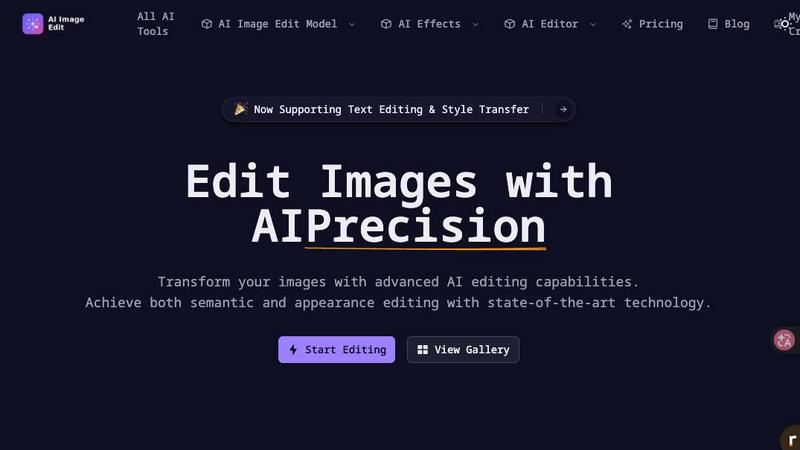
AI Image Edit transforms your photos instantly with advanced AI, no design skills or Photoshop required.
Last updated: March 11, 2026

GPT Image 1.5
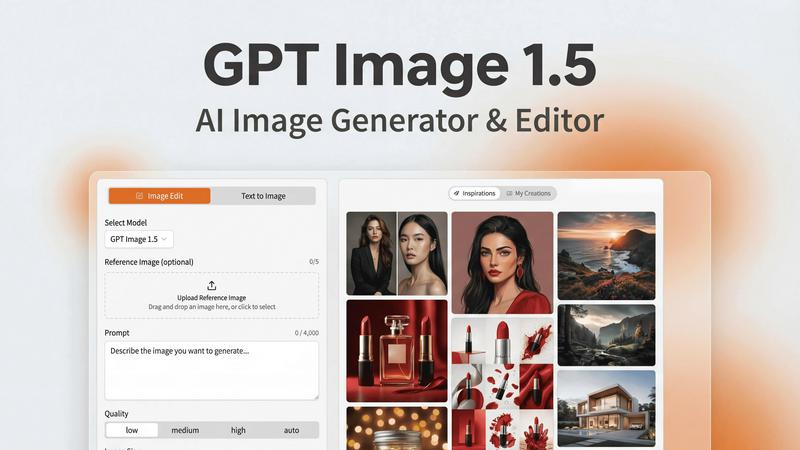
Create stunning photorealistic images and edit with lightning speed using GPT Image 1.5, OpenAI's next-gen AI tool.
Last updated: February 26, 2026
Visual Comparison
AI Image Edit
GPT Image 1.5
Feature Comparison
AI Image Edit
AI-Powered Object Removal & Eraser
Forget painstakingly cloning out pixels. This feature is your digital eraser on steroids. It intelligently identifies and removes any unwanted element - a trash can in a scenic shot, a stranger in the background, or an ugly power line - while seamlessly reconstructing the space it occupied. The AI analyzes the surrounding area to fill in the gap perfectly, maintaining textures, patterns, and lighting so it looks like the object was never there. It's clean, fast, and requires zero manual selection skills.
Smart Background Replacement & Removal
Transform your subject's environment with a single click. Go from a cluttered room to a pristine white studio, a tropical beach, or even a transparent PNG for e-commerce. The AI performs ultra-precise edge detection to cleanly separate your subject from the original background, avoiding nasty halos or leftover artifacts. It then ensures lighting and color consistency when placing your subject into a new scene, delivering a studio-quality, photorealistic composite every time.
Language-Driven Image Editing (Text to Edit)
This is where it gets futuristic. Simply describe the change you want in plain English, and the AI makes it happen. Tell it to "make the sky more dramatic with purple sunset clouds," "change the car's color to matte black," or "add a cartoon doodle interacting with the product." The tool, powered by models like Gemini, interprets your text prompt and applies the transformation with semantic understanding, altering the image based on your description while preserving the quality and details you want to keep.
AI Image Generator & Style Transfer
Not just an editor, but a creator. Need a completely new visual? Use the Text to Image or Image to Image generator to bring your concepts to life from a prompt or an existing photo base. Plus, apply radical style transfers - turn a portrait into a Star Trek-inspired character, transform a photo into a ink sketch aesthetic, or apply any artistic style you can imagine. It maintains core elements like facial features while completely revolutionizing the look and feel.
GPT Image 1.5
Lightning-Fast Generation
Experience image generation that is up to 4x faster than its predecessors. GPT Image 1.5 prioritizes speed without sacrificing quality, allowing users to iterate rapidly and meet tight deadlines without breaking a sweat.
Advanced Text Rendering
The enhanced text rendering capabilities ensure your visuals feature crisp lettering and layout consistency. This is crucial for projects that demand precision, like infographics or marketing materials laden with textual information.
Precise Image Editing
Edit images with surgical precision. Whether it’s for retouching photos, removing unwanted objects, or applying style filters, GPT Image 1.5 allows you to modify specific elements while preserving the overall integrity of your visual.
Iterative Refinement
The iterative refinement feature lets you fine-tune your images with context-aware follow-ups. You can start broad and drill down to specifics, ensuring that the final output aligns perfectly with your vision.
Use Cases
AI Image Edit
E-commerce Product Photo Optimization
Online sellers can level up their storefront instantly. Use it to remove distracting backgrounds and create clean, transparent-PNG product shots perfect for Amazon or Shopify listings. Enhance image quality to make fabrics and textures pop, upscale low-res manufacturer images, and consistently apply a professional white background across hundreds of product photos in a fraction of the time it would take manually.
Social Media & Marketing Content Creation
Content creators and marketers can produce scroll-stopping visuals on deadline. Quickly erase unwanted objects from a campaign photo, replace dull skies with something epic, or generate unique banner images from text prompts. Create before/after comparisons, apply trendy visual styles to keep your brand fresh, and ensure every piece of content is polished and professional without needing a graphic designer on speed dial.
Personal Photo Enhancement & Fun
Fix your personal photo gallery like a pro. Remove that photobomber from your perfect vacation snapshot, erase skin blemishes or power lines in portrait shots, and enhance old, low-resolution family photos by upscaling them. Have fun by transforming friends into sci-fi characters with style transfer or creating imaginative, doodle-enhanced images for personalized gifts or social posts.
Professional Design & Concept Mock-ups
Designers and agencies can rapidly iterate and prototype visual concepts. Use the AI to quickly modify client photos, test out different color schemes or environmental swaps for a product, and generate mood imagery from text descriptions for pitch decks. It's a powerful tool for brainstorming and presenting high-fidelity visual ideas without committing hours to detailed manual compositing in traditional software.
GPT Image 1.5
Marketing Campaigns
Create compelling visuals for your marketing campaigns that catch the eye and convey your message effectively. Use GPT Image 1.5 to generate stunning graphics that resonate with your target audience.
UI/UX Design
Designers can harness GPT Image 1.5 to create high-fidelity mockups for applications or websites. The tool's precision and speed enable rapid prototyping, allowing for quick adjustments based on user feedback.
Infographics Development
Transform complex data into engaging infographics that are easy to understand and visually appealing. GPT Image 1.5 helps you create graphics that effectively communicate your information while maintaining aesthetic appeal.
Product Photography
Develop photorealistic images for your products that stand out in online listings or promotional materials. GPT Image 1.5 produces high-quality visuals that enhance your brand image and attract potential customers.
Overview
About AI Image Edit
AI Image Edit is your browser-based powerhouse for transforming visuals, no PhD in Photoshop required. It's the ultimate sidekick for anyone who needs pro-level image magic without the pro-level software, learning curve, or time sink. This tool leverages cutting-edge AI models to understand your intent, whether you're barking a text command or using a reference image. It's built for the hustle: creators churning out content, marketers polishing campaigns, e-commerce sellers making products pop, and everyday users fixing photos in seconds. The core promise? Ditch the complicated toolbars and let artificial intelligence do the heavy lifting. You get precision editing that tackles both the meaning (semantic) and the look (appearance) of your images. From zapping unwanted photobombers and swapping skies to upscaling grainy pics and even generating new art from your wildest prompts, it's all here in one slick, web-based dashboard. Just upload, instruct, and watch your image get a next-gen glow-up.
About GPT Image 1.5
GPT Image 1.5 is your ultimate AI image studio, a powerhouse designed to transform the way professionals create and edit visuals. Powered by OpenAI's state-of-the-art gpt-image-1.5 model, this tool is crafted for those who demand high-quality, production-ready images without the headaches of coding or complex software. Whether you are a graphic designer looking to iterate on designs, a marketer in need of eye-catching campaign assets, or a developer incorporating stunning visuals into applications, GPT Image 1.5 is your go-to solution. The platform excels in realism, text accuracy, and editability, making it ideal for marketing materials, UI/UX mockups, infographics, and product photography. With its intuitive web interface, GPT Image 1.5 allows users to seamlessly translate simple ideas into polished final outputs, eliminating barriers and enhancing creative workflows. Get ready to unleash your creativity with a tool that is as powerful as it is user-friendly.
Frequently Asked Questions
AI Image Edit FAQ
Do I need to download any software to use AI Image Edit?
Nope, zero downloads required. AI Image Edit is a fully web-based application that runs directly in your browser. All the processing happens on secure cloud servers. You can access it from any computer or device with an internet connection, making it incredibly convenient and freeing up your local storage.
What kind of files and image sizes do you support?
The platform supports common image formats like JPG, PNG, and WebP. There are size limits for uploads to ensure smooth processing - for example, some features note a maximum file size of 5MB. For the best results, it's recommended to use images with good initial clarity, though the AI can certainly help enhance lower-quality ones.
How does the credit/pricing system work?
AI Image Edit operates on a credit-based system. Different actions, like generating a new image or performing a complex edit, consume a certain number of credits from your account. You can purchase credit packs to top up your balance. Keep an eye out for launch specials and discount codes, like the ASSIPILOT20 offer, to get more value on your purchases.
Is it really better than using free traditional software like GIMP?
For speed, simplicity, and specific AI-powered tasks, absolutely. While GIMP is powerful, it requires significant skill and time to achieve results like flawless object removal or realistic background replacement. AI Image Edit automates these complex techniques with a few clicks or a text prompt, delivering professional results in seconds that might take hours of manual work in traditional software. It's about working smarter, not harder.
GPT Image 1.5 FAQ
How does GPT Image 1.5 differ from previous versions?
GPT Image 1.5 boasts significant improvements in speed, realism, and text accuracy compared to its predecessors. This means you can create more detailed and refined images in a fraction of the time.
Can I use GPT Image 1.5 for commercial purposes?
Absolutely! GPT Image 1.5 is designed for professional use, making it an excellent tool for individuals and businesses looking to produce high-quality visuals for commercial projects.
What types of images can I create with GPT Image 1.5?
With GPT Image 1.5, you can create a variety of images including logos, infographics, product photos, and UI/UX mockups. The versatility of the tool makes it suitable for a wide range of creative tasks.
Is there a learning curve for using GPT Image 1.5?
Not at all! The intuitive web interface of GPT Image 1.5 makes it user-friendly, allowing you to focus on your creativity rather than complex software navigation. You can dive right in and start generating stunning visuals.
Alternatives
AI Image Edit Alternatives
AI Image Edit is your go-to browser-based sidekick for instant image magic. It lives in the wild world of AI-powered creative tools, letting you ditch the complexity of Photoshop and get pro-level edits with just a few clicks. It’s the digital darkroom for the fast-paced creator. But let's keep it real—no single tool is everyone's perfect match. You might be hunting for alternatives because your budget needs a different vibe, you crave a specific niche feature, or you need an app that lives on your desktop, not just in a browser tab. The search is on for something that fits your unique creative flow and wallet. When scouting for other options, don't just chase the shiny object. Peep the feature lineup—does it handle the specific edits you do daily? Check the price tag and whether it's a one-time deal or a subscription. Most importantly, test the vibe. The right tool should feel intuitive and amp up your productivity, not kill it with a clunky interface.
GPT Image 1.5 Alternatives
GPT Image 1.5 is a powerhouse in the AI image generation scene, leveraging OpenAI’s latest tech to deliver jaw-dropping, photorealistic visuals. It falls under the category of AI Assistants and Avatars, targeting creatives who demand high-quality, editable images without the hassle of complex coding or software. However, users often find themselves scouting for alternatives due to factors like pricing, unique features, or specific platform compatibility that may better suit their workflows or budget constraints. When hunting for an alternative, it’s crucial to assess the balance between image quality and ease of use, along with any additional features that might elevate your creative game. Look for platforms that offer a user-friendly interface, a range of editing tools, and a solid reputation in terms of image output. Ultimately, the right choice will align seamlessly with your creative needs, making your journey from concept to final product smoother and more enjoyable.