Formflow vs Tickari
Side-by-side comparison to help you choose the right AI tool.

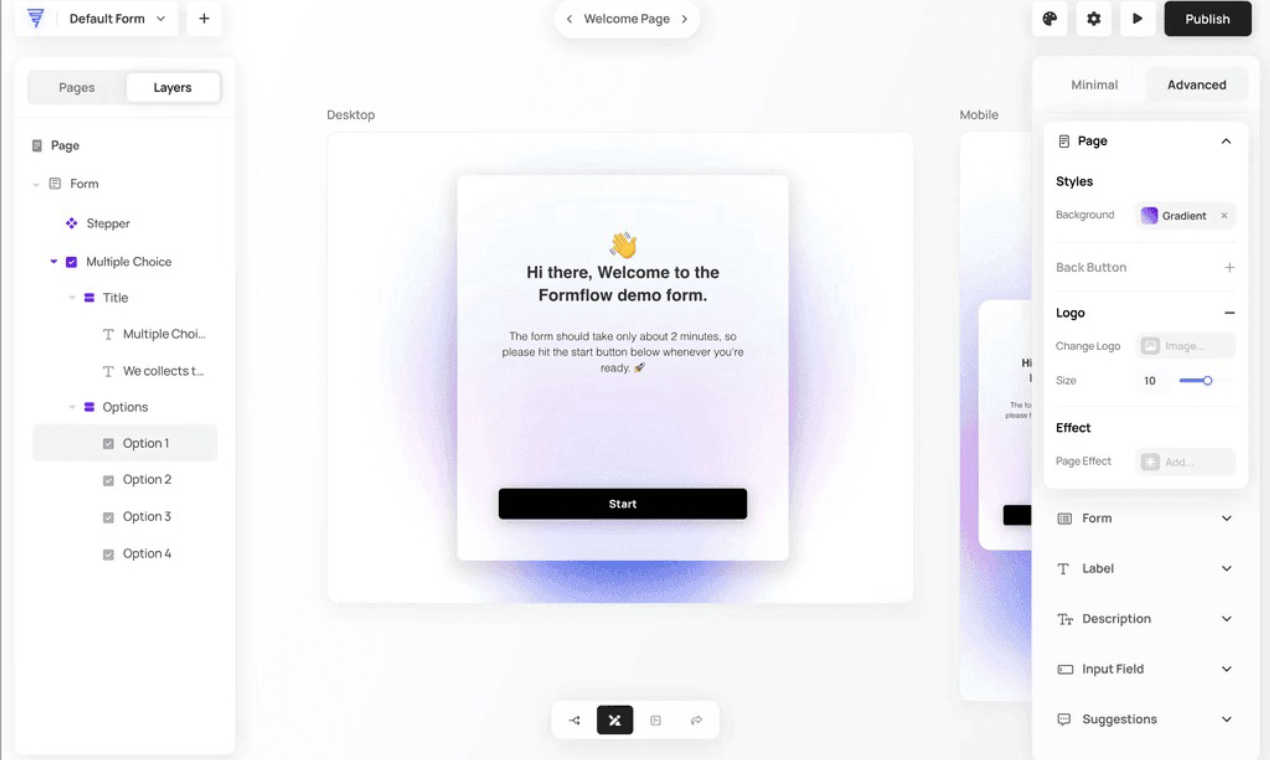
Formflow lets you create smart, interactive forms in seconds, tailored to your audience—no coding needed!.
Last updated: February 26, 2026

The no-nonsense task manager that actually helps you get things done. No clutter. No complexity. Just you and your tasks.
Visual Comparison
Formflow
Tickari

Overview
About Formflow
Forget the boring, static forms that suck the life out of your website. Enter Formflow—the revolutionary no-code experience builder that transforms lead capture into engaging conversations. Designed by a marketer disillusioned with traditional tools, Formflow targets creators, marketers, and business owners who crave more than just data collection; they want to engage and convert. This isn’t just another form builder—it’s your secret weapon for creating interactive, personalized journeys that resonate with your brand. With an intuitive drag-and-drop editor, Formflow allows you to design dynamic forms that adapt in real-time to user responses, ensuring every interaction is meaningful. Imagine multi-step forms that can boost conversions by up to 160%, or smart calculators that deliver instant value. Formflow empowers you to build unique forms that reflect your business's essence. It’s faster, smarter, and more stylish than the legacy tools out there. So why settle for ordinary? Start crafting experiences that convert like crazy.
About Tickari
Tickari is a deliberately minimal, no-nonsense task manager designed for people who are tired of overcomplicated productivity tools and just want to get things done. Instead of overwhelming you with features like complex boards, AI-generated suggestions, or endless customization, Tickari focuses on a simple, frictionless workflow: write a task, tick it off, and move on.
The product embraces a “less but better” philosophy—eliminating clutter, reducing cognitive overhead, and removing the need for onboarding tutorials or setup processes. There are no distractions, no unnecessary decisions, and no feature bloat—just a clean interface that works instantly the moment you open it. This makes it particularly effective for users who feel stuck organizing tasks instead of actually completing them.