DocuExtractor vs Tickari
Side-by-side comparison to help you choose the right AI tool.

DocuExtractor
Transform your chaotic receipts and invoices into neat, structured data with DocuExtractor's lightning-fast AI magic.
Last updated: February 26, 2026

The no-nonsense task manager that actually helps you get things done. No clutter. No complexity. Just you and your tasks.
Visual Comparison
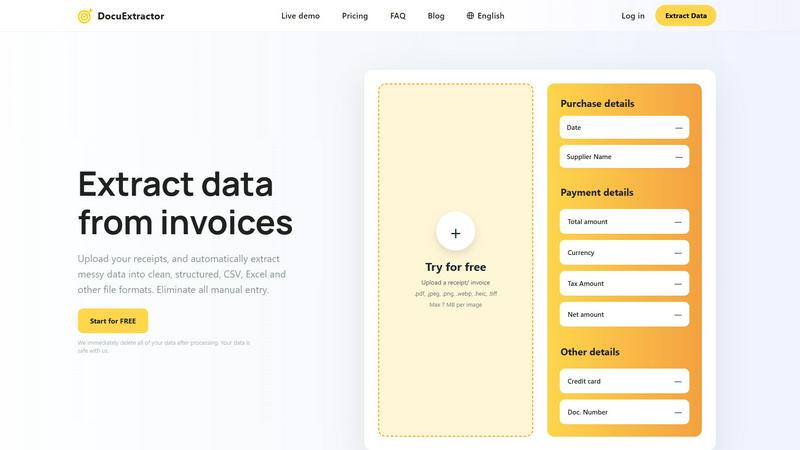
DocuExtractor
Tickari

Overview
About DocuExtractor
Tired of drowning in a sea of crumpled receipts, blurry PDFs, and endless invoices? Say hello to DocuExtractor, your digital lifeguard in the chaotic waters of financial paperwork. This isn't just another converter; it's your AI-powered financial sidekick crafted to annihilate tedious manual data entry. Designed for the grind of accountants, bookkeepers, and finance pros, DocuExtractor harnesses a powerhouse combo of cutting-edge OCR, deep learning, and LLM (AI) to instantly transform your messy documents—receipts, invoices, bank statements, you name it—into pristine, structured data. Simply upload a batch, hit go, and watch it extract key details like dates, totals, supplier names, and tax amounts with insane 99.6% accuracy. The result? Clean, ready-to-use CSV or Excel files that slide perfectly into your accounting software, saving you hours of soul-crushing, error-prone typing every single week. It's fast, fully automated, and secure, with your data deleted post-processing. Stop wasting precious time on manual grind and start automating your financial workflow with DocuExtractor.
About Tickari
Tickari is a deliberately minimal, no-nonsense task manager designed for people who are tired of overcomplicated productivity tools and just want to get things done. Instead of overwhelming you with features like complex boards, AI-generated suggestions, or endless customization, Tickari focuses on a simple, frictionless workflow: write a task, tick it off, and move on.
The product embraces a “less but better” philosophy—eliminating clutter, reducing cognitive overhead, and removing the need for onboarding tutorials or setup processes. There are no distractions, no unnecessary decisions, and no feature bloat—just a clean interface that works instantly the moment you open it. This makes it particularly effective for users who feel stuck organizing tasks instead of actually completing them.