
AI Photo Editor vs seedream 5
Side-by-side comparison to help you choose the right AI tool.

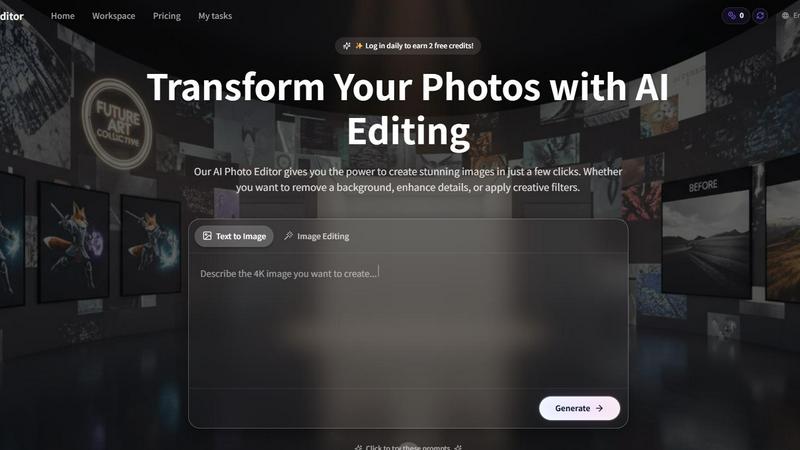
AI Photo Editor
Transform your photos into stunning works of art effortlessly with our AI Photo Editor, perfect for any creative vibe.
Last updated: February 26, 2026

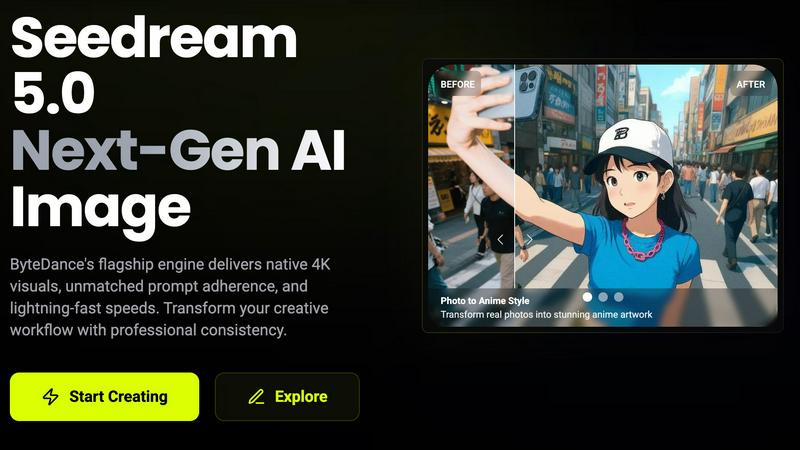
seedream 5
Unleash your creativity with Seedream 5, delivering stunning 4K images and smart editing at lightning speed.
Last updated: February 28, 2026
Visual Comparison
AI Photo Editor
seedream 5
Feature Comparison
AI Photo Editor
AI-Powered Background Remover
Eliminate distractions and make your subject the star of the show with our AI background remover. Instantly achieve clean, precise cutouts, perfect for everything from professional headshots to eye-catching social media graphics. Just upload your image, and watch as the background vanishes in seconds, giving your photos that sleek, polished look.
One-Click Photo Enhancement
Why spend hours tweaking your images when you can enhance them with a single click? Our AI automatically adjusts lighting, sharpness, and color balance, delivering vibrant, professional-quality images that will make your photos shine. Ideal for portraits, landscapes, or product images, this feature takes your editing game to new heights without the hassle.
Smart Photo Filters
Get ready to transform your photography with a dazzling array of AI-powered filters tailored to suit any mood or aesthetic. Simple to use, these filters allow you to experiment and preview effects in real-time. With just one tap, you can give your images a unique flair, elevating your visuals and impressing your audience effortlessly.
Batch Editing Tools
Why edit photos one-by-one when you can streamline your workflow with our batch editing tools? Perfect for busy content creators, e-commerce sellers, and photographers, this feature allows you to apply enhancements, filters, or background removals to entire folders of images in one go. Save time without sacrificing quality, and watch your productivity soar!
seedream 5
Native 4K Quality
Seedream 5.0 outputs images at a stunning native 4K resolution, ensuring exceptional texture fidelity and detail. Forget about post-upscaling—this tool delivers true high-definition images directly suited for professional print and digital applications.
Lightning-Fast Generation
Experience mind-blowing speeds with Seedream 5.0, generating professional-quality images in seconds. Its powerful engine provides up to 10 times faster image creation, allowing creatives to meet tight deadlines without sacrificing quality.
Smart Background Replacement
Transform your images effortlessly with Seedream 5.0's AI-driven background replacement feature. With just one click, you can add or remove elements, change environments, and adjust lighting, all while maintaining a hyper-realistic look.
Multi-Image Consistency
Maintain the same character designs and brand elements effortlessly across multiple images. Seedream 5.0 ensures visual coherence, making it a vital tool for webcomics, storyboards, advertising campaigns, and any serialized content requiring consistent aesthetics.
Use Cases
AI Photo Editor
Social Media Content Creation
Elevate your social media presence by creating stunning visuals that grab attention and drive engagement. Whether you want to enhance selfies, create vibrant posts for Instagram, or design eye-catching graphics, the AI Photo Editor provides everything you need to stand out in the crowded digital landscape.
E-Commerce Product Photography
Make your products irresistible with polished images that showcase their best features. The AI Photo Editor helps e-commerce businesses create professional-grade product shots, allowing potential customers to see every detail clearly. With features like background removal and one-click enhancements, your listings will shine and convert like never before.
Professional Headshots
Level up your LinkedIn profile or resume with eye-catching headshots that make a lasting impression. The AI Photo Editor’s background removal and enhancement tools ensure your photos are clean, professional, and ready for any opportunity. Show the world your best side, literally!
Creative Projects and Art
Unleash your inner artist and turn everyday photos into stunning works of art. Whether you're designing promotional materials, crafting personal projects, or just having fun with photography, the AI Photo Editor allows you to experiment with filters and enhancements, giving your creative visions the polish they deserve.
seedream 5
Comic and Graphic Novel Creation
Artists can utilize Seedream 5.0 to create consistent character designs across comic panels. The tool’s multi-image consistency feature ensures that characters' appearances remain coherent, enhancing storytelling and visual engagement.
Marketing and Branding
Marketers can generate eye-catching visuals for campaigns, social media, and promotional materials. With high-precision text rendering, Seedream 5.0 allows for the swift creation of marketing posters and banners that stand out and effectively communicate brand messages.
Concept Art and Prototyping
Game developers and filmmakers can speed up their creative processes by using Seedream 5.0 for concept art and visual prototypes. The ability to quickly generate high-quality images allows teams to visualize ideas and iterate rapidly.
Personalized Artwork
Whether for gifts or personal projects, users can transform real photos into unique anime-style artwork or day-to-night scene transformations, showcasing the versatility of Seedream 5.0 in creating personalized visual experiences.
Overview
About AI Photo Editor
Meet the AI Photo Editor, your ultimate sidekick in the quest for visual perfection! This isn’t just any editing tool; it’s a turbo-charged powerhouse that harnesses the latest in artificial intelligence to transform your images from drab to fab in mere seconds. Designed for everyone—from social media stars looking to dazzle their followers to e-commerce moguls polishing product shots—the AI Photo Editor is built for speed, quality, and creative freedom. Say goodbye to complicated editing suites and endless hours of tweaking sliders. With this tool, you can achieve stunning, professional-grade visuals with a few simple clicks. Whether you're enhancing colors, removing backgrounds, or applying chic filters, the AI Photo Editor empowers you to unleash your creativity without the steep learning curve. It’s your secret weapon for making every photo pop and turning ordinary moments into extraordinary masterpieces. Get ready to elevate your visual game!
About seedream 5
Seedream 5.0 is the powerhouse AI image generation tool from ByteDance that’s taking the creative world by storm. Designed for artists, designers, marketers, and anyone who craves stunning visuals at lightning speed, Seedream 5.0 delivers native 4K quality images in mere seconds. With advanced prompt adherence and superior output consistency, this tool revolutionizes the creative workflow, allowing users to transform concepts into breathtaking visuals effortlessly. Whether you are looking to create captivating marketing materials, stunning artwork, or detailed character designs, Seedream 5.0 provides the professional-grade quality you need. It’s not just about images; it’s about pushing the boundaries of creativity, making it the ultimate tool for those who want to stand out in a visually saturated world.
Frequently Asked Questions
AI Photo Editor FAQ
How does the AI Photo Editor work?
The AI Photo Editor uses advanced algorithms to analyze your photos and apply edits automatically. Simply upload your image, choose your desired tool, and watch as the AI transforms your photo in seconds, making it accessible for users of all skill levels.
Can I use the AI Photo Editor on my mobile device?
Absolutely! The AI Photo Editor is optimized for both desktop and mobile devices. You can easily upload images and edit them on the go, making it perfect for busy creators who need to work from anywhere.
Is there a limit to the number of photos I can edit at once?
With our batch editing tools, you can edit entire folders of images simultaneously! This feature is designed to save you time and streamline your workflow, ensuring you can handle large volumes of photos without breaking a sweat.
Do I need design skills to use the AI Photo Editor?
Not at all! The AI Photo Editor is built for everyone, regardless of their design experience. With its user-friendly interface and automated features, you can create stunning images without any prior editing skills, making it perfect for beginners and pros alike.
seedream 5 FAQ
What is Seedream 5.0?
Seedream 5.0 is an advanced AI image generation tool by ByteDance that creates native 4K quality images quickly, offering features like smart background replacement and multi-image consistency for professional creatives.
How fast can Seedream 5.0 generate images?
Seedream 5.0 can produce professional-quality images in seconds, boasting a generation speed that is up to ten times faster than previous versions, making it ideal for time-sensitive projects.
Can I edit images after they are generated?
Yes! Seedream 5.0 allows for multi-turn conversational editing, enabling users to refine and adjust images through text instructions without starting over, ensuring a smooth and efficient editing process.
Is there a free trial available for Seedream 5.0?
Yes, Seedream 5.0 offers a free trial, allowing users to explore its features and capabilities before committing to a paid plan, making it accessible for everyone to experience its potential.
Alternatives
AI Photo Editor Alternatives
The AI Photo Editor is a cutting-edge tool that falls under the Image & Photo category, designed to transform your ordinary images into mesmerizing visuals with just a click. Users flock to this powerhouse for its ability to eliminate the tediousness of traditional photo editing, but they often find themselves exploring alternatives due to factors like pricing, specific feature sets, or compatibility with their devices. When hunting for an alternative, consider the features that matter most to you—whether it's ease of use, customization options, or unique editing capabilities. Look for tools that align with your creative vision while ensuring they fit within your budget and meet your platform requirements.
seedream 5 Alternatives
Seedream 5 is a cutting-edge AI image generation tool from ByteDance that fits squarely in the realm of creative technology. Designed to unleash the artistic potential of users—whether they're artists, marketers, or designers—Seedream 5 delivers breathtaking 4K images with lightning-fast generation speeds. However, users often seek alternatives for various reasons, including pricing, specific feature sets, or compatibility with different platforms and workflows. When searching for an alternative, it’s essential to consider factors like image quality, speed, ease of use, and the range of creative options available, ensuring that the tool aligns with your unique creative needs. --- [{"question": "What is seedream 5?", "answer": "Seedream 5 is an AI image generation tool that produces stunning 4K images rapidly, ideal for creatives in various fields."}, {"question": "Who is seedream 5 for?", "answer": "Seedream 5 is designed for artists, designers, marketers, and anyone looking to create high-quality visuals quickly and efficiently."}, {"question": "Is seedream 5 free?", "answer": "The pricing structure for Seedream 5 may vary, and users should check the official site for the most current information."}, {"question": "What are the main features of seedream 5?", "answer": "Key features of Seedream 5 include native 4K output, lightning-fast image generation, smart background replacement, and multi-image consistency."}]