

AI Photo Editor
Transform your photos into stunning works of art effortlessly with our AI Photo Editor, perfect for any creative vibe.
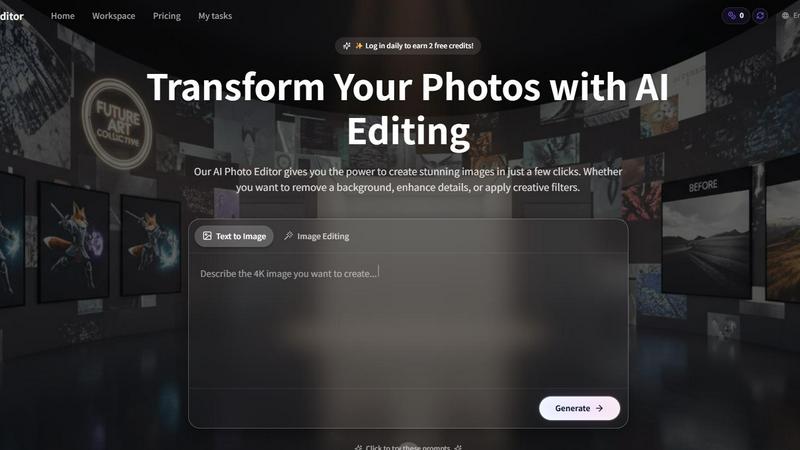
About AI Photo Editor
Meet the AI Photo Editor, your ultimate sidekick in the quest for visual perfection! This isn’t just any editing tool; it’s a turbo-charged powerhouse that harnesses the latest in artificial intelligence to transform your images from drab to fab in mere seconds. Designed for everyone—from social media stars looking to dazzle their followers to e-commerce moguls polishing product shots—the AI Photo Editor is built for speed, quality, and creative freedom. Say goodbye to complicated editing suites and endless hours of tweaking sliders. With this tool, you can achieve stunning, professional-grade visuals with a few simple clicks. Whether you're enhancing colors, removing backgrounds, or applying chic filters, the AI Photo Editor empowers you to unleash your creativity without the steep learning curve. It’s your secret weapon for making every photo pop and turning ordinary moments into extraordinary masterpieces. Get ready to elevate your visual game!
Features of AI Photo Editor
AI-Powered Background Remover
Eliminate distractions and make your subject the star of the show with our AI background remover. Instantly achieve clean, precise cutouts, perfect for everything from professional headshots to eye-catching social media graphics. Just upload your image, and watch as the background vanishes in seconds, giving your photos that sleek, polished look.
One-Click Photo Enhancement
Why spend hours tweaking your images when you can enhance them with a single click? Our AI automatically adjusts lighting, sharpness, and color balance, delivering vibrant, professional-quality images that will make your photos shine. Ideal for portraits, landscapes, or product images, this feature takes your editing game to new heights without the hassle.
Smart Photo Filters
Get ready to transform your photography with a dazzling array of AI-powered filters tailored to suit any mood or aesthetic. Simple to use, these filters allow you to experiment and preview effects in real-time. With just one tap, you can give your images a unique flair, elevating your visuals and impressing your audience effortlessly.
Batch Editing Tools
Why edit photos one-by-one when you can streamline your workflow with our batch editing tools? Perfect for busy content creators, e-commerce sellers, and photographers, this feature allows you to apply enhancements, filters, or background removals to entire folders of images in one go. Save time without sacrificing quality, and watch your productivity soar!
Use Cases of AI Photo Editor
Social Media Content Creation
Elevate your social media presence by creating stunning visuals that grab attention and drive engagement. Whether you want to enhance selfies, create vibrant posts for Instagram, or design eye-catching graphics, the AI Photo Editor provides everything you need to stand out in the crowded digital landscape.
E-Commerce Product Photography
Make your products irresistible with polished images that showcase their best features. The AI Photo Editor helps e-commerce businesses create professional-grade product shots, allowing potential customers to see every detail clearly. With features like background removal and one-click enhancements, your listings will shine and convert like never before.
Professional Headshots
Level up your LinkedIn profile or resume with eye-catching headshots that make a lasting impression. The AI Photo Editor’s background removal and enhancement tools ensure your photos are clean, professional, and ready for any opportunity. Show the world your best side, literally!
Creative Projects and Art
Unleash your inner artist and turn everyday photos into stunning works of art. Whether you're designing promotional materials, crafting personal projects, or just having fun with photography, the AI Photo Editor allows you to experiment with filters and enhancements, giving your creative visions the polish they deserve.
Frequently Asked Questions
How does the AI Photo Editor work?
The AI Photo Editor uses advanced algorithms to analyze your photos and apply edits automatically. Simply upload your image, choose your desired tool, and watch as the AI transforms your photo in seconds, making it accessible for users of all skill levels.
Can I use the AI Photo Editor on my mobile device?
Absolutely! The AI Photo Editor is optimized for both desktop and mobile devices. You can easily upload images and edit them on the go, making it perfect for busy creators who need to work from anywhere.
Is there a limit to the number of photos I can edit at once?
With our batch editing tools, you can edit entire folders of images simultaneously! This feature is designed to save you time and streamline your workflow, ensuring you can handle large volumes of photos without breaking a sweat.
Do I need design skills to use the AI Photo Editor?
Not at all! The AI Photo Editor is built for everyone, regardless of their design experience. With its user-friendly interface and automated features, you can create stunning images without any prior editing skills, making it perfect for beginners and pros alike.
Explore more in this category:
Similar to AI Photo Editor

Remove Background Online
Free background remover that runs entirely in your browser — zero uploads, full resolution, no watermark. Your photos never leave your device.

Sprite Sheet Maker
A free browser-based toolkit for creating, cutting, converting, and previewing sprite sheet animations.

Reduce Image Quality
Free browser-based tool that lowers image quality and shrinks JPG, PNG and WebP files. No upload, no signup, no watermark.

TryKlingAI
Kling AI video generation with text, image, motion, audio, and API workflows.

Compare stays and tours
Guided tours, holiday parks, bungalows and stays from multiple providers in one place. Filter by destination, price and type to find what fits you.


Image to Layers AI
用 AI 把任意一张平面图片拆成可编辑的透明图层(PNG/PSD)

AI STL Generator
The fastest AI STL generator to turn prompts and images into 3D printable STL files.