
Alternatives to Vavus AI
Explore the best alternatives and competitors to Vavus AI.
Explore 20 alternatives to Vavus AI. Compare features, pricing, and find the best fit for your needs.
Statement2QBO
Bank statement PDF to QBO, Excel and Xero. Runs in your browser; three pages a day are free.

Emailyy
Free email tools for signatures, subject lines, HTML previews, word counts, and email headers. Browser-based, simple to use, and no signup required.

Uniclip
Clip pages, take full-page screenshots and batch-capture list data to Notion, Feishu, Obsidian, Markdown, CSV or JSON.
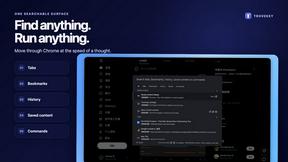
TroveKey
Search tabs, Chrome bookmarks and history, run browser commands, and save webpages and social posts locally—no account.
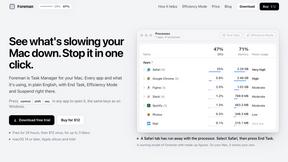
Foreman
See every app and what it's using in plain English, and end or slow down the one that's hogging your Mac.
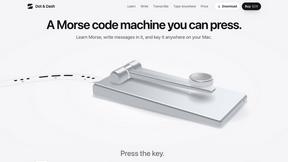
Dot & Dash
Learn Morse code on a machine you can press. Write and send messages, turn Morse into text and back, and key Morse in any app on your Mac.
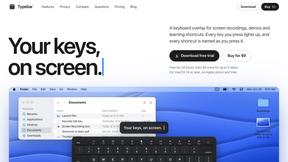
Typebar
Every key you press lights up on an on-screen keyboard, and each shortcut is named as you press it.
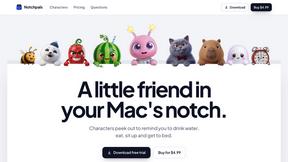
Notchpals
Little characters peek out of your Mac's notch to remind you to drink water, eat, sit up and get to bed. Quiet during calls. $4.99 once.

LightScreen
Free light screen tool online. Turn any display into a flashlight, ambient light, or solid-color screen. No download or sign-up.

PLRental
Rental agency software: scan a customer ID, get a signed contract in under a minute, and manage fleet, customers, and invoices.

Agent Pets
Your Claude Code & Codex sessions as pets in Chrome. Approve, deny and reply to your coding agents from any tab.

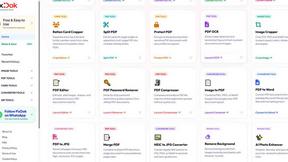
Pixdok
PixDok is a browser-based toolkit for common document and image tasks without requiring desktop software installation.
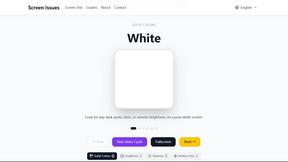
Screen Issues
Free Online Screen Test Tool - Instantly diagnose dead pixels, lines, color issues, and flickering. Multiple test modes, no download needed.
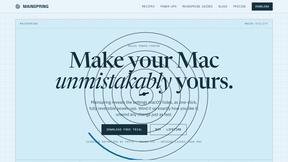
Mainspring
Mainspring turns the settings macOS hides into 90+ one-click, fully reversible power-ups for Finder, Dock, screenshots and more. $29 once.
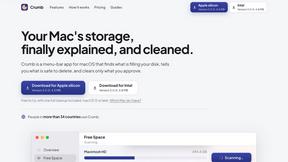
Crumb
A Mac menu bar app for a full disk. See what is using your space, read whether it comes back on its own, and remove only what you tick.
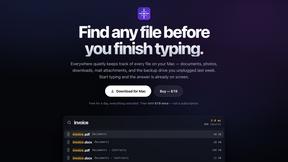
Everywhere
Fast file search for the Mac. Results as you type, files inside Mail and Photos, works with Wi-Fi off. $19 once.

Basalt
Eighteen PDF tools in one native Mac window: merge, split, compress, OCR, Bates numbering, forms, signing and redaction. Offline. $29 once.
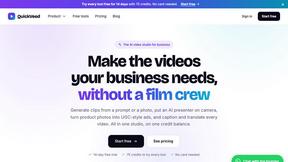
QuickVeed
AI video studio: subtitles translated into 32 languages, AI dubbing in your own voice, podcast-to-clips and 34 free video tools.
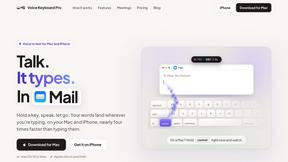
Voice Keyboard Pro
Hold a key, say what you mean, let go. Clean, punctuated text lands at the cursor in any app on your Mac or iPhone.
About Vavus AI Alternatives
Vavus AI is a beast in the language and productivity space, mashing together real-time voice and text translation across 200+ languages with an AI-powered keyboard and a squad of on-demand AI assistants. It’s essentially a Swiss Army knife for anyone who needs to break language barriers and boost workflow, but let’s be real—not every tool fits every hand. Users start hunting for alternatives when the freemium model hits its limits, the pricing for Pro or Enterprise tiers gets too steep, or they need a more specialized solution that doesn’t bundle everything into one ecosystem. Maybe you’re a solo dev who just wants raw translation without the keyboard fluff, or a team that needs deep integrations Vavus doesn’t offer yet. When you’re shopping for a replacement, keep your eyes on the core triggers: translation accuracy in your target languages, whether you need real-time conversation support or just text, and how the privacy game stacks up. Vavus brags about client-side encryption, but not every alternative will match that level of paranoia. Think about your platform—mobile, desktop, or web—and whether you’re willing to pay for a dedicated tool versus a freemium one that throttles you. Also, check if you need that assistant layer or if a straight-up translator app gets the job done without the extra weight.
FAQs about Vavus AI Alternatives
What is Vavus AI?
Vavus AI is a real-time voice and text translation platform that supports over 200 languages, combining a Google Translate-based mode with an AI-context mode powered by models like GPT-5 and Gemini 2.5 for more natural translations. It also includes Vavus Keyboard, a cross-platform keyboard with dictation and translation features, and VClaw, an AI assistant platform that lets users configure up to 10 assistants per account. The platform runs on iOS, Android, web, and desktop, making it a versatile tool for communication and productivity.
Who is Vavus AI for?
Vavus AI is designed for travelers, remote workers, multilingual professionals, and anyone who needs seamless translation and dictation across apps and devices. It’s also ideal for healthcare providers with its HIPAA-compliant tier, as well as power users who want customizable AI assistants through VClaw. Essentially, it’s for anyone who needs to bridge language gaps or boost productivity without switching between multiple tools.
Is Vavus AI free?
Yes, Vavus AI operates on a freemium model, meaning every account starts free with basic access to translation, dictation, and AI tools. Paid tiers include Personal, Pro, and Enterprise plans that unlock higher usage limits, more storage, and additional features like HIPAA compliance for clinical use. The free version is a solid entry point, but heavy users will likely need to upgrade for full functionality.
Is Vavus AI secure?
Vavus AI takes security seriously by encrypting all new user data—history, documents, audio, and messages—client-side before it ever reaches their servers, ensuring they cannot read it. For healthcare users, the HIPAA-compliant tier adds encrypted storage, audit logging, and strict data-retention controls. This makes it a strong choice for privacy-conscious users who want to keep their conversations and files locked down.