
Alternatives to Spark Robin AI
Explore the best alternatives and competitors to Spark Robin AI.
Explore 20 alternatives to Spark Robin AI. Compare features, pricing, and find the best fit for your needs.
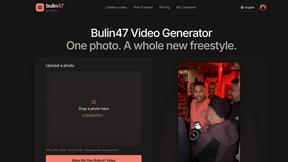
Bulin 47 Video Generator
AI Video Bulin47 lets you put yourself in the viral Bulin47 video trend with AI. Upload your photo, create a personalized Bulin47 video, and share it.
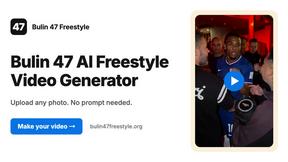
Bulin 47 AI Freestyle Video Generator
Upload any photo and get your own Bulin 47 AI Freestyle video
AI Face Swap Video
Swap any face into any video online with AI in minutes. Upload a clip and a photo, get natural lighting and expressions. Free credits on sign-up.
FreeCreate
Create AI images from text or reference photos and turn prompts or still images into short videos with FreeCreate. Start free, no account needed.
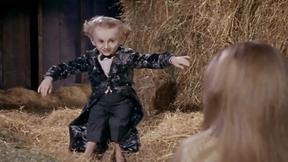
Rumpelstiltskin AI Video Generator
Make the viral Rumpelstiltskin tiptoe dance meme video from two photos

AdsTurbo
AI video ad generator for ecommerce: clone winning ads, turn product URLs into video ads, translate ads into 35+ languages with lip sync.
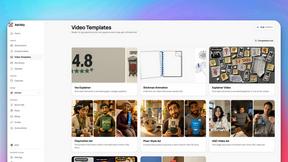
Advibly
Get to know your customers and competitors, then make ads, videos and social posts with your AI agent.
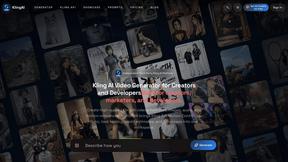
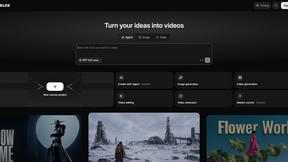
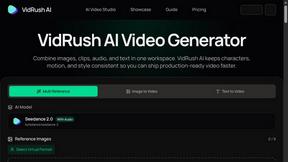
VidRush AI
AI long video generator combining images, video, audio and text into controllable, production-ready AI videos.
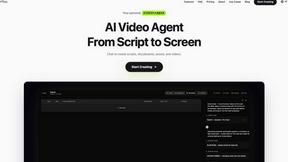
Pixo
Pixo is an AI video director that turns a prompt or script into a storyboard, consistent scenes, voiceover, and an edited final cut.
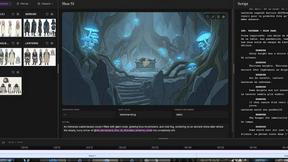
ScreenWeaver
Write the script, build the storyboard from it, and drive AI video prompts, all in one project.
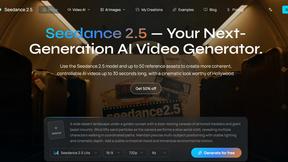
Seedance 2.5
Seedance 2.5 is a multimodal AI video generator by ByteDance for 30-second, high-fidelity cinematic video creation and AI video editing.
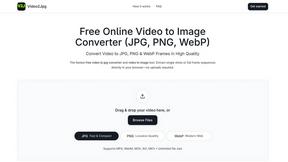
Video2Jpg
Convert video to JPG, PNG, or WebP frames in your browser. High-quality video to image converter with no uploads—fast, private, and free.
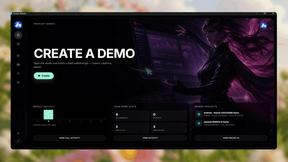
Screen Beaver
Create product videos manually or let your AI agent control Screen Beaver through MCP—no mouse or keyboard needed.
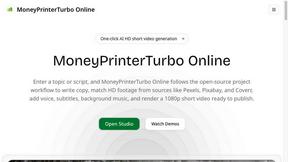
MoneyPrinterTurbo Online
One-click AI tool that turns a topic or script into a publish-ready 1080p short video with narration, stock footage, subtitles and music.
About Spark Robin AI Alternatives
Spark Robin AI is a browser-native video generator that drops the entire film studio into your browser tab, letting you turn raw text prompts or static images into short, high-energy video clips without touching a single timeline or effects panel. It’s a hardcore player in the AI video generation category, built around the latest Spark Robin model to keep the output crisp and the workflow stupidly fast. But here’s the thing—not every creator vibes with the same tool. Users start hunting for alternatives when the pricing model feels like a wallet punch, the feature set doesn’t stretch far enough for complex projects, or the platform doesn’t play nice with their specific workflow, like needing longer runtimes, more granular controls, or integration with other production pipelines. When you’re scoping out a replacement, don’t just chase the flashiest demo. Look for raw generation speed, supported video lengths, and whether the AI actually respects your uploaded images instead of hallucinating chaos. Check if the platform offers export flexibility, like 4K resolution or transparent backgrounds, and whether it stays browser-based or demands a local GPU farm. Most importantly, test how the tool handles your specific use case—short-form social bangers, product demos, or abstract art loops—because the best alternative isn’t the one with the most features, it’s the one that makes your creative flow feel like cheating.
FAQs about Spark Robin AI Alternatives
What is Spark Robin AI?
Spark Robin AI is an AI video generation platform hosted at SparkRobin.art, powered by the latest Spark Robin model. It allows users to generate short-form videos directly from text prompts or by animating uploaded images into dynamic clips, all within a browser-native environment. The platform is designed to eliminate the need for traditional video editing software, making video creation fast and accessible.
Who is Spark Robin AI for?
Spark Robin AI is built for content creators, marketers, social media managers, and hobbyists who need to produce short, high-quality videos quickly without deep video editing skills. It’s ideal for anyone who wants to turn text ideas or static images into engaging visual content for platforms like TikTok, Instagram Reels, or YouTube Shorts. The tool is also suited for professionals seeking a rapid prototyping solution for video concepts.
Is Spark Robin AI free?
The provided content does not specify a free tier or pricing structure for Spark Robin AI. Users should visit SparkRobin.art directly to check for any free trial options, credit-based systems, or subscription plans. Typically, AI video generators offer limited free usage to test the platform before committing to a paid plan.
What are the main features of Spark Robin AI?
Spark Robin AI’s main features include text-to-video generation, image-to-video animation, and a browser-native interface that requires no software downloads. It is powered by the latest Spark Robin model to produce high-quality short-form videos from simple prompts or uploaded visuals. The platform focuses on speed and accessibility, allowing users to create dynamic clips without traditional editing workflows.