
Alternatives to SilentCut
Explore the best alternatives and competitors to SilentCut.
Explore 20 alternatives to SilentCut. Compare features, pricing, and find the best fit for your needs.

FoxyLab
FoxyLab makes product videos and banner sets from chat prompts, with plain-language edits and several output sizes.

Seedream 5.5
Seedream 5.5 is an independent image creation and editing workspace for prompts, reference images, and adjustable output settings.

Thridy
Find consistent 3D icons as transparent PNGs, with daily download limits and attribution on the free plan and paid upgrades.

Flux3Max.io
Flux3Max.io creates short videos from prompts, photos, or keyframes, with sound and portrait or landscape output options.

LayerSplit
LayerSplit converts a flattened image into editable layers, rebuilding the background and exporting transparent PNGs or a layered PSD.

TubeMind
TubeMind helps YouTube creators assess niches, find outlier videos and use research examples to shape titles, hooks and scripts.

Neurohelper AI
A multi-model workspace for making chat, images, video and audio, with shared credits and a way to continue projects across creative tools.

PullClip
PullClip makes supported video and audio downloads simple, with source-based quality choices, clip trimming and frame export.

Infograph
Infograph reshapes text and meeting notes into visual stories, with source-checked figures and formats for sharing or export.
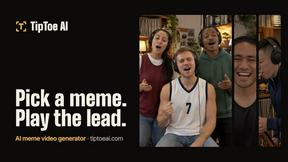
TipToe AI
TipToe AI creates AI meme videos from photos, placing people into prepared scenes for sharing on social platforms.

Remix the Trend
Turn photos into short AI videos using ready-made templates inspired by viral TikTok, Reels, and Shorts trends.

TokClip
Turn one or two photos into short AI videos based on TikTok and Reels trends, using ready-made templates with no prompts to write.
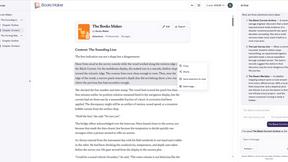
Books Maker
Books Maker assists book creation with AI outlining, chapter drafting and editing for writers across 11 languages.

StarTurn
StarTurn turns photos of people or pets into short AI videos using templates based on trends taking off on TikTok.

Convia
Convia turns podcast recordings into social posts, clips, newsletters and show notes, then schedules approved campaigns across platforms.

Quick Viral Notes
Turn Substack articles into social posts with a two-stage insight and formula workflow, then edit and schedule them.

TextFlick
TextFlick turns written conversations into vertical chat videos with messenger styles, an editable preview, and downloads for short-form social posts.

ScaleReach
ScaleReach turns long videos into captioned short clips, with AI moment detection and automatic reframing for creators publishing to social platforms.
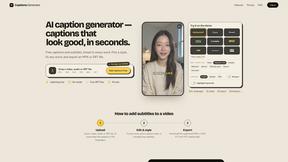
Captions Generator
Captions Generator transcribes video or audio into timed subtitles, then lets creators style, translate, and export captions.

FlipHTML5 Downloader
Turn any FlipHTML5 flipbook into a high-quality PDF in your browser - free, open source, and no signup required.
About SilentCut Alternatives
Compare the web editor with a plugin based on where you prefer to review and manage a sequence. If your only requirement is removing gaps, compare the free Silence Remover with manual trimming. For speech cleanup and take selection, compare monthly AI hours and job capacity against your expected workload before settling on an approach.
FAQs about SilentCut Alternatives
How can I estimate whether a plan has enough capacity?
Use footage hours rather than clip count: short-video estimates vary with raw recording length and how you use the tools.
What should I compare between web and plugin use?
Compare where you want to work in the sequence and how the review step fits your editing process.