
Alternatives to Seedream AI Studio
Explore the best alternatives and competitors to Seedream AI Studio.
Explore 20 alternatives to Seedream AI Studio. Compare features, pricing, and find the best fit for your needs.
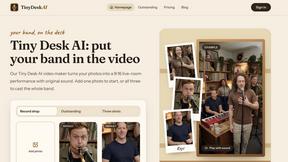
Tiny Desk AI Video Maker
Create a vertical Tiny Desk-style concert video from up to three photos with original music.
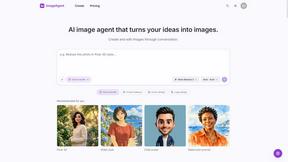
ImageAgent
Create and edit AI images through conversation, using text or reference images and refining results in chat.
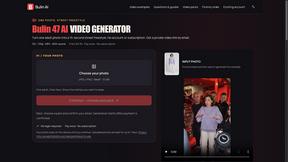
Bulin AI
Create a 15-second Bulin 47 AI freestyle video from one permitted portrait. One-time packs from $9.90, email delivery, no account or subscription.


GenX
All-in-one AI workspace to generate images, videos, and audio with multiple leading AI models.
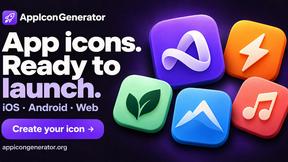
AppIconGenerator
Generate iOS and Android app icons from any image and export all platform sizes for free.
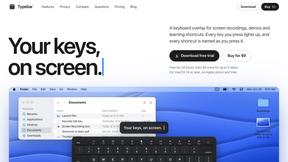
Typebar
Every key you press lights up on an on-screen keyboard, and each shortcut is named as you press it.
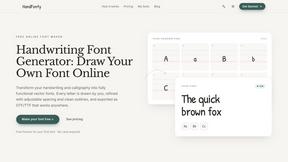
HandFonty
Draw each letter in your browser and download your handwriting as a real OTF/TTF font. Your first font is free. No AI required.

Design.com AI Image Generator
Turn text prompts into polished, copyright-safe visuals that plug directly into branded templates
FastH3 Omni
Run FastH3 Omni in your browser. Up to 9 reference images plus 3 audio references become a 5–15s clip with synced audio. No install, no GPU.
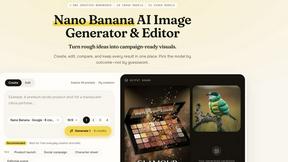
Nano AI
Create and edit AI images, generate videos, and compare models in one creative workbench.
YIX
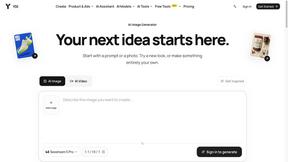
YIX combines AI image and video generation, photo editing, restoration, product visuals and free prompt tools in one browser studio.
Pixdok
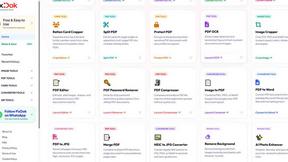
PixDok is a browser-based toolkit for common document and image tasks without requiring desktop software installation.


QuickVeed
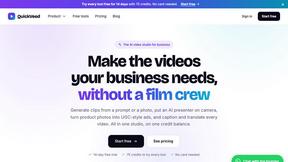
AI video studio: subtitles translated into 32 languages, AI dubbing in your own voice, podcast-to-clips and 34 free video tools.
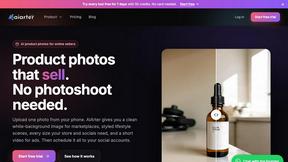
AiArter
AI product photos and UGC video ads for Amazon, Etsy and Shopify sellers, made from one phone photo.
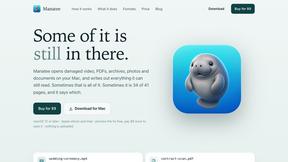
Manatee
A Mac app that opens damaged video, PDFs, archives and documents and writes out everything it can still read. $9 once, no uploads.
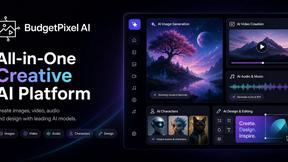
Budgetpixel AI
Create and edit AI images, videos, music, and designs in one workspace, with multiple models, reusable characters, and API access.
About Seedream AI Studio Alternatives
SECTION 1 - ALTERNATIVES INTRO Seedream AI Studio is a raw, browser-based creative beast that lets you generate images using the latest Seedream models, then instantly transform your best picks into short, punchy videos without ever leaving the tab. It sits right at the intersection of content creation, design tools, video production, and image generation, giving you a one-stop shop to go from a wild prompt to a slick animation in seconds flat. But let’s be real—no tool fits every vibe perfectly. Creators start hunting for alternatives when the free tier feels too restrictive, the model comparisons get overwhelming, or they need deeper video editing chops, platform integrations, or a workflow that doesn’t lock them into a single ecosystem. When you’re scoping out a replacement, don’t just chase flashy features. Look for a tool that balances raw generation power with smooth animation capabilities, offers transparent pricing without hidden paywalls, and supports multiple model versions so you can A/B test like a pro. You also want a platform that feels native to your workflow—whether that’s batch processing, real-time collaboration, or exporting in formats that don’t break your pipeline. The best alternative will give you that same adrenaline hit of instant creation but with the flex to scale, customize, or integrate exactly how you need it.
FAQs about Seedream AI Studio Alternatives
What is Seedream AI Studio?
Seedream AI Studio is an independent browser-based creative tool that lets you generate images using current Seedream models, compare outputs across versions, and turn selected images into short videos all in one seamless workflow. It supports Seedream 5.0, 5.0 Lite, 4.5, and 4.0, giving you a single space to move from prompt to image to animation quickly without switching tools.
Who is Seedream AI Studio for?
Seedream AI Studio is built for content creators, digital artists, video editors, and designers who want to rapidly prototype visual ideas and turn them into short-form video content. It’s perfect for anyone who needs a streamlined, browser-based pipeline to generate, compare, and animate images without deep technical skills or complex software installations.
Is Seedream AI Studio free?
Yes, Seedream AI Studio offers a free tier that lets you generate images and create short videos, making it accessible for experimentation and light projects. However, heavy usage or access to premium model versions may require a paid plan, so check the current pricing model for full details on limits and upgrades.
What are the main features of Seedream AI Studio?
The main features include generating images with Seedream 5.0, 5.0 Lite, 4.5, and 4.0 models, comparing outputs across different versions side by side, and turning selected images into short videos directly in the browser. It provides a unified workflow from prompt to final animation, with a free tier to get started and a focus on speed and simplicity for creative experimentation.