

Seedream AI Studio
Seedream AI Studio lets you generate images with multiple models and instantly animate them into videos without leaving your browser.
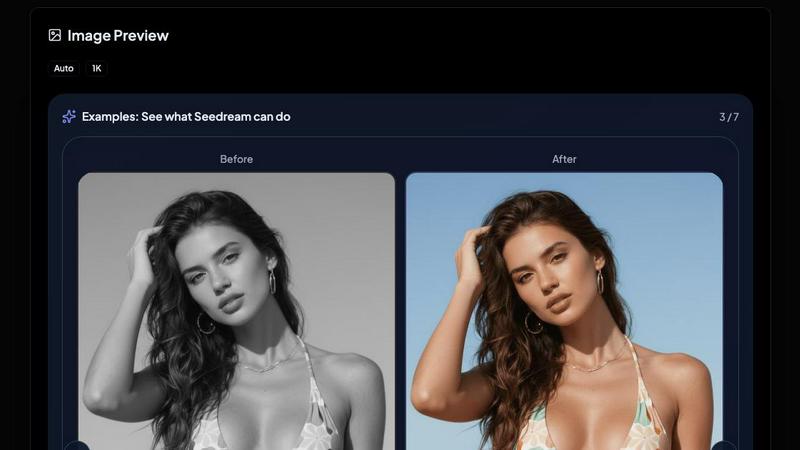
About Seedream AI Studio
Seedream AI Studio is your one-stop browser-based creative command center for generating next-level images and animating them into short videos. It is the independent, web-native tool that packs ByteDance's flagship image models (Seedream 4.0, 4.5, 5.0, and the blazing-fast 5.0 Lite) into a single, slick interface. Forget hopping between tabs or apps. This is where you go from a raw idea to a shareable video in three clicks. The core mission? Give creators, e-commerce pros, and brand builders the ultimate sandbox to draft fast, compare versions, and lock in hero shots without breaking a sweat. You can start a draft on the cheap and speedy 5.0 Lite, then instantly re-run the same prompt on the balanced powerhouse 4.5 or the hyper-realistic 5.0 to see which vibe hits harder. And once you have that perfect image? Hit the ANIMATE THIS button to launch it into a 5 to 15 second video powered by Kling 2.1. It is all here: text-to-image, image-to-image, version comparison, and seamless animation. The tool is built for speed and flexibility, offering a free tier with welcome credits to get you started. Whether you are a solo creator chasing a specific aesthetic or a brand churning out product shots, Seedream AI Studio hands you the keys to the most advanced AI image and video pipeline in one place. No jumping. Just creating.
Features of Seedream AI Studio
Multi-Model Engine Room
Pick your fighter from four distinct Seedream versions right on the same page. Seedream 5.0 delivers the highest fidelity for hero shots and photo-realistic renders. Seedream 4.5 is the balanced default for most production work, hitting the sweet spot of quality and cost. Seedream 5.0 Lite is your go-to for rapid drafting and experimentation, while Seedream 4.0 remains the king of stylized art and illustration. You can swap between them in seconds to compare outputs and find the exact look you need.
One-Click Image-to-Video Animation
This is the killer feature that turns a static masterpiece into a living scene. After generating an image with any Seedream model, just click the big ANIMATE THIS button. The image auto-fills the right-side video card. Add a motion prompt, hit generate, and Kling 2.1 spins it into a 5 to 15 second video. No file exports, no extra tools. It is a seamless pipeline from prompt to animation that keeps your creative flow uninterrupted.
Built-In Version Comparison Workflow
Why guess which model works best for your prompt? Seedream AI Studio lets you run the same prompt across different Seedream versions to compare results side-by-side. Draft on 5.0 Lite for speed, then re-run on 4.5 or 5.0 to see the fidelity upgrade. Or test a stylized prompt on 4.0 against a realistic one on 5.0. This built-in comparison workflow is a game-changer for fine-tuning your creative output without leaving the page.
Flexible Image Generation Controls
You get full command over the output with options for aspect ratio (Auto, 1:1, 16:9, 9:16, and more), resolution (1K, 2K, 4K), and visibility settings (Public or Private). The prompt field supports up to 3000 characters, giving you room to craft detailed descriptions. You can also upload a starting image for image-to-image generation, making it easy to build on existing visuals. Every control is at your fingertips to dial in the exact result you want.
Use Cases of Seedream AI Studio
Rapid Creative Drafting for Social Media
Social media managers and content creators can use Seedream 5.0 Lite to blast through dozens of visual concepts in minutes. Draft a batch of post ideas, compare them with the higher-fidelity models, and select the best ones. Then, animate the winning images into short, scroll-stopping videos for TikTok, Reels, or YouTube Shorts. It is a hyper-efficient pipeline for keeping your feed fresh and engaging without a massive time investment.
E-Commerce Product Visualization and Animation
E-commerce brands can generate stunning, photorealistic product shots on Seedream 5.0, then animate them into dynamic lifestyle videos. Imagine a watch that slowly rotates, a dress that flows in the wind, or a coffee maker that pours steam. This workflow lets you create high-quality product demos and social ads without a photoshoot or video production team. The ability to switch between models also lets you test different aesthetics for different product lines.
Brand Campaign Storyboarding
Brands and agencies can use Seedream AI Studio to rapidly storyboard campaign concepts. Start with stylized art on Seedream 4.0 to capture a unique mood, then refine the best frames on Seedream 4.5 for a more polished look. Finally, animate key scenes to create a rough cut of the campaign video. This allows for fast iteration and client feedback before committing to expensive production, saving both time and budget.
Personal Art and Illustration Projects
Digital artists and hobbyists can explore Seedream 4.0's stylized capabilities to generate unique illustrations and concept art. The image-to-image feature allows them to upload sketches and have the AI enhance or reimagine them. Once the artwork is locked, they can animate specific elements, like a character's hair blowing in the wind or a background scene coming to life, turning static pieces into living art for portfolios or personal projects.
Frequently Asked Questions
What Seedream models are available in Seedream AI Studio?
Seedream AI Studio gives you access to four current Seedream models: Seedream 5.0 (highest fidelity for hero shots), Seedream 5.0 Lite (fastest and cheapest for drafting), Seedream 4.5 (best balance for production work), and Seedream 4.0 (favorite for stylized art and illustrations). You can switch between them freely to compare outputs and find the perfect style for your project.
How does the image-to-video animation feature work?
After generating an image with any Seedream model, click the ANIMATE THIS button. The image automatically loads into the right-side video card. You then add a motion prompt (like "waves crashing" or "wind blowing hair") and hit generate. The tool uses Kling 2.1 to create a 5 to 15 second video based on your image and prompt. It is a seamless, one-click process that keeps you in the same workflow.
Is there a free tier and how do credits work?
Yes, Seedream AI Studio offers a free tier. When you create a new account, you receive 20 welcome credits that are valid for 2 days. Each image generation costs 2 credits. Video generation costs 15 credits. You can use these credits to test the platform and generate your first images and animations. After that, you can purchase additional credits to continue creating.
Can I compare outputs from different Seedream models?
Absolutely. One of the core features is the ability to run the same prompt across different Seedream versions. You can start a draft on Seedream 5.0 Lite, then re-run the exact same prompt on Seedream 4.5 or Seedream 5.0 to see the difference in quality and style. This built-in comparison workflow lets you fine-tune your creative output and choose the best result without leaving the page.
Explore more in this category:
Similar to Seedream AI Studio

Tiny Desk AI Video Maker
Create a vertical Tiny Desk-style concert video from up to three photos with original music.

ImageAgent
Create and edit AI images through conversation, using text or reference images and refining results in chat.


CloneWebsite
Clone any webpage pixel-perfect, export HTML/CSS/ZIP or React/Vue components.

GenX
All-in-one AI workspace to generate images, videos, and audio with multiple leading AI models.

AppIconGenerator
Generate iOS and Android app icons from any image and export all platform sizes for free.

Typebar
Every key you press lights up on an on-screen keyboard, and each shortcut is named as you press it.

HandFonty
Draw each letter in your browser and download your handwriting as a real OTF/TTF font. Your first font is free. No AI required.