
Alternatives to ReCVme
Explore the best alternatives and competitors to ReCVme.
Explore 20 alternatives to ReCVme. Compare features, pricing, and find the best fit for your needs.

Uniclip
Clip pages, take full-page screenshots and batch-capture list data to Notion, Feishu, Obsidian, Markdown, CSV or JSON.
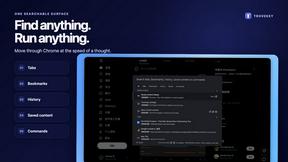
TroveKey
Search tabs, Chrome bookmarks and history, run browser commands, and save webpages and social posts locally—no account.
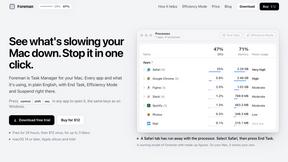
Foreman
See every app and what it's using in plain English, and end or slow down the one that's hogging your Mac.
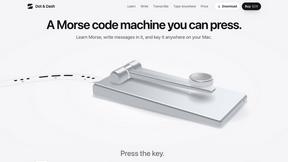
Dot & Dash
Learn Morse code on a machine you can press. Write and send messages, turn Morse into text and back, and key Morse in any app on your Mac.
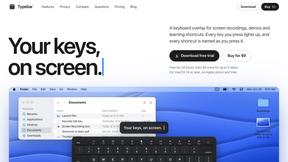
Typebar
Every key you press lights up on an on-screen keyboard, and each shortcut is named as you press it.

LightScreen
Free light screen tool online. Turn any display into a flashlight, ambient light, or solid-color screen. No download or sign-up.

PLRental
Rental agency software: scan a customer ID, get a signed contract in under a minute, and manage fleet, customers, and invoices.
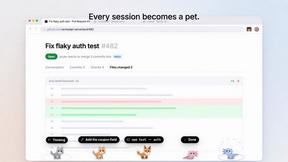
Agent Pets
Your Claude Code & Codex sessions as pets in Chrome. Approve, deny and reply to your coding agents from any tab.
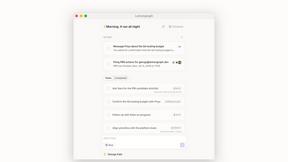
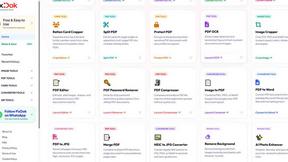
Pixdok
PixDok is a browser-based toolkit for common document and image tasks without requiring desktop software installation.
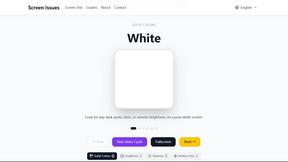
Screen Issues
Free Online Screen Test Tool - Instantly diagnose dead pixels, lines, color issues, and flickering. Multiple test modes, no download needed.
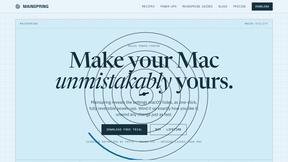
Mainspring
Mainspring turns the settings macOS hides into 90+ one-click, fully reversible power-ups for Finder, Dock, screenshots and more. $29 once.
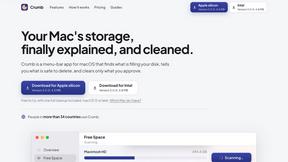
Crumb
A Mac menu bar app for a full disk. See what is using your space, read whether it comes back on its own, and remove only what you tick.
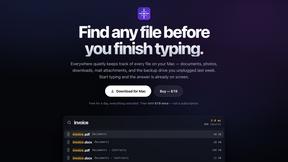
Everywhere
Fast file search for the Mac. Results as you type, files inside Mail and Photos, works with Wi-Fi off. $19 once.
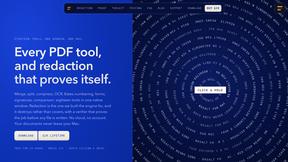
Basalt
Eighteen PDF tools in one native Mac window: merge, split, compress, OCR, Bates numbering, forms, signing and redaction. Offline. $29 once.
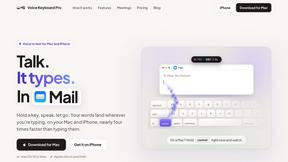
Voice Keyboard Pro
Hold a key, say what you mean, let go. Clean, punctuated text lands at the cursor in any app on your Mac or iPhone.

Inkling
Catch a thought without leaving what you are doing. Notes, checklists and a little companion in your Mac's notch. $12 once.

Manatee
A Mac app that opens damaged video, PDFs, archives and documents and writes out everything it can still read. $9 once, no uploads.
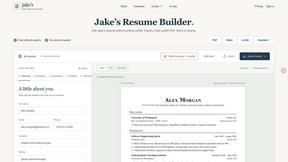
Jake's Resume Builder
Free resume editor with real LaTeX PDF, Word exports and optional AI help.

Context Board
Context Board brings your numbers, docs, clients, content and day into one workspace that Claude and Codex can read and update.
About ReCVme Alternatives
ReCVme is the AI-powered resume tailor that sits at the intersection of Productivity & Management and Writing, built specifically for job seekers who refuse to send generic applications into the void. It takes your existing resume, chews through a job description, and spits out a version that’s optimized for both ATS bots and the human recruiters who actually decide your fate. But let’s be real—no tool is perfect for everyone. Users start hunting for alternatives when the pricing feels too steep for their budget, when they need features like bulk editing for mass applications, or when they want a platform that integrates directly with job boards or LinkedIn. Maybe you’re looking for something with a different AI model, more granular control over formatting, or a tool that works offline. When shopping around, prioritize what actually matters: accuracy of keyword matching, export flexibility (DOCX and PDF are non-negotiable), speed of rewrites, and whether the tool actually teaches you something about your missing skills instead of just rearranging words. Don’t get blinded by flashy dashboards—if the output isn’t getting you interview calls, it’s just digital wallpaper.
FAQs about ReCVme Alternatives
What is ReCVme?
ReCVme is an AI-powered resume tailoring tool designed to help job seekers optimize their resumes for specific job applications. It analyzes your existing resume against a job description, then generates an ATS-optimized, recruiter-focused version that highlights the right keywords and skills. The tool also provides actionable insights like missing skills analysis, strengths and weaknesses, and suggested projects or courses to bridge gaps.
Who is ReCVme for?
ReCVme is built for students, freshers, experienced job seekers, and power applicants who want to maximize their interview call rate by tailoring resumes quickly and professionally. It’s especially useful for anyone applying to multiple roles where each job description demands a slightly different skill set. The tool is designed to save time while ensuring every submission is customized and competitive.
What are the main features of ReCVme?
ReCVme offers keyword matching, missing skills analysis, strengths and weaknesses breakdown, actionable improvement suggestions, and recommended projects or courses to fill experience gaps. It also provides editable resume rewrites that you can tweak before exporting to DOCX or PDF formats. The entire workflow is centered around making your resume pass ATS filters while impressing human recruiters.
Is ReCVme secure?
Yes, ReCVme treats your uploaded resume and job description data with standard security practices, including encryption during transmission and storage. The platform does not share your personal information or application materials with third parties without your consent. As with any online tool, you should avoid uploading sensitive personal data like Social Security numbers or financial details.